Prioritize and Mitigate Vulnerabilities
Tenable One OT Exposure identifies threats including CVEs, vulnerable protocols, and open ports. It utilizes Vulnerability Priority Rating (VPR) to generate risk scores for each vulnerability, allowing teams to focus on high-risk vulnerabilities that are actively exploitable rather than just those with high Common Vulnerability Scoring System (CVSS) scores.
VPR is the Tenable-calculated score based on the technical impact and threat intelligence for a vulnerability. For more information about VPR and how it differs from CVSS, see this blog.
Objective
Move from a reactive "patch everything" approach to a risk-based strategy by identifying and remediating the vulnerabilities that pose the greatest actual threat to the operational environment.
Prerequisites
-
Tenable One OT Exposure must have identified assets via passive or active discovery.
-
(Optional) Integration with Tenable One Vulnerability Management or Tenable Security Center for unified scoring.
Step 1: View the Risk Dashboard
-
Log in to Tenable One OT Exposure.
-
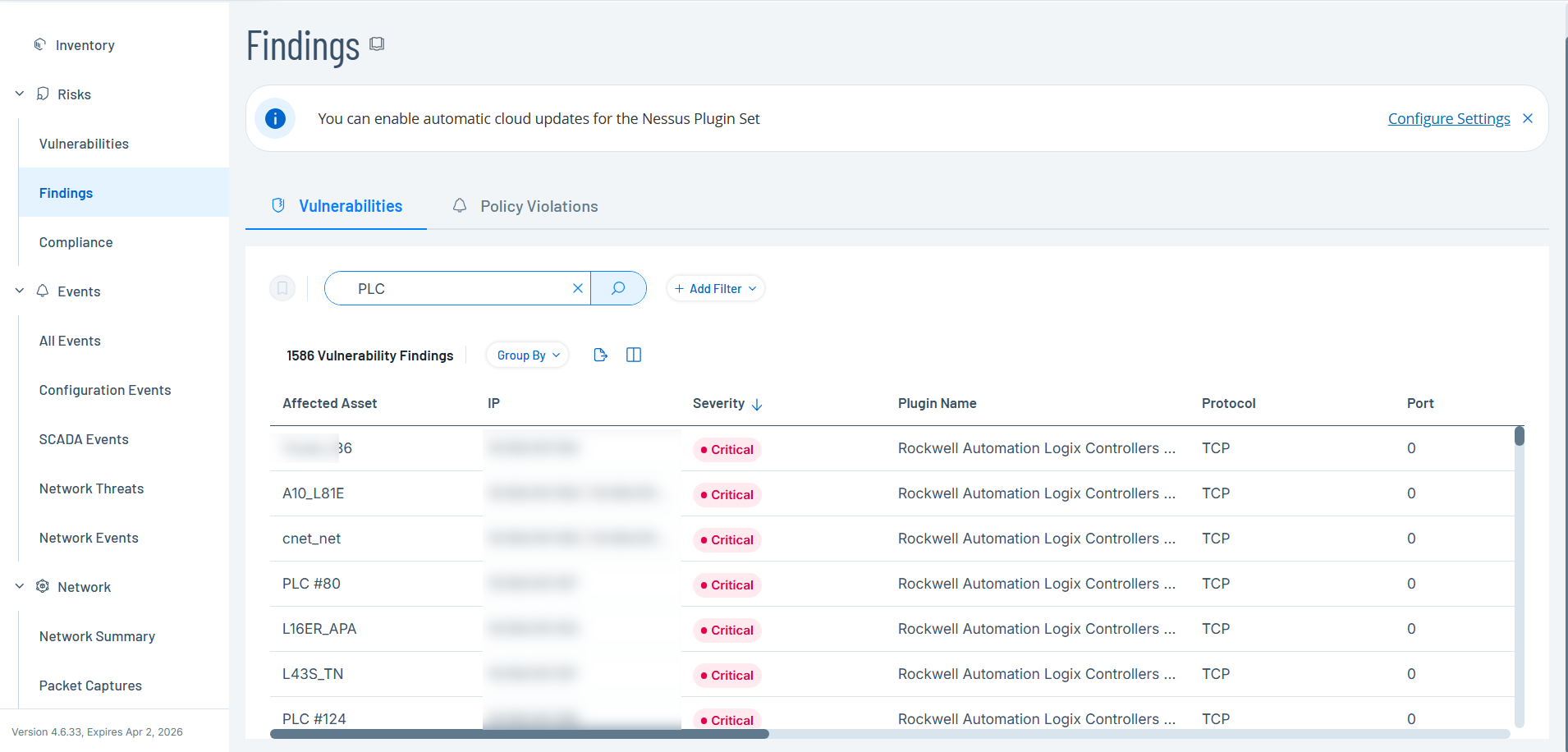
In the left navigation menu, click Risks > Findings.
The Findings page appears with the default Vulnerabilities tab, displaying all network threats, including CVEs and vulnerable protocols.
Step 2: Prioritize by Severity and Asset Criticality
-
Sort the vulnerability list by VPR or Severity (Critical or High) to identify top threats.
-
Use the Add Filter button to filter the view to focus on critical asset categories, such as Controllers (PLCs) or Engineering Stations.
The Vulnerabilities list displays the filtered results.
-
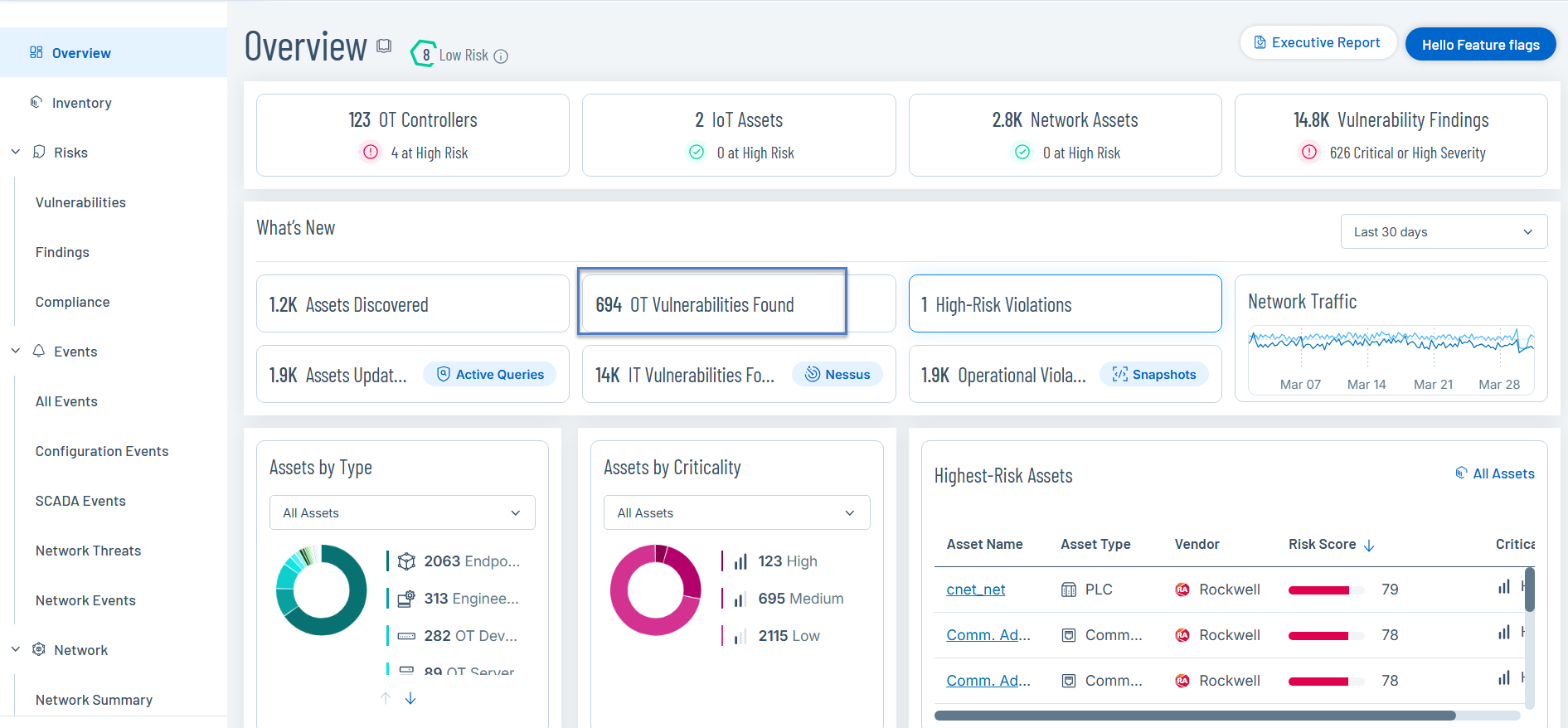
Alternatively, review the Vulnerabilities widget on the Overview dashboard to see the distribution of severity across asset types.
-
Click the OT Vulnerabilities widget to drill down into the Findings page.
-
Step 3: Analyze Remediation Options
-
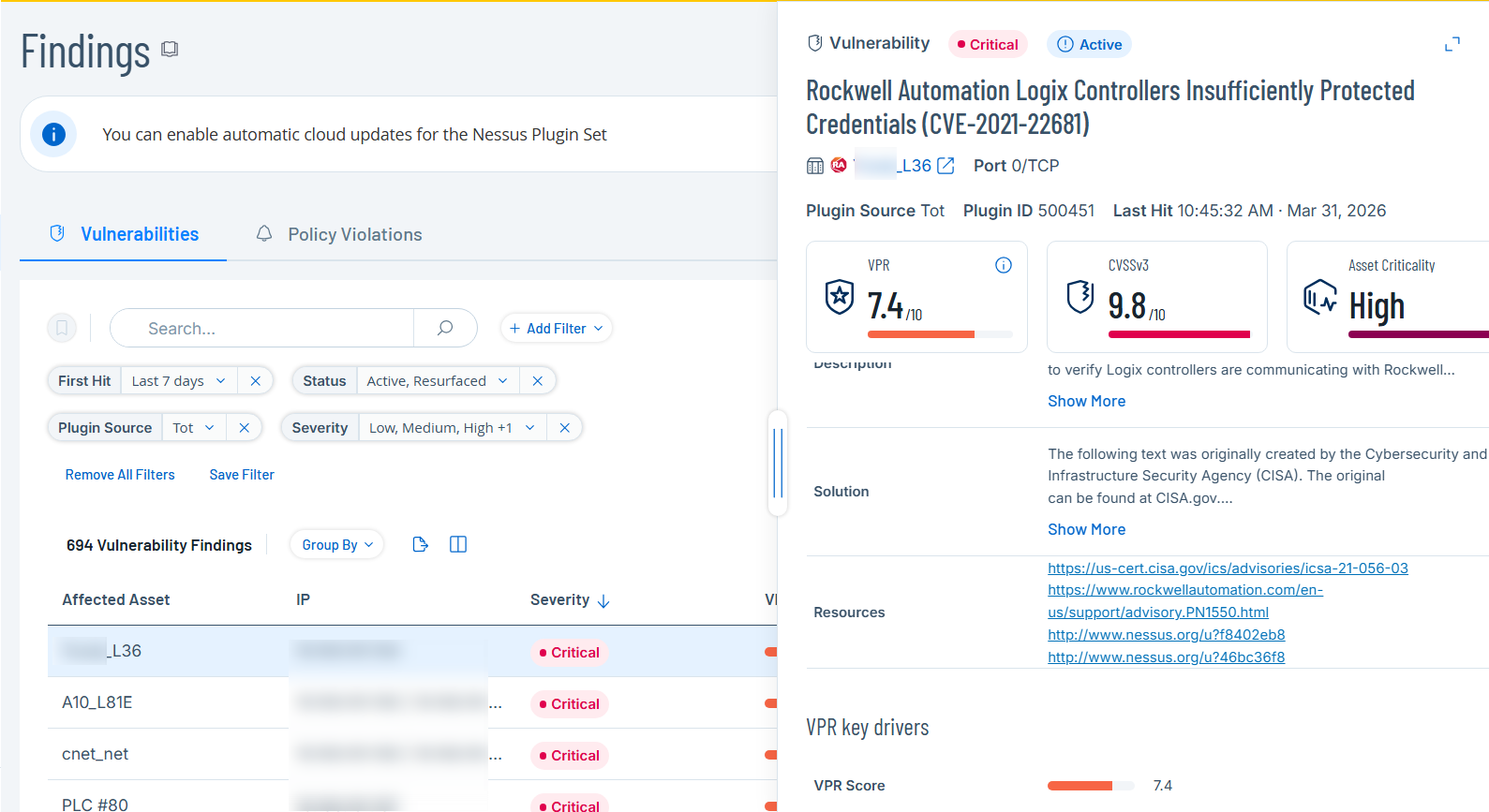
In the Findings page, click a specific asset to open the Asset Details panel.
-
Click a specific vulnerability to review the detailed insights and mitigation suggestions provided for the specific CVE or vulnerability.
-
On the Findings page, click the Export
 button to export the data to share with other teams and stakeholders.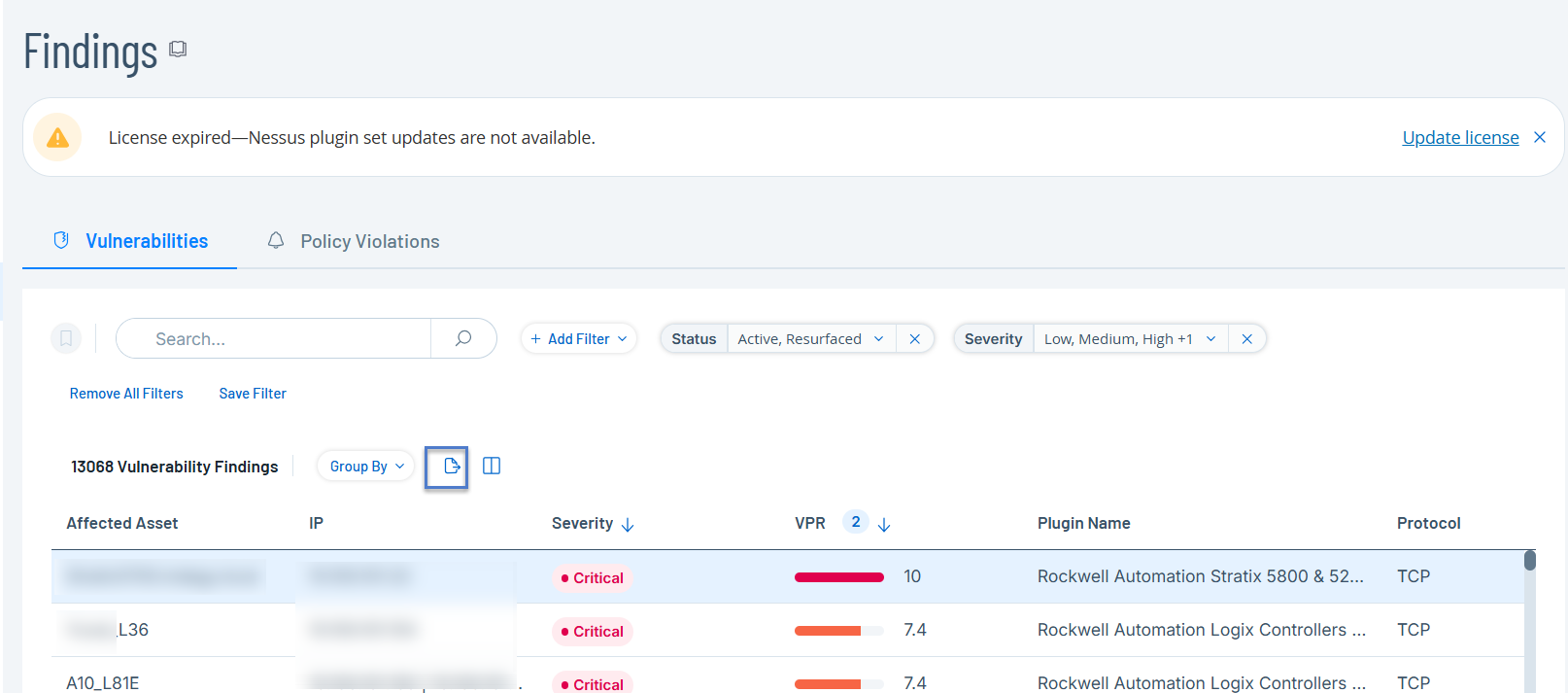
Outcome
You have a prioritized list of vulnerabilities relevant to your exact environment, enabling the efficient allocation of maintenance resources to reduce the greatest risk.