Related Assets
The Related Assets page for an asset shows the list of all its nested assets.
To access the Related Assets page:
-
In the Inventory > All Assets table, click an asset to open the asset details page.
-
In the left navigation pane, click Related Assets.
The Related Assets page appears.
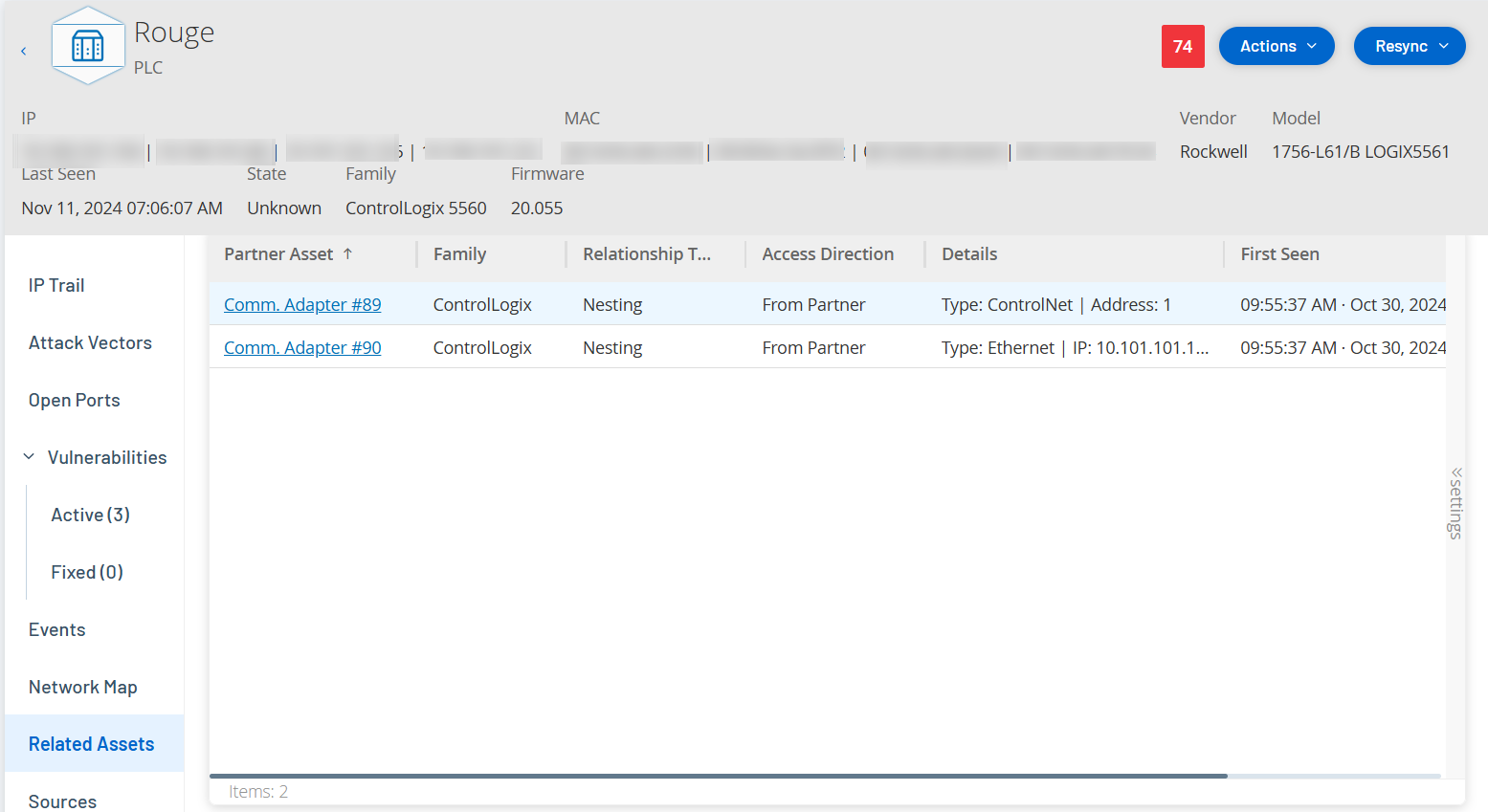
The Related Assets page appears with the following details:
| Column | Description |
|---|---|
| Partner Asset | The name of the related asset. |
| Relationship Type | The type of relationship with the related asset: Nesting. |
| Access Direction | The direction of access between the asset and its partner. |
| Details | The details of the asset type. For example: ControlNet or IP. |
| First Seen | The date when Tenable One OT Exposure initially discovered this asset. |
| Last Seen | The date when Tenable One OT Exposure last detected this asset. |
Nested Asset Details
Nested devices are Programmable Logic Controller (PLC)s or other Industrial Control System (ICS) modules connected behind a PLC backplane or device. This is similar to a variable-frequency drive (VFD) connected directly to a communications adapter. To view the details of a nested asset, click the nested asset link on the Related Assets page. Tenable One OT Exposure indicates nested devices using the  icon.
icon.
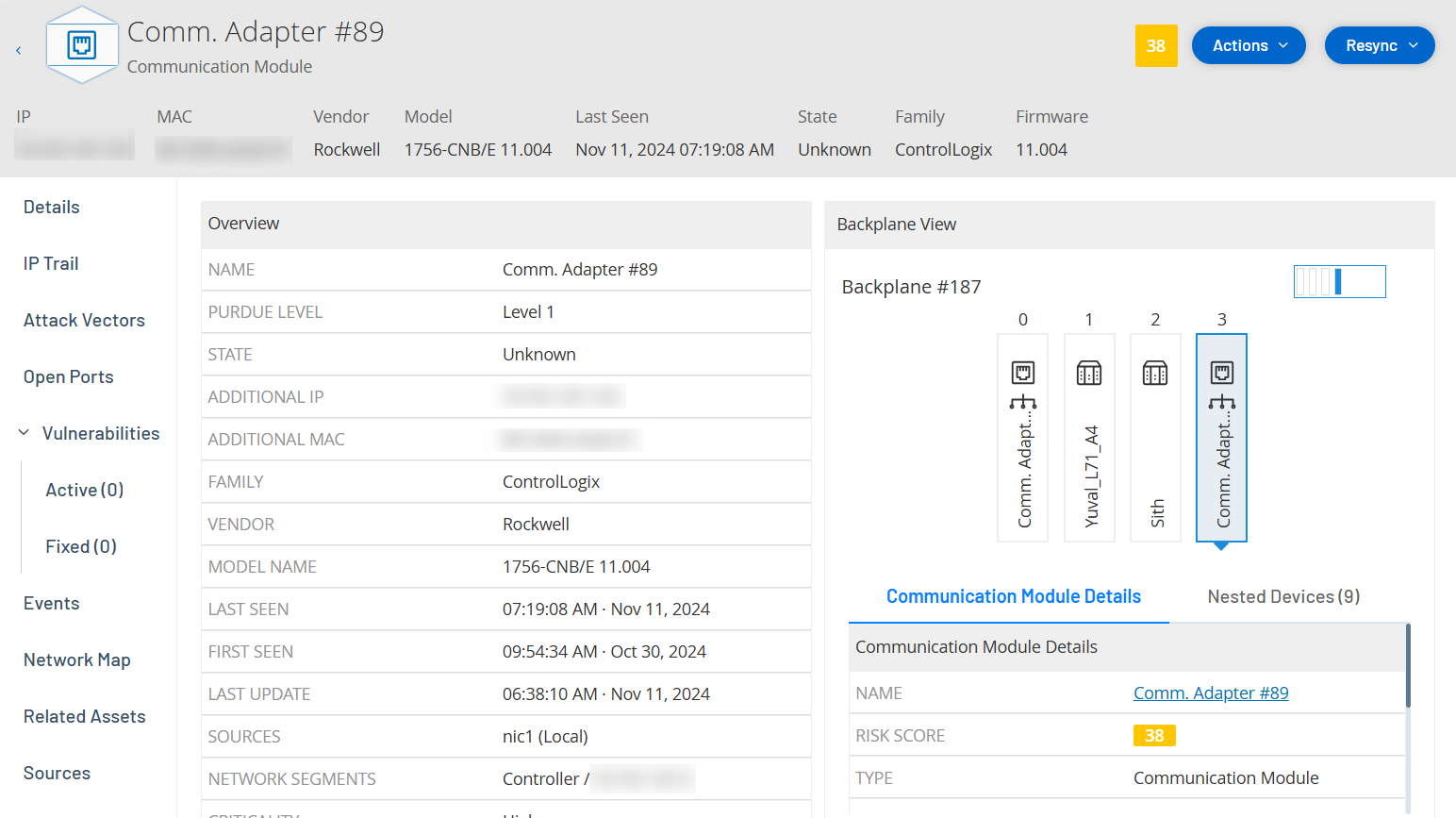
The nested asset details page appears with the following details:
| Section | Description |
|---|---|
| Overview |
Includes details of the asset such as the name, purdue level, state, and additional IP. |
| General | Includes details such as serial number, firmware version, device type, backplane number, and slot number. |
| Backplane View | Includes a graphical view of the backplane. Click the device name on the backplane view to display the Communication Module Details and the Nested Devices tabs. |