Investigate and Respond to Network Threats
Tenable One OT Exposure employs multiple detection engines, including behavioral anomalies, signature-based detection (Suricata), and policy-based rules to identify traffic indicative of cyberattacks.
Objective
Detect and investigate suspicious network activity, such as unauthorized scans, malware propagation, or protocol anomalies, to prevent operational disruption.
Prerequisites
You must have the required permissions to view events.
Make sure that you configure the following:
-
Configure network monitoring. See Monitored Networks.
-
Enable detection policies. See Enable or Disable Policies.
-
(Optional) Enable PCAP capture for forensic analysis. See Download Individual Capture Files.
Step 1: Monitor Event Alerts
-
Log in to Tenable One OT Exposure.
-
In the left navigation menu, click Events.
-
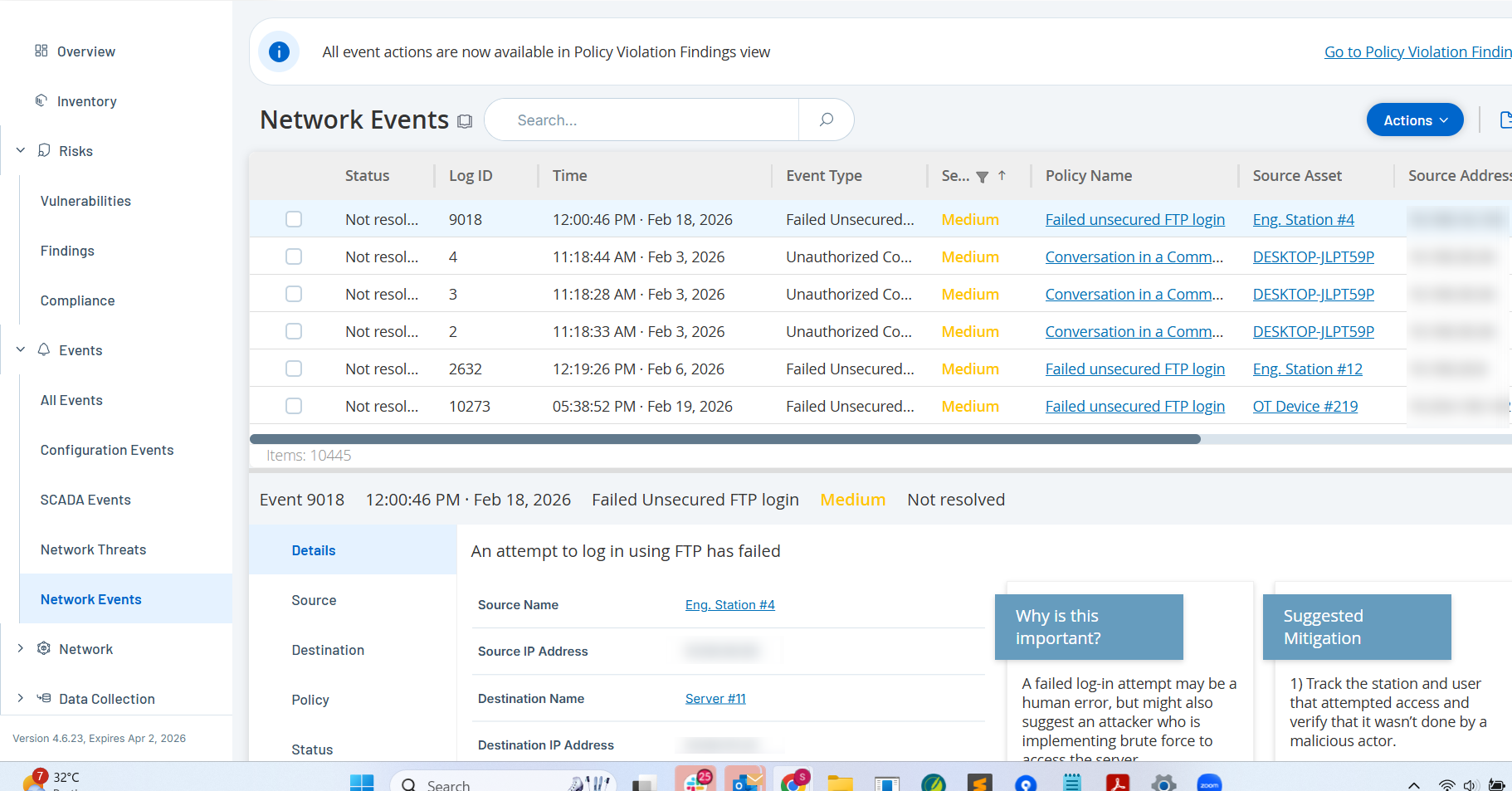
Select Network Threats or Network Events to view alerts related to intrusion attempts or abnormal traffic.
-
Sort events by Severity (High or Critical) to triage immediate threats.
Step 2: Analyze Conversation Data
-
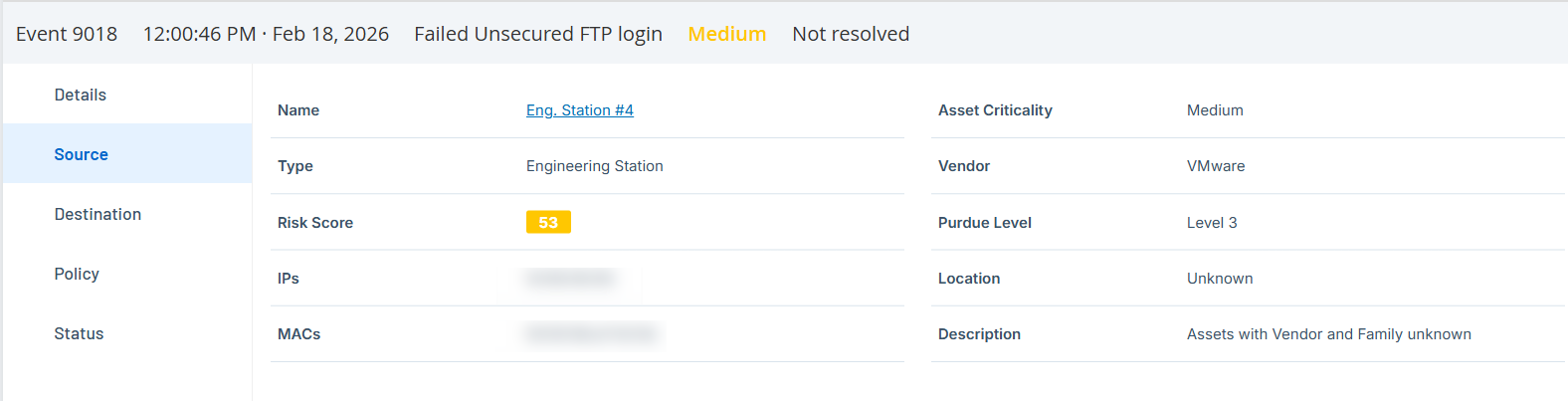
Select a specific event to view the Event Details panel.
-
Identify the Source and Destination assets involved in the suspicious activity.
-
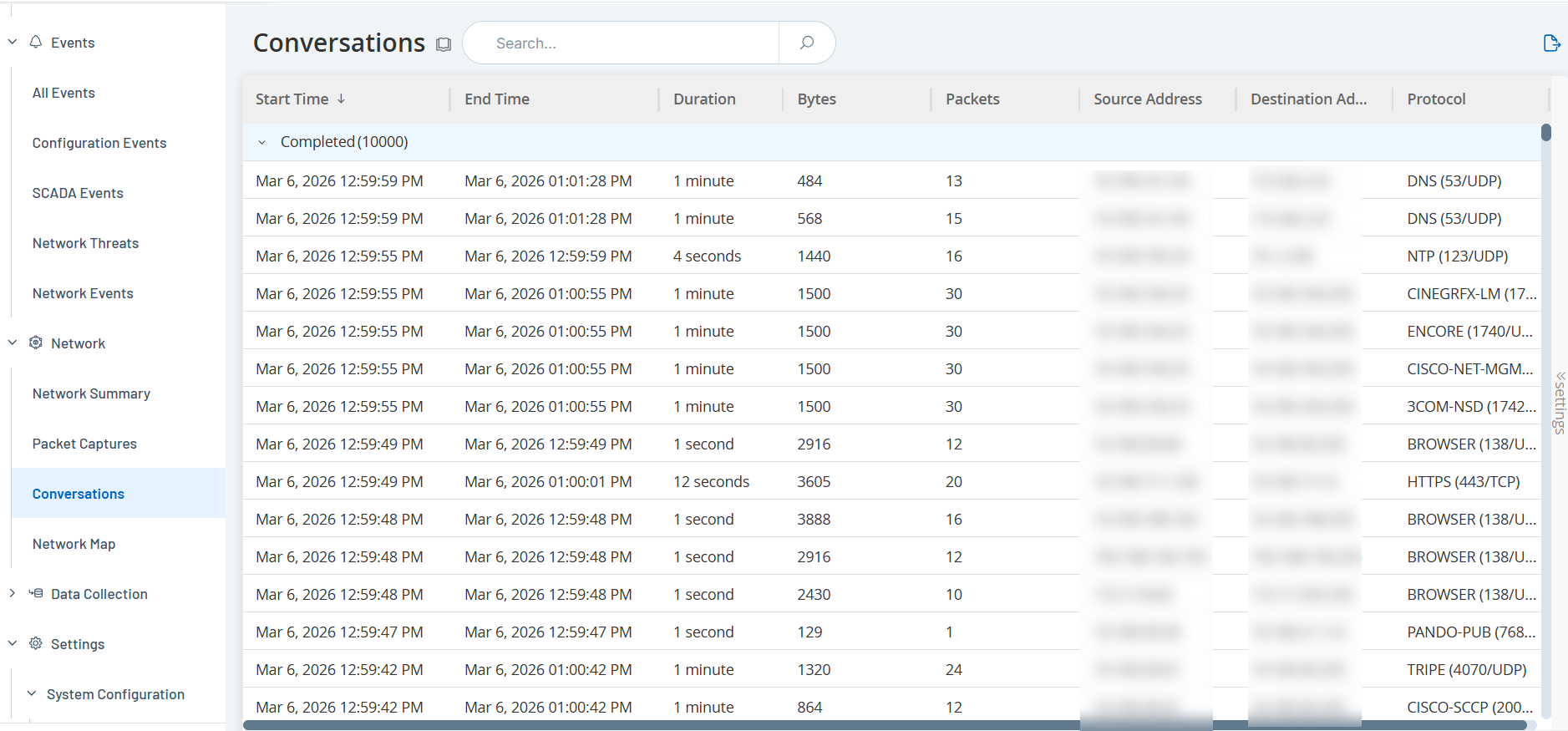
Navigate to the Network > Conversations page to view the specific traffic flows between these assets.
-
If available, use the Packet Captures (PCAP) view to analyze the raw traffic data for forensic evidence. See Download Individual Capture Files.
Step 3: Initiate Response
-
Review the Suggested Mitigation in the Event details section and take action (e.g., isolate the compromised asset).
-
If the event is a false positive, adjust the policy configuration to fine-tune detection and reduce noise. See Policies.
-
In Findings > Policy Violations, mark the event as Resolved to clear it from the active queue. See Policy Violations.
Outcome
You can rapidly identify the "who, what, where, and when" of a security incident, minimizing the Mean Time to Respond (MTTR).