System Actions
The System Actions page shows a list of system activities that you can perform.
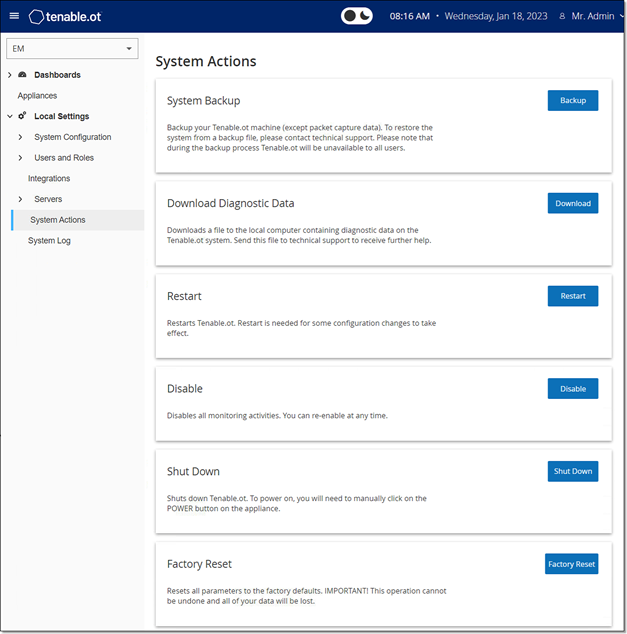
The System Actions page includes the following:
| Parameter | Description |
|---|---|
| System Backup |
Back up your Tenable One OT Exposure machine (except packet capture data). To restore the Tenable One OT Exposure system from a backup file, contact Technical Support. Note: During the backup process, Tenable One OT Exposure is unavailable to all users.
|
| Download Diagnostics Data | Creates a file with diagnostic data on the Tenable One OT Exposure system and stores it on the local computer. Send this file to Tenable Technical Support to receive further help. |
| Restart | Restarts the Tenable One OT Exposure EM. This is needed for activation of certain configuration changes. |
| Disable | Disables all monitoring activities. You can reactivate the monitoring activities at any time. |
| Shut Down | Shuts down the Tenable One OT Exposure EM. To power on, press the Power button on the Tenable One OT Exposure EM. |
| Factory Reset |
Returns all settings to the factory default settings.
Warning: You cannot undo this operation and you lose all data in the system.
|