Memories
Memory in ChatGPT refers to the system’s ability to store and recall information across interactions with a user—beyond a single conversation. It allows ChatGPT to "remember" facts, preferences, or instructions you’ve shared, which can be used to personalize responses and improve continuity in future sessions.
ChatGPT’s memory works in two ways:
-
Saved memories are details ChatGPT remembers and uses in future conversations, like your name, preferences, or goals. ChatGPT may save important information automatically, but you can also ask it to remember something directly by saying, “Remember this…”
-
Chat history allows ChatGPT to reference past conversations when responding, even if the information hasn’t been saved as a memory. Since it doesn’t retain every detail, use saved memories for anything you want ChatGPT to keep top-of-mind.
Examples:
-
Your name or preferred nickname (e.g., "Call me Joe")
-
Your communication style (e.g., "Be concise" or "Use bullet points")
-
Your projects, goals, or areas of interest (e.g., "I’m working on an AI security paper")
-
Preferred formats (e.g., "Summarize in tables" or "Always define terms first")
To access the Memories tab:
-
In the left navigation menu, click Inventory.
The Inventory page appears. By default, the Agents tab is selected.
-
Click the Memories tab.
The Memories tab appears.
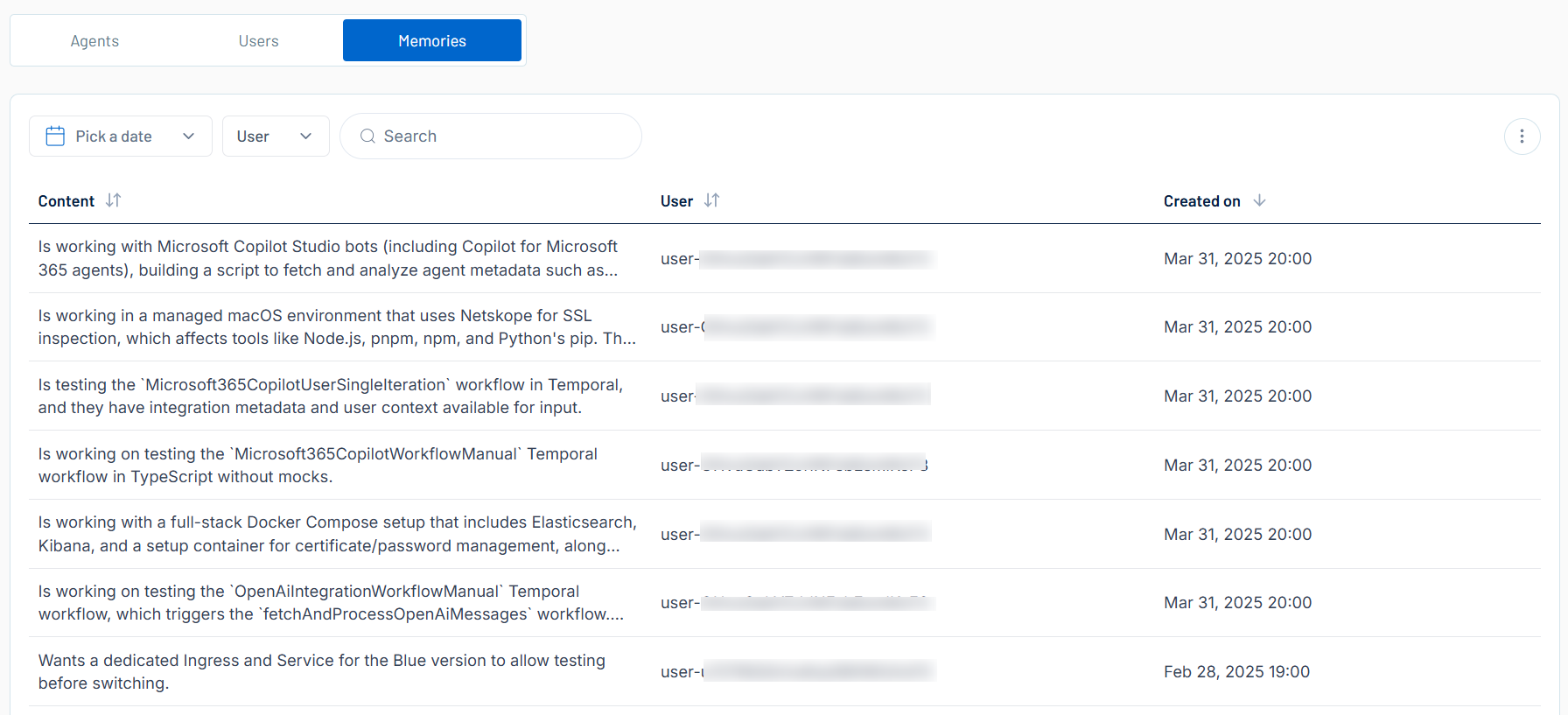
Here, you can:
-
Use the search bar to search for a specific memory in the list.
-
Filter the list:
-
Above the list, use one or more of the following filters to adjust the data displayed in the list:
- Date selection drop-down
- User
Tenable One AI Exposure updates the list based on your selection.
-
Click Clear Filters to clear any filters applied to the list.
-
-
Manage the columns in the list:
-
In the upper-right corner, click the
 button.
A menu appears.
-
Select or deselect columns to show or hide them within each list.
-
-
View the following information about your memories:
-
Content — The full name of the user.
-
User — The user name of the user.
-
Created on — The user's status, for example, active or inactive.
-
-
Delete a memory:
-
In the row for the memory you want to delete, click the
 button.
A confirmation message appears.
-
Click Confirm.
Tenable One AI Exposure deletes the memory and its related data, removes it from the memories list, and removes the memory from the user's ChatGPT instance.
-