Policies
A policy is a list of detection rules designed to trigger AI findings based on specific detection logic. Each policy represents a set of rules related to a specific AI risk category, such as Exposed Access Data or Harmful Content, with each rule representing a subcategory within that policy. The Policies page in Tenable One AI Exposure allows you to view and manage all of your policies related to your organization's AI usage.
Policies are grouped into the following categories:
-
Data Exposure — Data is exposed either to an AI-based application or directly to a user. The risk lies in the possibility that this data may be further shared through third-party connections (such as tools integrated with the AI) or accessed by users who should not have visibility into sensitive, regulated, or privileged information.
-
AI Attacks — Adversarial attempts to access sensitive data. These attacks may involve external threat actors within the network trying to gain privileged access to an AI model, or malicious insiders attempting to retrieve data beyond their authorized scope.
-
AI Misuse — Refers to scenarios where AI is either over-relied upon or used in ways that exceed its intended purpose. This includes:
Overreliance — Relying on AI to make critical decisions without human oversight, leading to automation of flawed outputs, policy violations, or compliance risks.
Harmful Content — AI prompts contains harmful, sexual or violent content.
- Risky Tools — Indicates the risks when granting excessive read and write permissions to agentic tools such as Google Drive, Google Sheets, Microsoft Teams, etc. When you connect an agent to these tools, data gets exposed to any user who interacts with that agent.
- Company data is exposed via an agent: The risk from agentic tools with permissions to read company data. Connecting these tools to an agent exposes sensitive data to anyone who uses that agent.
- Company is exposed to agent's actions: The risk from agentic tools with permissions to modify or delete the company's data. Connecting these tools to an agent allows the agent to modify the company’s data, trigger actions, or update systems without restrictions.
To access the Policies page:
-
In the left navigation menu, click Policies.
The Policies page appears. By default, the Policies tab is selected.
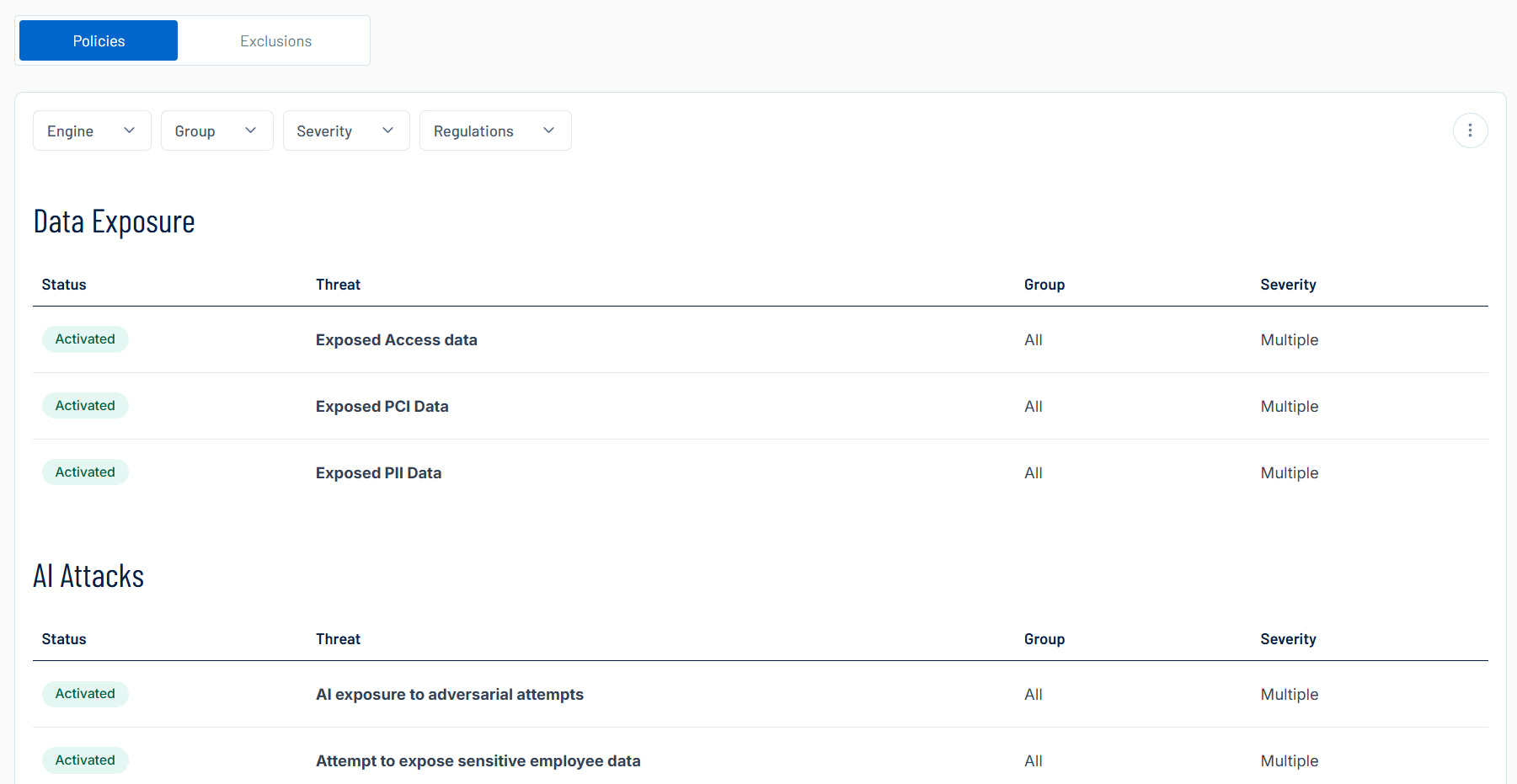
Here, you can:
-
Filter the list:
-
Above the list, use one or more of the following filters to adjust the data displayed in the list:
-
Application
-
Group
- Severity
- Regulations
Tenable One AI Exposure updates the list based on your selection.
-
-
Click Clear Filters to clear any filters applied to the list.
-
-
Manage the columns in each list:
-
In the upper-right corner, click the
 button.
A menu appears.
-
Select or deselect columns to show or hide them within each list.
-
-
View your policies, grouped into the following categories:
-
Data Exposure
-
AI Attacks
-
AI Misuse
-
Risky Tools
For each category, you can view the following policy information:
-
Status — The status of the policy, for example, Activated, Partially Activated, or Deactivated.
-
Threat — A brief description of the threat associated with the policy.
-
Group — Where applicable, the specific group to which the policy is applied.
-
Severity — The severity of the policy, for example, High, Medium, or Multiple.
-