Audit
The Audit page in Tenable One AI Exposure gives you a comprehensive view of your users and their activity while using AI applications. This enables you to audit your users and their actions.
To access the Audit page:
-
In the left navigation menu, click Settings.
The Settings page appears. By default, the Integrations tab is selected.
-
Click the Audit tab.
The Audit page appears.
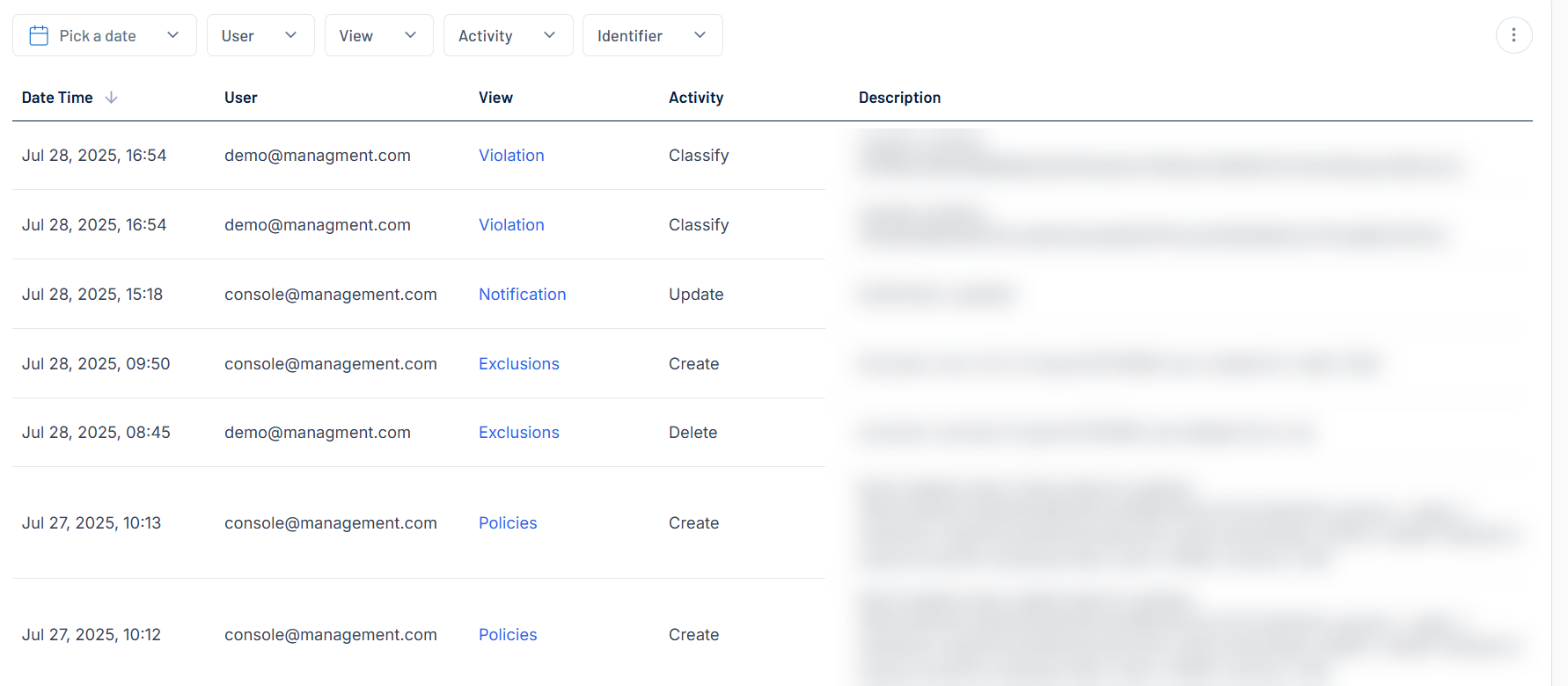
Here, you can:
-
 Filter the list:
-
Above the list, use one or more of the following filters to adjust the data displayed in the list:
-
Pick a Date
-
User
-
App
-
Engine
-
Context
-
Topics
-
Tasks
-
Extension
Tenable One AI Exposure updates the list based on your selection.
-
-
Click Clear Filters to clear any filters applied to the list.
-
-
Manage the columns in the list:
-
In the upper-right corner, click the
 button.
A menu appears.
-
Select or deselect columns to show or hide them within the list.
-
-
View the following information about your users and their activity:
-
Date Time — The date and time at which the user performed the action.
-
User — The name of the user that performed the action.
-
View — Click to navigate directly to the item that the user performed an action on. For example, if the user created a notification, you navigate directly to the notification created by the user.
-
Activity — The action performed during the activity, for example Create or Update.
-
Description — A brief description of the action taken by the user, for example, Rule deleted.
-