Notifications
At the top right of the Tenable One Identity Exposure home page, a bell icon and its badge counts notify you of attack alerts and exposure alerts waiting for your acknowledgment. Tenable One Identity Exposure increments the notification badge counts when it receives new alerts,.
|
|
Blue | Exposure alerts |
| Red | Attack alerts |

To display alerts:
-
In Tenable One Identity Exposure, click the bell icon.
The Alerts pane opens.
-
Do one of the following:
-
Click the Exposure alerts tab to display exposure alerts.
-
Click the Attack alerts tab to display attack alerts.
A list of associated alerts appears.
-
To view the event associated with the alert:
-
Select an alert from the list and click Actions > See the deviance.
The Event details pane opens with the following information:
-
Source (Event collector)
-
Object type
-
File
-
Path
-
Impacted domains
-
Date
-
A list of attributes with values at the time of event and the current value
-
-
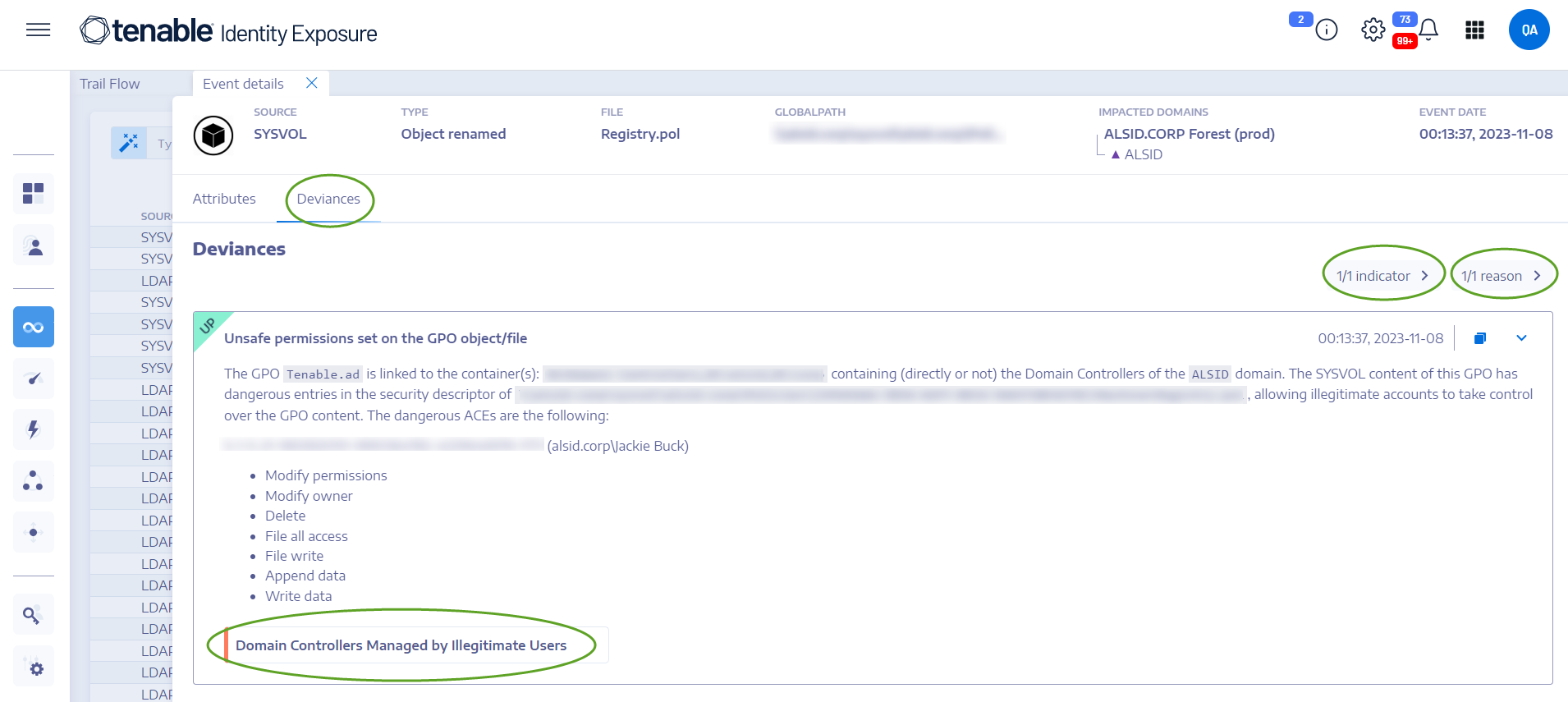
Click the Deviances tab.
The Deviances pane opens with a list of deviances associated with the event.
-
Click n/n Indicators to display the pane for the Indicator of Exposure that triggered the alert.
-
Click n/n Reasons to display the reasons for the alert.
-
Click the arrow to expand or collapse the information for the alert.
-
Click the Indicator name to display the Indicator details page.
To archive the alert:
After you view the alert, you can archive it.
-
In the list of alerts in the Alerts pane, select the checkbox for the alert that you want to archive.
-
Optionally, you can click the checkbox for n/n objects selected at the bottom of the pane to select all alerts in bulk.
-
-
At the bottom of the pane, click Select an action > Archive.
-
Click OK.