Renew TLS Certificate
This section explains how to renew an existing, expiring, or compromised self-signed/ custom certificate with a newly custom certificate TLS with/No peer verification without altering the component's application code or its configuration for TLS usage.
Generate the Certificate
-
Use a tool such as OpenSSL to create the new certificate.
-
Make sure it includes the correct Subject Alternative Name (SAN) or Common Name (CN) that matches the component’s hostname or IP address.
-
The new certificate must also use a stronger key size and hash algorithm than the old one.
To download the executable file:
-
Contact your Tenable representative to acquire the necessary download file.
-
Save the file to a secure location on your system.
-
Verify the file integrity by checking its SHA-256 hash: 7B633595AC201046AB006A1EB0427FC0082A72096B5B16F308EDDBEB56EAABD4
Standard Architecture
To renew the certificate:
-
Connect to the Storage Manager (SM), Security Engine Node (SEN), and the Directory Listener (DL) servers using an administrator account.
-
Open a PowerShell terminal as an administrator.
-
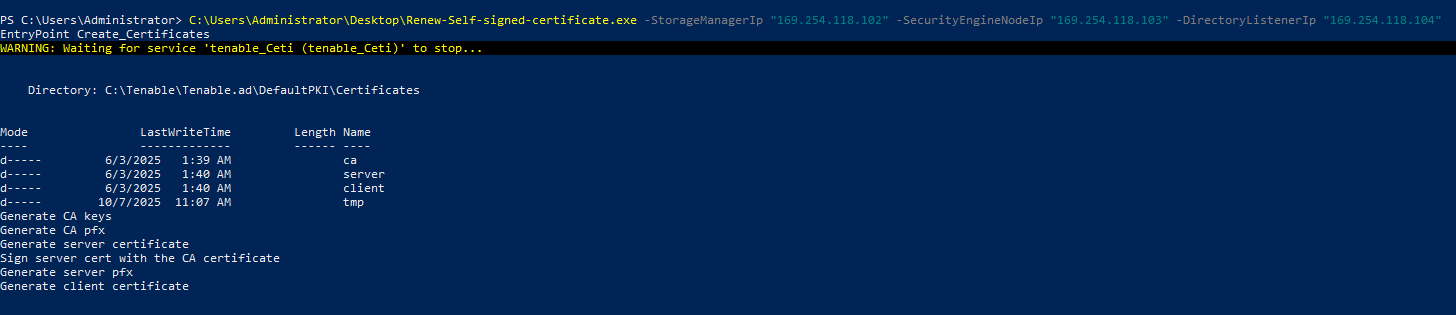
Run the executable file with the following parameters.
CopyPS C:\> .\Renew-Custom-Certificate.exe -Tls_Option "CustomWithPeer | CustomNoPeer" -ServerPfxPath "C:\ServerCertificate.pfx" -ServerPfxPassword "pfx password" -CAcrtPath "C:\caCertificate.crt"
-
PS C:\> .\Renew-Self-signed-certificate.exe -StorageManagerIp "SM host" -SecurityEngineNodeIp "SEN1 Host, SEN2 Host, SEN3 Host, SEN4 Host, SEN5 Host" -DirectoryListenerIp "DL Host"