Configure the Relay
After installation and post-installation checks, you configure your Relay in Tenable One Identity Exposure to link it to a domain and set up alerts.
Before you begin:
Domain Mapping
Replace multiple-DL application settings or network environment variables with necessary domain settings (the number of edits may vary).
To map a domain to a Secure Relay:
-
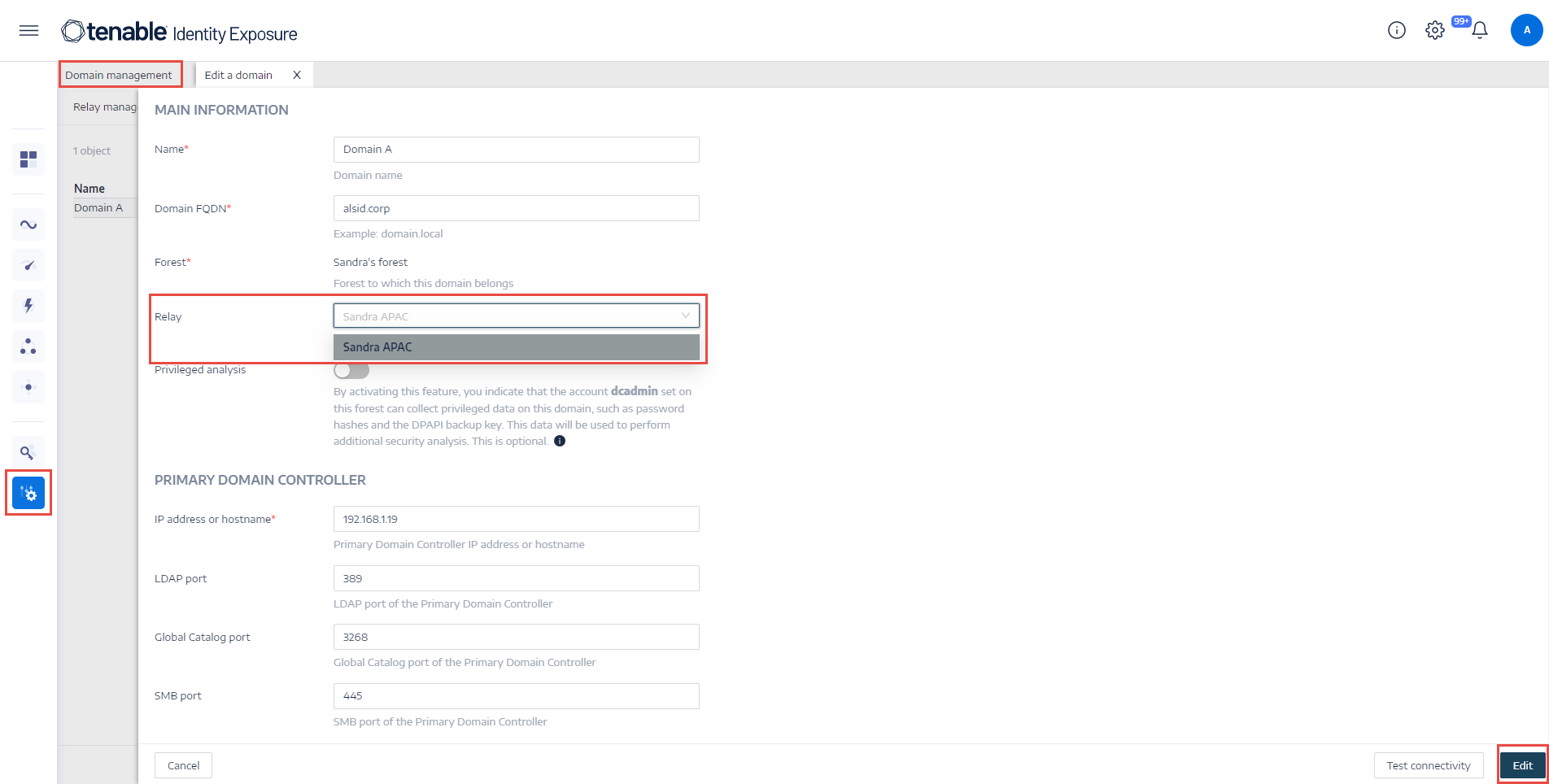
In Tenable One Identity Exposure, click Systems on the left menu bar and select the Domain Management tab.
-
In the list of domains, select a domain to link and click
 at the end of the line.
 -
In the Relay box, click the arrow to show a drop-down list of installed relays and select a relay to link to the domain.
The Edit a domain pane opens.
-
Click Edit.
A message confirms that Tenable One Identity Exposure updated the domain. SYSVOL and LDAP synchronize to include the modification. The Trail Flow begins to receive new events.
Alert Mapping
-
SMTP Configuration: Make necessary edits to SMTP Server Configuration.
-
Syslog Alerts: Configure Syslog Alerts (the number of edits may vary).
LDAP Mapping
-
Implement Authentication Using LDAP .
See Also