Service Details
The Service Details page in the Tenable Account Management portal highlights important details about all Tenable Professional Services items available for your account.
To access the Service Details page:
-
Access the Services page.
-
In the Services list, click the service for which you want to view details.
The Service Details page appears.
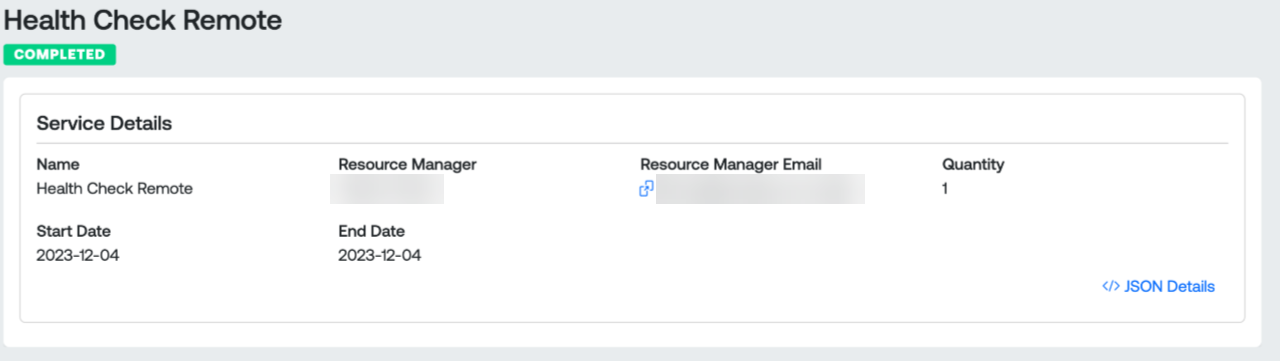
The Service Details list includes the following information:
-
Status — The status of the service, for example Completed or Not Completed.
-
Name — The name of the service.
-
Resource Manager — The name of the resource manager assigned to the professional service.
-
Resource Manager Email — The email address of the resource manager assigned to the professional service.
-
Quantity — The number of services that run as part of the professional service.
-
Start Date — The date at which the professional service began.
-
End Date — The date on which the professional service expires.