Access Control
Required User Role: Administrator
On the Access Control page in Tenable One Vulnerability Management, users can manage system-wide security by defining who can access the platform and what specific actions they can perform.
For more information on getting started with Access Control, see Get Started with Role-Based Access Control.
To access the Access Control page:
-
In the left navigation, click
 Settings.
The Settings page appears.
-
Click the Access Control tile.
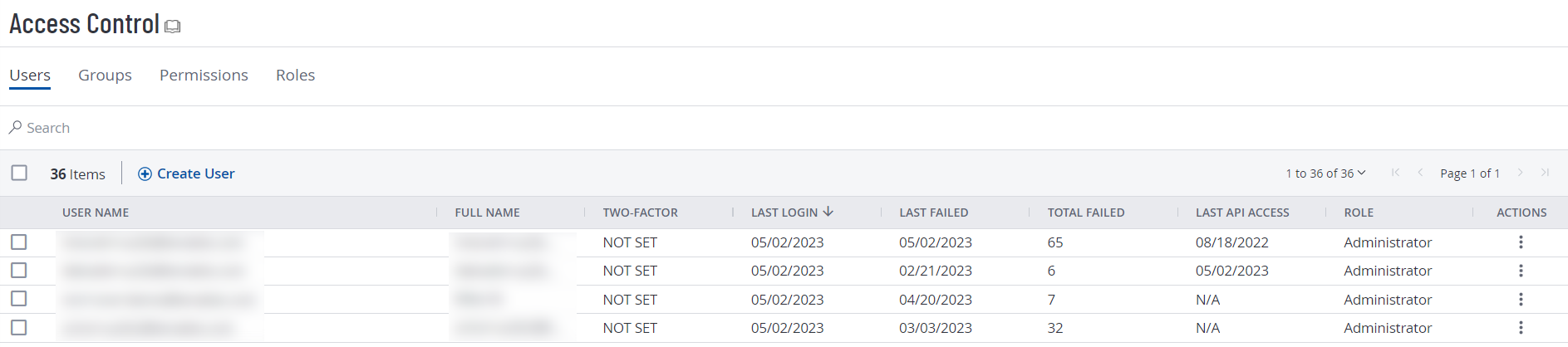
The Access Control page appears. On this page, you can control user and group access to resources in your Tenable One Vulnerability Management account.
Here, administrators can:
-
Manage Users: Create, edit, and delete user accounts, and view details such as last login activity and two-factor authentication status.
-
Assign Roles: Assign standard or custom roles to users to control high-level permissions, such as administrative access or scan-only capabilities.
-
Create Groups: Organize users into functional groups to streamline the process of assigning resource permissions at scale.
-
Configure API Keys: Generate and manage API keys for users who need to integrate Tenable Vulnerability Management with third-party applications or automate workflows.
-
Define Permission Configurations: Fine-tune access to specific resources—such as scanners, scan results, or asset lists—to ensure users only interact with data relevant to their job functions.
For more information, see the following topics: