Agents
An "agent" is a software-based entity that uses artificial intelligence to autonomously or semi-autonomously perform tasks, make decisions, or interact with users or other systems—potentially affecting the security posture of the systems it operates within. Agents can be beneficial or malicious, and their presence introduces new attack surfaces, trust models, and governance challenges. The Agents tab within Tenable One AI Exposure gives you an overview of the agents present within your organization.
To access the Agents tab:
-
In the left navigation menu, click Inventory.
The Inventory page appears. By default, the Agents tab is selected.
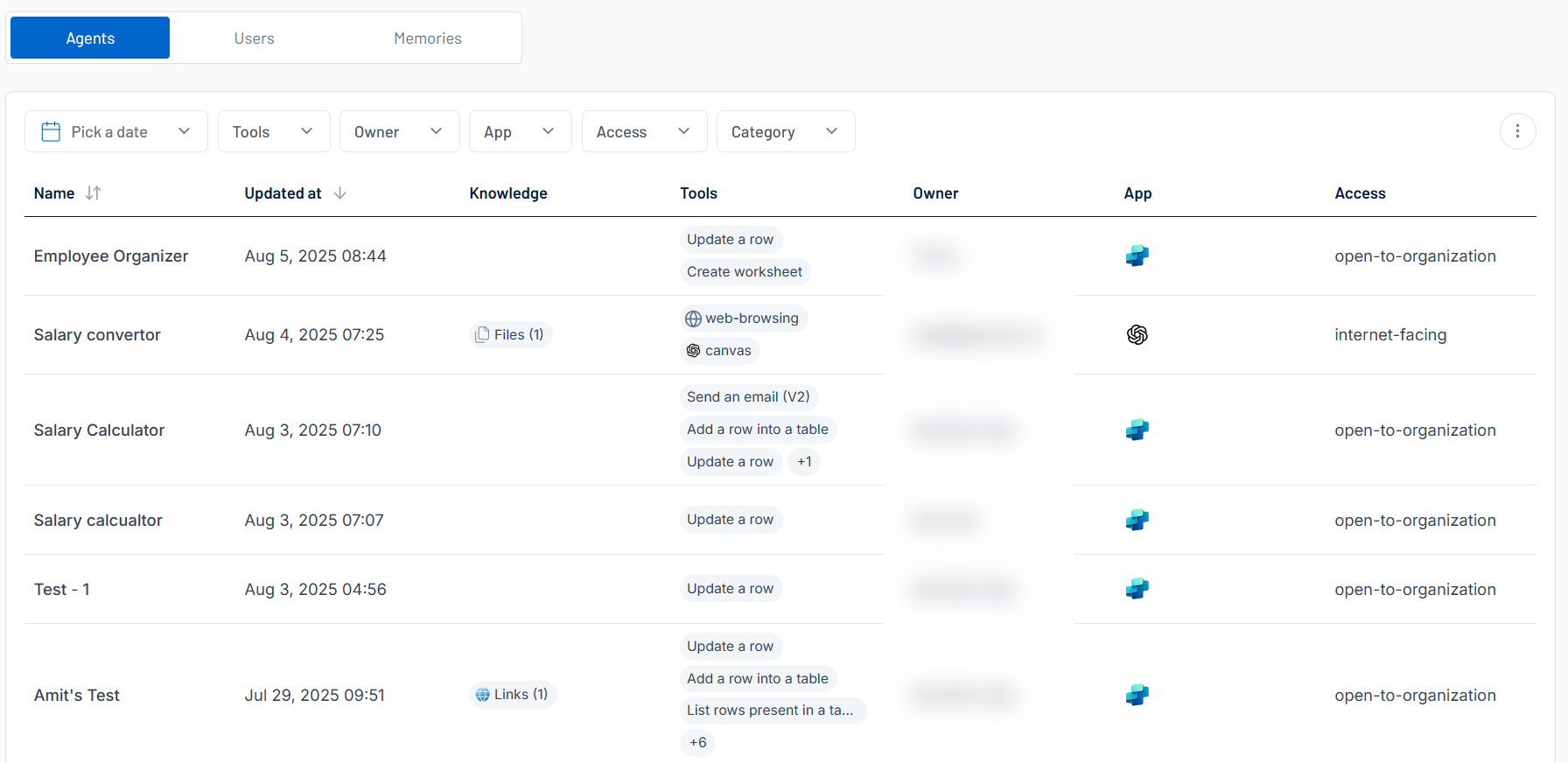
Here, you can:
-
Filter the list:
-
Above the list, use one or more of the following filters to adjust the data displayed in the list:
-
Date selection drop-down
-
Tools
-
Owner
-
App
-
Access
-
Category
Tenable One AI Exposure updates the list based on your selection.
-
-
Click Clear Filters to clear any filters applied to the list.
-
-
Manage the columns in the list:
-
In the upper-right corner, click the
 button.
A menu appears.
-
Select or deselect columns to show or hide them within each list.
-
-
View the following information about your agents:
-
Name — The name of the agent.
-
Updated at — The time and date at which the agent was most recently updated.
-
Knowledge — Files or links added as supplemental context that the agent can reference to provide more accurate and relevant responses. This knowledge can come from external sources (e.g., web pages or uploaded files) or internal organizational sources (e.g., documents, databases, or sensitive files).
-
Tools — The tools used by the agent to take action, for example Web Search or Retrieval.
-
Owner — The user who owns the agent.
-
App — The AI application associated with the agent.
-
Access — The access level of the agent, for example internet-facing or open-to-organization.
Tip: To change the access level of the agent, you can isolate the agent via the agent details panel. -
Click on any agent row to view Agent Details for the selected agent.
-