Ignore Rules
Ignore rules allow you to ignore an entire rule or policy. Instead of modifying parts of it, you can choose not to enforce or evaluate the rule at all. The scope of ignoring can vary depending on granularity, for example, ignoring the rule only for a specific agent, for a particular application, or across all agents. You can create an Ignore Rule to prevent alerts on the rule or policy from appearing throughout the Tenable AI Exposure interface.
To access the Ignored Rules page:
-
In the left navigation menu, click Policies.
The Policies page appears. By default, the Policies tab is selected.
-
Click the Ignored Rules tab.
The Ignored Rules page appears.
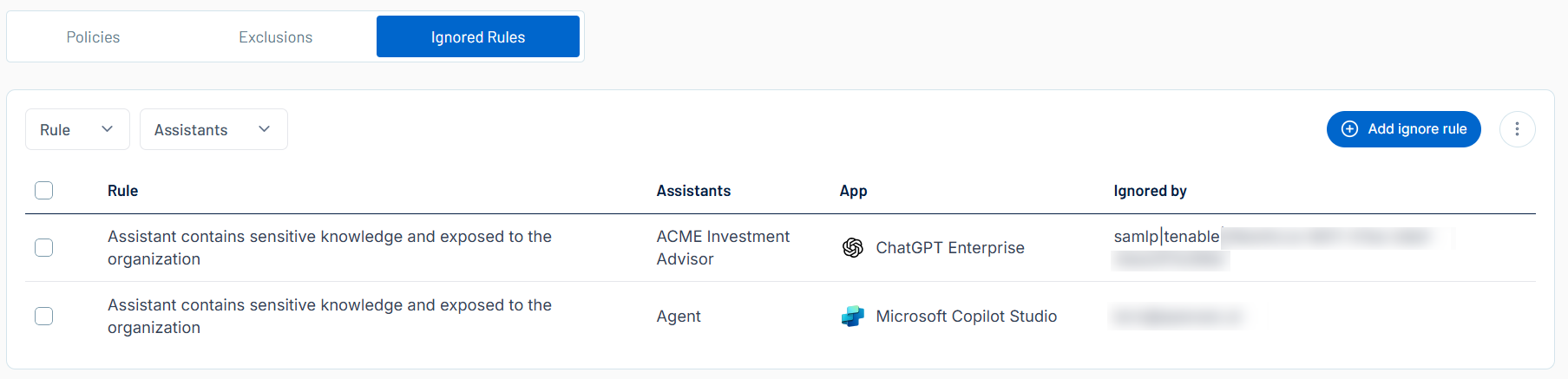
Here, you can:
-
 Filter the list:
-
Above the list, use one or more of the following filters to adjust the data displayed in the list:
-
Rule
-
Assistants
Tenable AI Exposure updates the list based on your selection.
-
-
Click Clear Filters to clear any filters applied to the list.
-
-
Manage the columns in the list:
-
In the upper-right corner, click the
 button.
A menu appears.
-
Select or deselect columns to show or hide them within the list.
-
-
View the following information about your ignore rules:
-
Rule — The rule being ignored.
Tip: For more information about policies and their related detection rules, see Tenable AI Exposure Policies and Detection Rules. -
Assistants — The AI assistants in use.
-
App — The AI application to which the ignore rule applies.
-
Ignored by — The Tenable AI Exposure user who created the rule.
-
On the Ignored Rules page, you can also manage your ignore rules in the following ways: