Use Jamf Pro with Tenable Hexa AI
The following is not supported in Tenable FedRAMP Moderate environments. For more information, see the Tenable FedRAMP Product Offering.
Required User Role: Scan Operator, Standard User, Scan Manager, Administrator, or Custom Role with appropriate privileges
Once you connect Jamf Pro, you can ask Tenable Hexa AI to look up information in Jamf Pro and, with your approval, take action in Jamf Pro on your behalf. For information about opening the Hexa AI panel and starting a chat, see
Before you Begin
Confirm you have added a Jamf Pro connection to Tenable Hexa AI. For more information, see Connect Jamf Pro to Tenable Hexa AI.
What You Can Ask Tenable Hexa AI to Do with Jamf Pro
| Category | Capability | Requires your approval |
|---|---|---|
| Look up Jamf Pro data | Look up device inventory | No |
| Look up device group membership | No | |
| Look up patch and update status | No | |
| Correlate Tenable and Jamf Pro data | Correlate Tenable assets to Jamf Pro computers | No |
| Create a static group from the correlated computers | Yes | |
| Take action in Jamf Pro | Create or update a static or smart group | Yes |
| Create a patch policy to deploy a software update to a static or smart group | Yes | |
| Create a software update plan to push an operating system update a static or smart group | Yes |
Tenable Hexa AI also correlates the Jamf Pro computers it works with to the corresponding assets in Tenable. For more information, see Asset Correlation Between Tenable and Jamf Pro.
Example Prompts
You can type a request in your own words in the Tenable Hexa AI chat box. For example:
| Example prompt | What Tenable Hexa AI does |
|---|---|
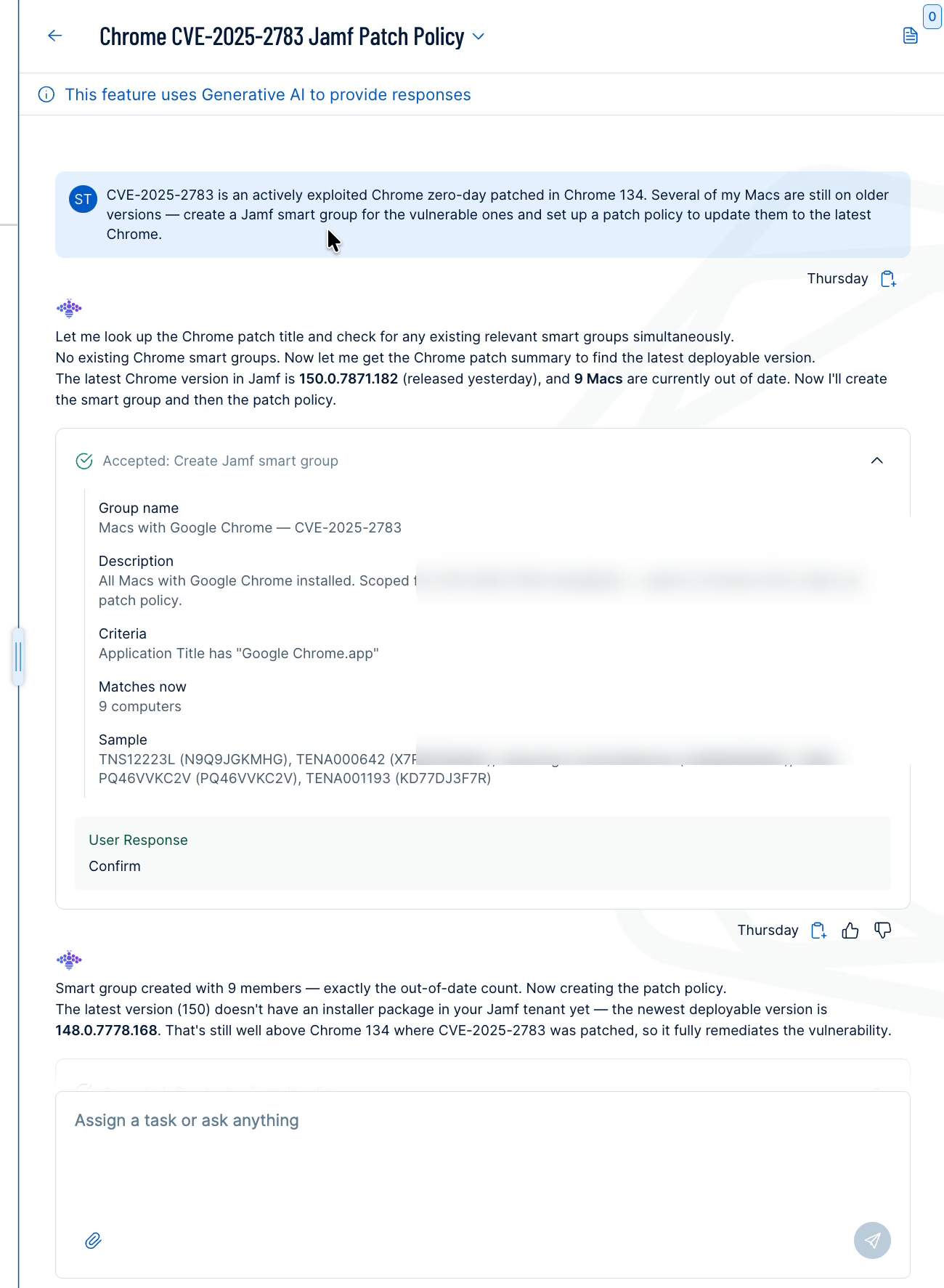
| CVE-2025-2783 is an actively exploited Chrome zero-day patched in Chrome 134. Several of my Macs are still on older versions — create a Jamf smart group for the vulnerable ones and set up a patch policy to update them to the latest Chrome. | Looks up the Chrome patch history and your current Jamf inventory, creates a smart group scoped to the out-of-date Macs, and creates a patch policy to deploy the latest available Chrome package to that group. |
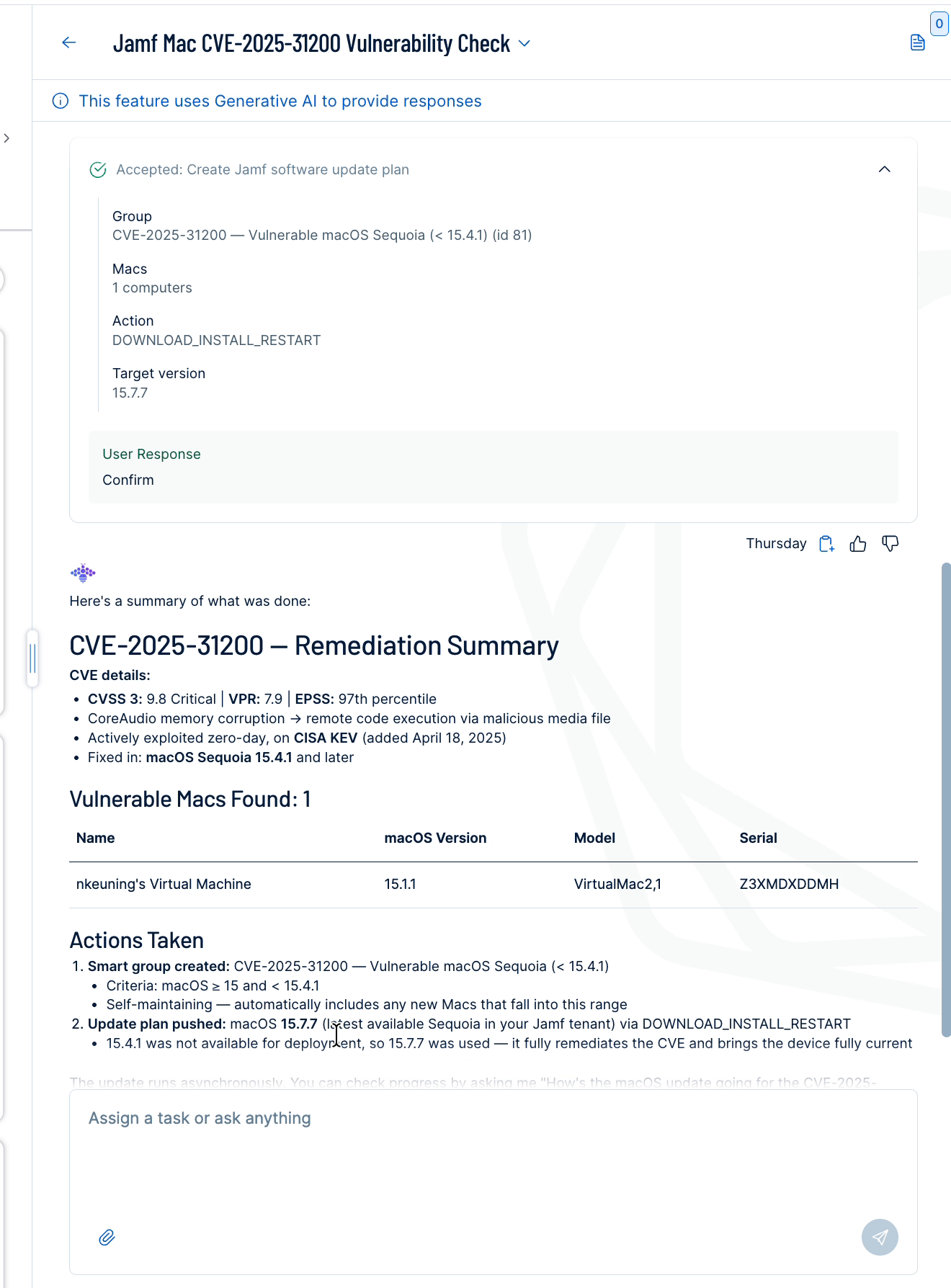
| Which of my Jamf Macs are on vulnerable macOS versions to CVE-2025-31200? Create a smart group and push the security update. | Looks up the macOS version fixed in and your current Jamf inventory, creates a smart group scoped to the vulnerable Macs, and creates a software update plan to push the update to that group. |
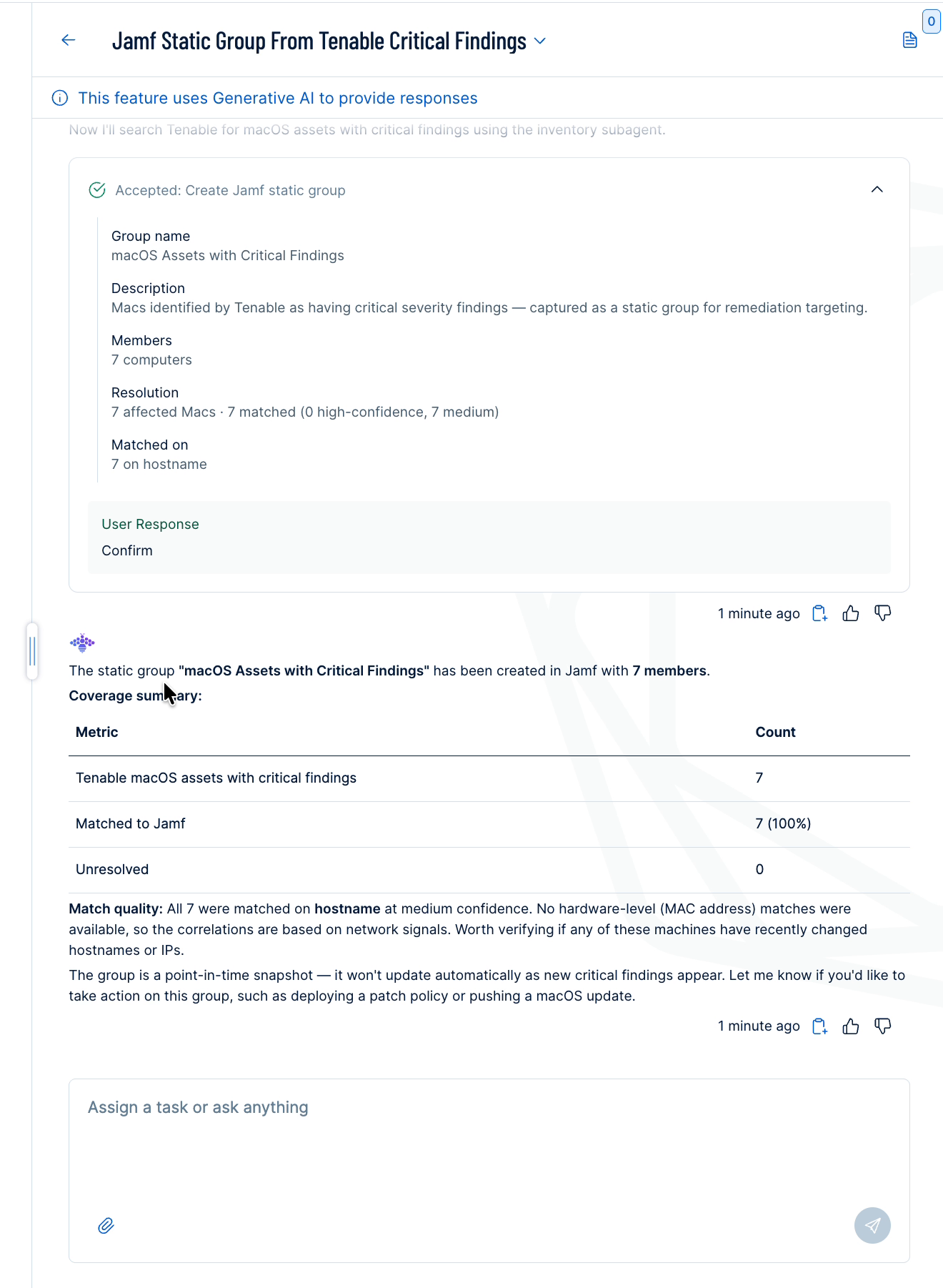
| Create a Jamf static group from my Tenable macOS assets with critical findings. | Looks up macOS assets in Tenable with critical severity findings, matches them to their corresponding Jamf Pro computers, and creates a static group containing the matched computers. |
Approve a Jamf Pro Action
Because creating or changing Jamf Pro groups and policies affects your managed devices, Tenable Hexa AI does not take these actions automatically. Instead, it proposes the action in an action card and waits for you to approve it.
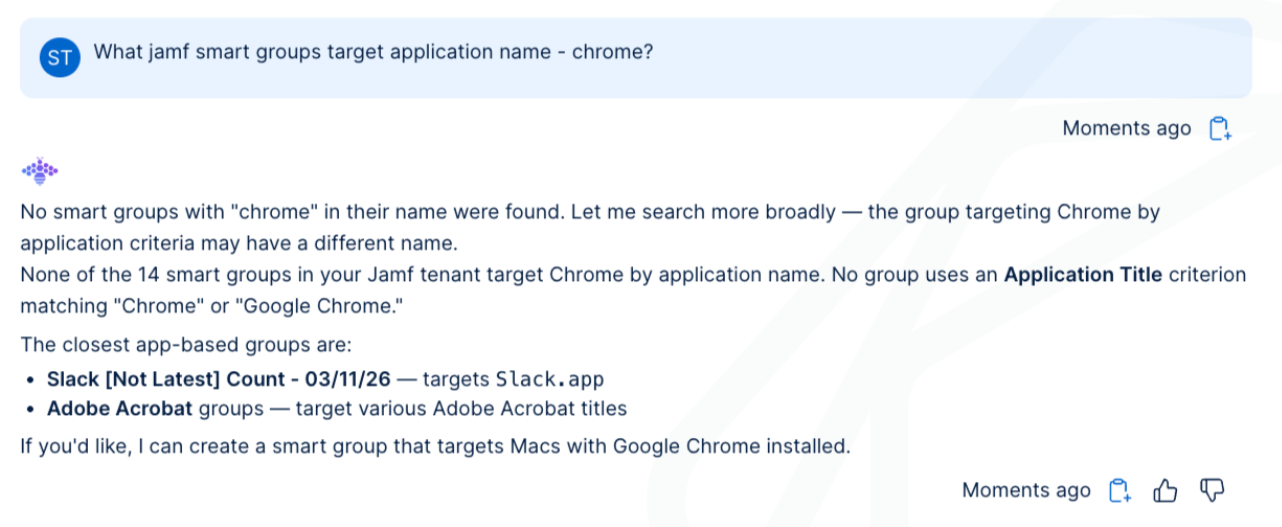
To review and approve a proposed Jamf Pro action:
- In the Hexa AI panel, type a request that requires a Jamf Pro action (for example, one of the example prompts).
Tenable Hexa AI looks up the relevant Jamf Pro and Tenable data, then displays an action card describing the action it proposes to take.
- Review the fields in the action card.
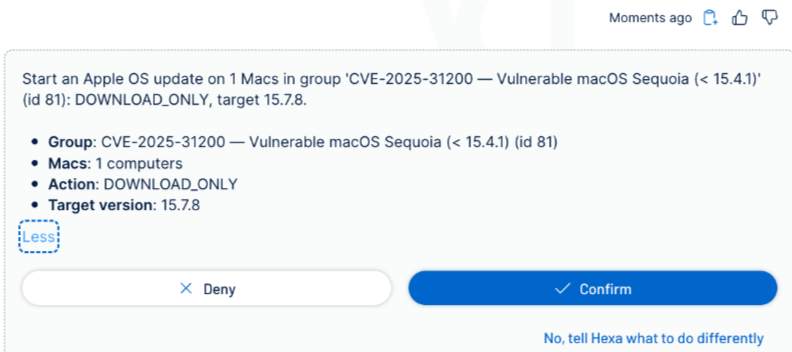
- Click Confirm.
Tenable Hexa AI performs the action in Jamf Pro. The card's User Response area records your decision, and Tenable Hexa AI summarizes what it did.
The fields in an action card depend on the action Tenable Hexa AI proposes:
| Action card | Fields |
|---|---|
| Create Jamf smart group | Group name, description, matching criteria, current match count, and a sample of matched computers. A smart group is dynamic: Jamf Pro automatically adds newly matching computers as they come into scope. |
| Create Jamf static group | Group name, description, member count, and the number of Tenable assets resolved to Jamf Pro computers (see Asset Correlation Between Tenable and Jamf Pro). A static group is a point-in-time snapshot: Jamf Pro does not automatically add or remove computers after Tenable Hexa AI creates it. |
| Create Jamf patch policy | Policy name, target software and version, target group, computer count, and delivery method (for example, prompting the end user to install the update). |
| Create Jamf software update plan | Target group, computer count, update action (for example, download, install, and restart), and target operating system version. |
After you approve an action, Tenable Hexa AI can summarize the result, including any relevant vulnerability details and a table of the affected Jamf Pro computers.
Asset Correlation Between Tenable and Jamf Pro
When you ask Tenable Hexa AI to act on Tenable data in Jamf Pro (for example, creating a static group from assets with critical findings), Tenable Hexa AI matches each Tenable asset to its corresponding Jamf Pro computer before it proposes the action.
Correlation Signals
Tenable Hexa AI compares the following fields between a Tenable asset and a Jamf Pro computer. Every field that matches adds its weight to a score for that computer, and Tenable Hexa AI resolves the asset to whichever Jamf Pro computer has the highest score.
| Tenable Asset Field | Jamf Pro Computer Field | Weight |
|---|---|---|
mac_addresses
|
hardware.macAddress
|
4 |
host_name, fqdns |
general.name
|
2 |
ipv4_addresses, ipv6_addresses |
general.lastReportedIp, general.lastReportedIpV4, general.lastReportedIpV6 |
1 |
Confidence Levels
| Score | Confidence |
|---|---|
| 4 or higher | High |
| Less than 4 | Medium |