Locations
A location is defined by one or more IP ranges intended to identify machines that are connected over a LAN. Setting up locations is the first step in designing your network topology. For more information regarding network topology, refer to Network Topology.
This page covers additional information regarding:
-
Location hierarchy
-
Content flow
-
Transport protocols
Location types
Location types affect the behavior of how the Tenable Patch Client communicates within a location. There are three location types: Default, VPN, and WiFi. Each location type is defined below.
Note: It is important to define locations by their location types accurately to the physical network. If not properly added to a correct location type, you may run into issues. For example, if a Default location is created for devices connected to a wireless network, those devices attempt to communicate by broadcast. The wireless Access Point may block these transmissions preventing peers from communicating effectively within the location. A VPN client added to a Default location will pull content in two WAN hops—first to the VPN gateway, then through the tunnel to the client—slowing delivery and increasing network load.
Note: When a physical location includes both a wired and a wireless subnet, create a separate location for each. Set the wireless location to WiFi and assign it as a child of the wired location. This setup ensures the wireless location retrieves content from its parent.
Default
-
Defines a standard wired Local Area Network (LAN).
-
ALL subnets at this physical location should be combined into a single location.
-
Example: central or regional headquarters office with wired connections.
VPN
Defines a location and IP range allocated to clients connecting with a VPN.
Does not use peer-to-peer communication and only pulls content from the parent location.
It is recommended that ALL VPN subnets from a given concentrator be combined in a single location.
Example: Subnet devices are assigned addresses from when connected to the company VPN.
WiFi
Defines a location and IP range or ranges allocated to clients connected over Wi-Fi.
Uses unicast instead of broadcast to communicate between devices on the same subnet.
Example: Wireless network at an office which end-user devices will connect to. It is recommended that wireless networks be defined as a child location to a wired network in the same physical location.
Creating a new Location
This task guides you on how to create a new Default location. For a full comprehensive list of location settings and actions, refer to Locations Settings and Actions.
-
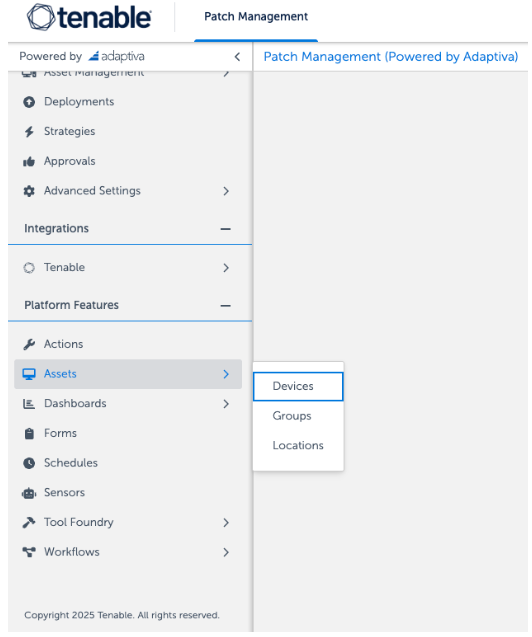
Hover over Assets and select Locations from the Platform Features side navigation.
-
Click +New in the upper right corner of the Locations pane.
-
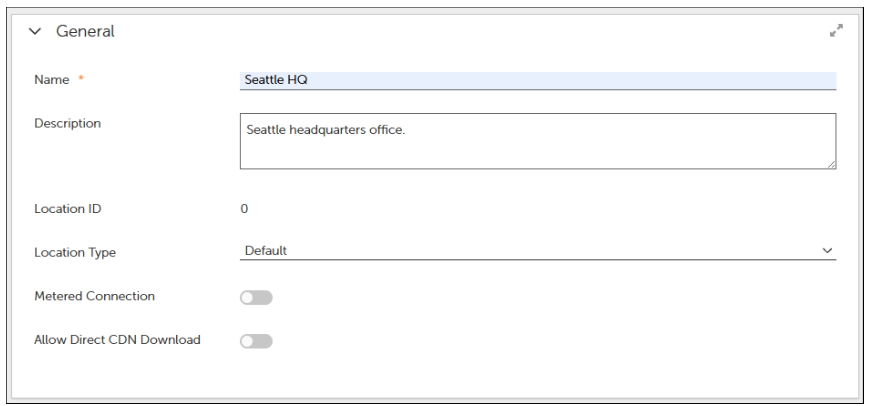
In the General Settings enter the following:
-
Name - "Seattle HQ"
-
Description - "Seattle Headquarters office"
-
Location Type - Default
-
Metered Connection - Toggle OFF.
-
Allow Direct CDN Download - Toggle OFF.
-
-
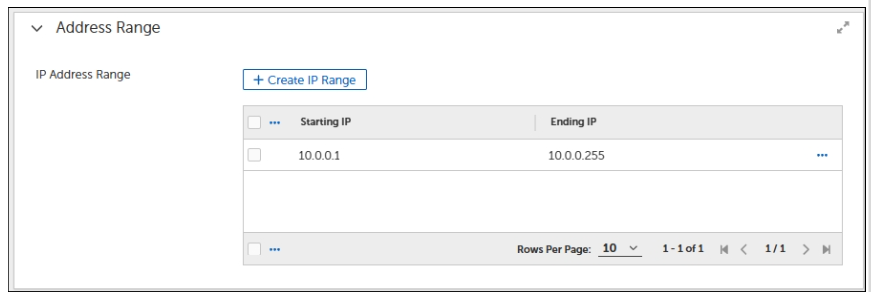
In the Address Range settings enter an IP range that reflects your subnet of your location. For the purpose of this task we will enter the following:
-
Click +Create IP Range.
-
Starting and Ending IP - 10.0.0.1 and 10.0.0.255.
-
Click +Create IP Range.
-
-
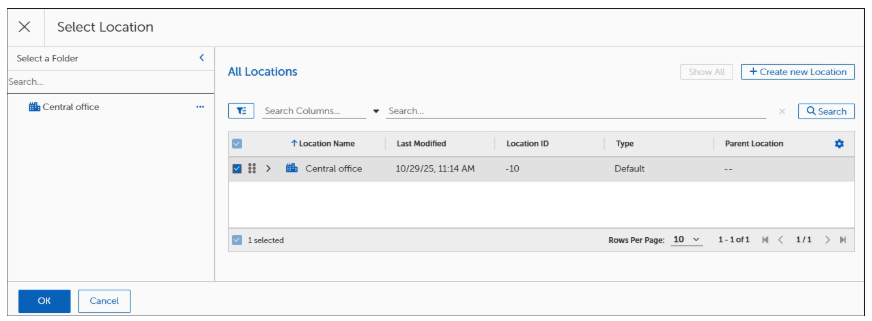
Click Browse from Topology Settings.
-
Select Central Office from the table.
-
Click OK.

-
Ignore the Location Devices section.
This section is only be applicable if you already had a location with associated devices.
-
Click Save.
-
Select Tree from the Display As dropdown.
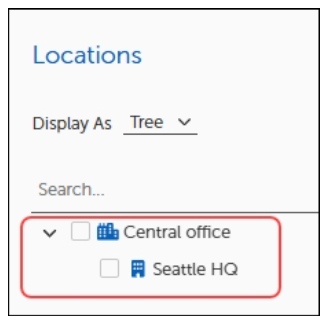
You'll notice the Network Typology of your locations are stacked from parent to child, accordingly.