Prerequisites
Before you begin, ensure you have completed the following prerequisites.
Jira
Before you create tickets within Jira via Tenable products, you must:
-
Have a Jira user with the following permissions:
Tip: In Jira, navigate to Settings > System > Admin Helper > Permission Helper to confirm or provision permissions for the user.Note: The Jira user account must be either a global admin or an administrator within the project you plan to use for the integration.Jira Permission
Purpose in Exposure Response Custom Context Atlassian Documentation "ASSIGNABLE_USER" User Validation Ensures the dedicated integration user is a valid assignee within the project, which is often a prerequisite for using "ASSIGN_ISSUES". Assignable User Permissions "ASSIGN_ISSUES" Work Assignment Allows the integration to assign the newly created ticket to the designated user or group specified in the Initiative configuration. Assign Issues Permissions "BROWSE_PROJECTS" Visibility Allows the integration to read and confirm the existence of the configured Jira project and its Issue Types. Browse Projects Permissions "CREATE_ISSUES" Ticket Creation Required to automatically generate new tickets for findings that match the Initiative's criteria (the "combination").
Create Issues Permissions "EDIT_ISSUES" Status Synchronization Enables Tenable to update key fields, push risk data (like VPR), and change the ticket status (e.g., from Resolved to Resurfaced). Edit Issues Permissions "LINK_ISSUES" Audit Trail Creates the essential link between the Tenable finding and the corresponding Jira ticket, enabling the Ticket Log functionality. Link Issues Permissions "MODIFY_REPORTER" Ticket Creation Required to automatically generate new tickets for findings that match the initiative's criteria. Browse Project Permissions "USER_PICKER" Ticket Creation Often referred to as Browse Users or similar, this option allows a user to search for and select other users or groups from a directory. Browse Project Permissions -
Have a Jira project with the following fields enabled for issues:
Important: For the configuration to function as expected, you must:- Have at least one Jira project
- Ensure your Jira project allows tickets to be transitioned to the Done status
-
"priority",
-
"assignee",
-
"labels",
-
"summary",
-
"description",
-
"issuetype",
-
"parent",
-
"project",
-
"reporter" — To use this field, the user must also have the "MODIFY_REPORTER" permission enabled.
-
Perform the steps to configure Jira for use with the Tenable One Platform.
ServiceNow
Before you create ServiceNow incidents via Tenable products, you must:
-
Have a ServiceNow administrator user with the following roles:
ServiceNow Permission
Custom Context ServiceNow Documentation canvas_user Primarily associated with accessing and viewing Configurable Workspaces and pages built with UI Builder.
This role provides the necessary permissions to render and interact with the visual structure (the "canvas") of the ServiceNow user interfaces.
Document Intelligence Roles cmdb_inst_admin Grants administrative rights specifically for configuring and managing CMDB data integration processes. Exploring SGC Central connection_admin A specialized administrative role focused on managing the security and configuration of external system connections. Create a Connection Administrator -
Perform the following steps to support ServiceNow tags:
-
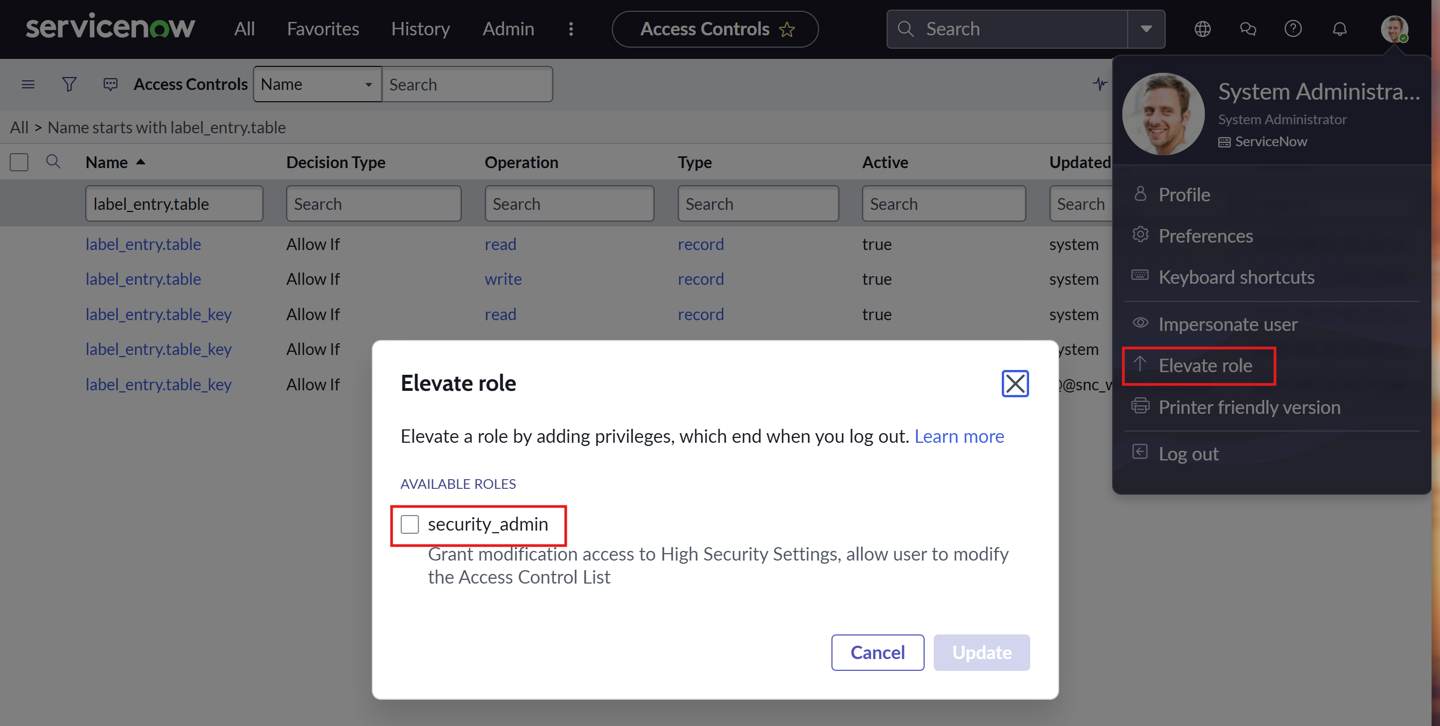
In ServiceNow, in the upper-right corner, access the user menu.
-
Select Elevate role.
The Elevate role window appears.
-
Select the security_admin check box.
-
Click Update.
-
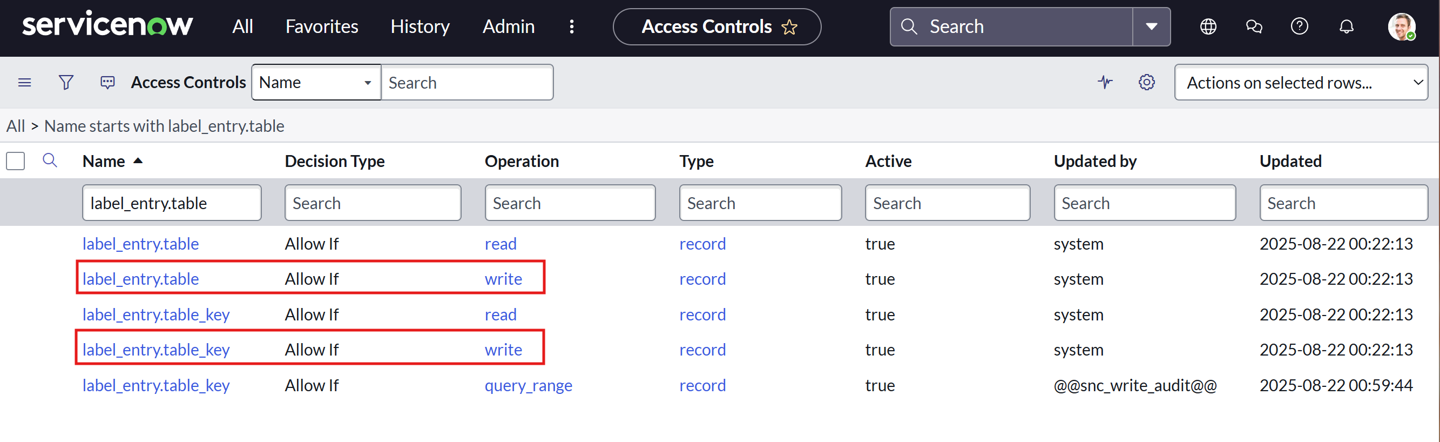
Add the admin & maint roles to both the label_entry.table and label_entry.table_key write operation ACL records.
-
-
Perform the steps to configure ServiceNow for use with the Tenable One Platform.