Backup Restore Logs Viewer
You can use the logs viewer to view logs from backup and restore operations.
To view a backup log from the logs viewer:
-
Log in to Tenable Core via the user interface.
The Tenable Core web user interface page appears.
-
In the left navigation pane, click Backup/Restore.
The Backup/Restore page appears.
-
In the Backup/Restore Logs section, select a log from the drop-down list.
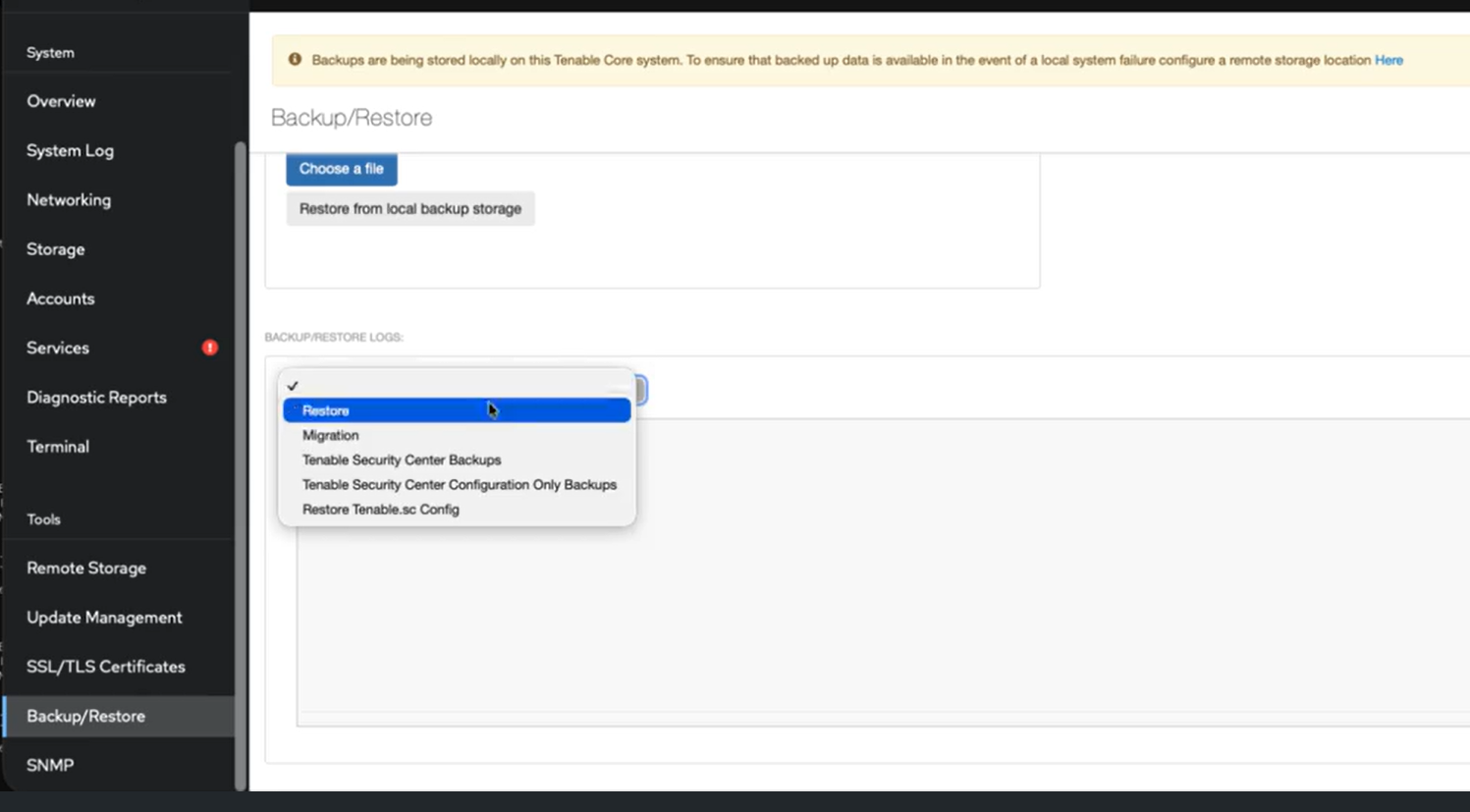
Note: During backup and restore operations the system automatically displays the relevant log entry.
The information window populates with configurable settings:
-
You can edit the setting options.
Schedule Priority Filters Pause Current boot, Previous boot, Last 24 hours, or Last 7 days Only emergency, Alert and above, or Critical and above Since, Until, Boot, Unit, or Free-form search This button pauses the loading of new messages. If log messages are populating and expiring too quickly, you can click the Pause button to read them.