Add an Application
Required User Role: Scan Operator, Standard User, Scan Manager, or Administrator
On the Applications page, you can add an application. This feature allows you to add your applications manually or through the API instead of needing to scan them, and define them as you would a target. You can define your targets in a much more granular way and tell the scan which application the results should condense to in the cumulative data.
To add applications from the Applications page:
-
In the left navigation plane, click
 Applications.
The Applications page appears.
-
On the upper-right, click
 Add Application.
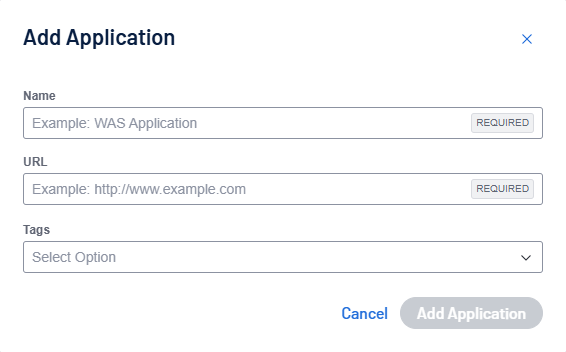
The Add Applications pop-up appears.
-
In the Add Applications pop-up, configure the following settings:
Setting Default Value Description Required Add Application none You can add a new application as a target. Click Add Application and populate the following fields:
- Name (required)
- URL (required)
- Tags
After adding the application it appears as an item in the Targets list with an Application ID.
Note: You can also use the Add Application feature form the Applications Dashboard in Tenable One Web App Scanning.
Yes -
Click Add Application to save the configuration.
A success message appears: "Application added successfully!"