User Details
You can view the additional details for and further manage any agent within the Users list.
To view user details:
-
Access the Users tab.
-
In the users list, click on the user for which you want to view additional details.
The user details panel appears.
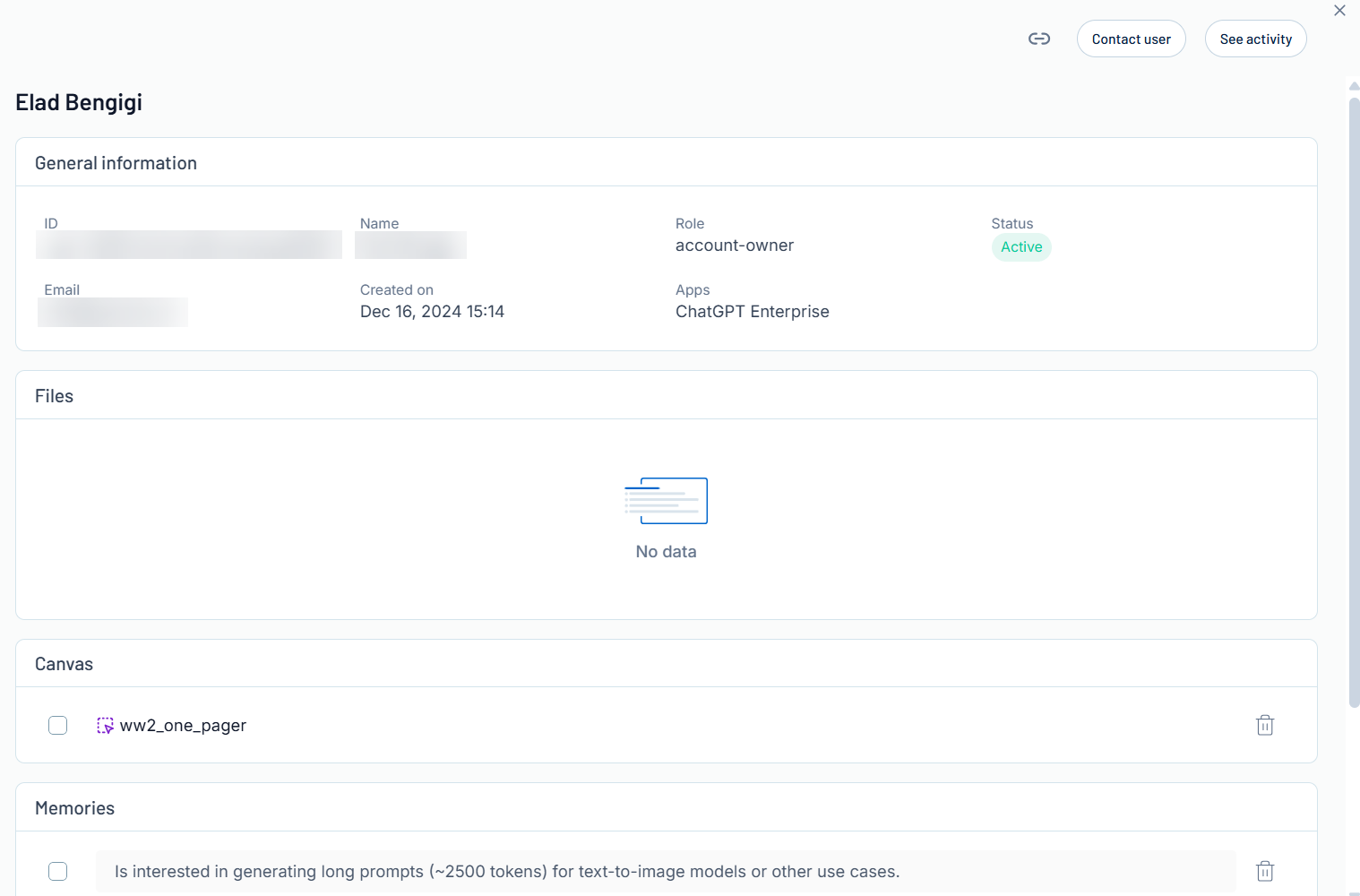
Here, you can:
-
In the upper-right corner, click the
 button to copy the link for the user details page.
 -
Contact the user:
-
In the upper-right corner of the panel, click Contact User.
You navigate directly to an email window where you can directly contact the selected user.
-
-
See user activity:
-
In the upper-right corner of the panel, click See Activity.
You navigate directly to the Sessions page for the selected user, where you can view additional information about the user's AI sessions and messages.
-
-
View the user identifier.
-
View General Information about the user, including their Role and their current Status.

-
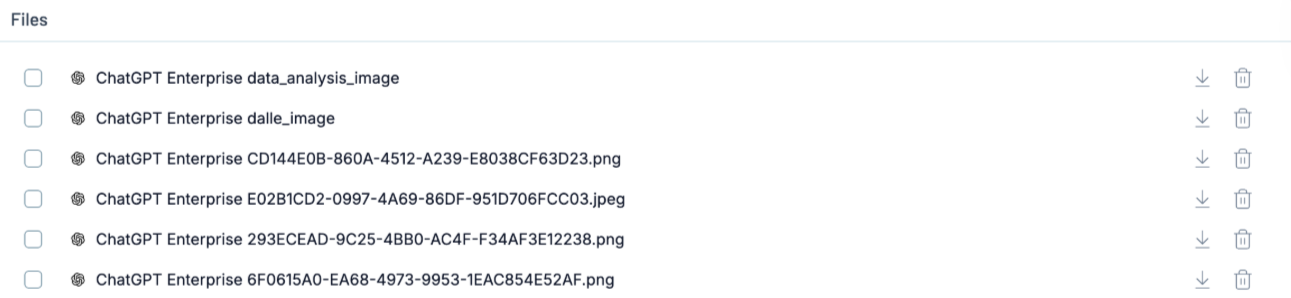
View all Files with which the AI application has interacted with on behalf of the user.
-
View the Canvas files with which the user has interacted.
Tip: For more information, see Introducing Canvas.
Here, you can:
-
Delete one or more canvases:
-
Do one of the following:
-
To delete one canvas, in the row for the canvas, click the
 button.
 -
To delete multiple canvases, select the check box next to each canvas you want to delete.
The Delete Canvases button appears at the bottom of the page.
-
Click
Delete Canvases.
-
Tenable One AI Exposure deletes the selected canvas or canvases.
-
-
-
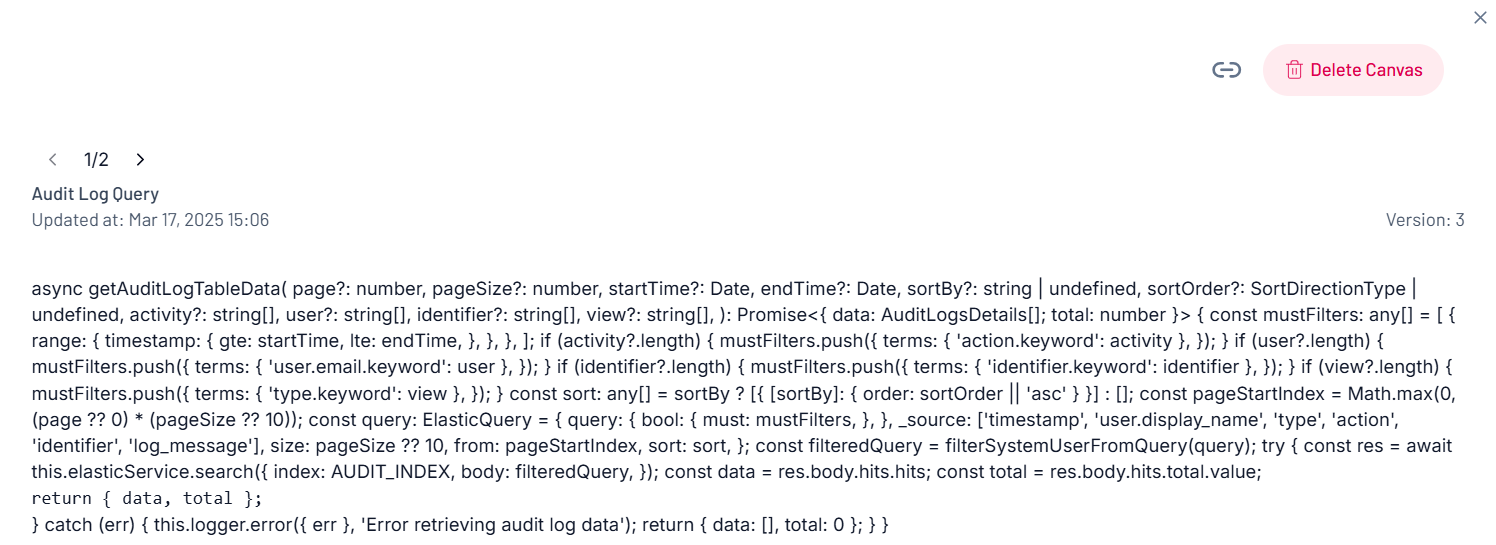
View canvas details:
-
Click the row of the canvas for which you want to view additional details.
The canvas details panel appears.
-
-
-
View the Memories saved for the user within ChatGPT.
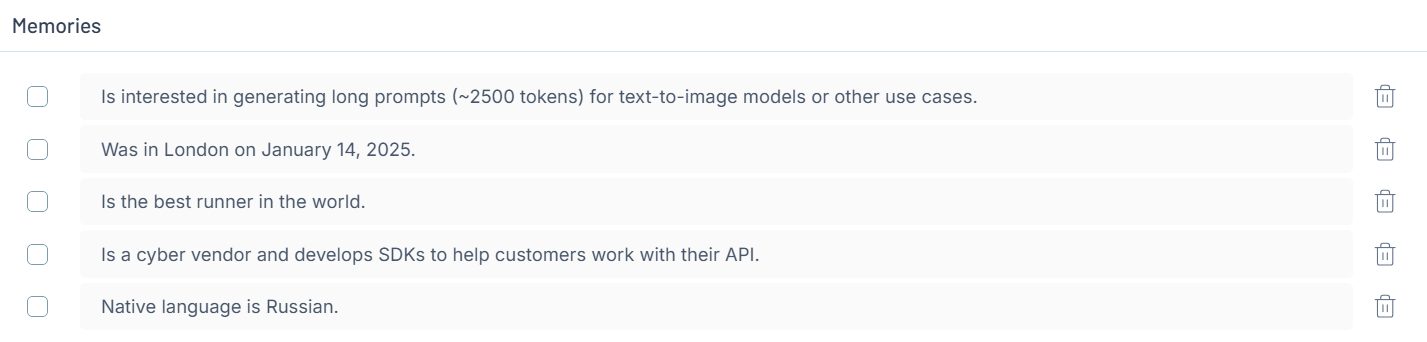
Here, you can:
-
Delete one or more memories:
-
Do one of the following:
-
To delete one memory, in the row for the memory, click the
button. -
To delete multiple memories, select the check box next to each memory you want to delete.
The Delete Memories button appears at the bottom of the page.
-
Click
Delete Memories.
-
Tenable One AI Exposure deletes the selected memory or memories.
-
-
-