Tenable Cloud Data Collection
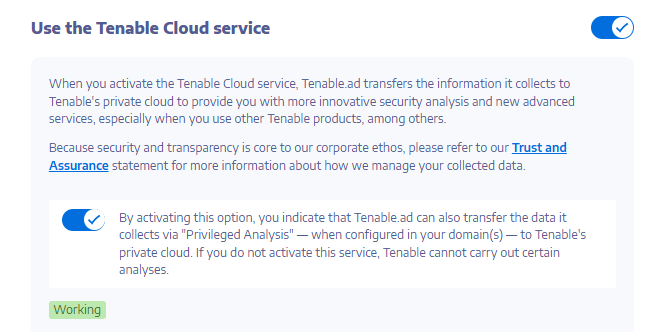
Tenable Cloud — the data collection feature in Tenable One Identity Exposure — transfers your information to its private cloud to provide security analysis and services. For more information about data collection, see Tenable's Trust and Assurance statement.
To use Tenable Cloud:
-
In Tenable One Identity Exposure, click System on the side navigation bar, click System.
The System Configuration pane opens.
-
Select the Configuration tab.
-
Under the Application Services section, click Tenable Cloud.
The Tenable Cloud pane opens.
-
Click the "Use Tenable Cloud service" toggle to enabled.
A message confirms that Tenable One Identity Exposure updated the information transfer configuration.