Search the Trail Flow Manually
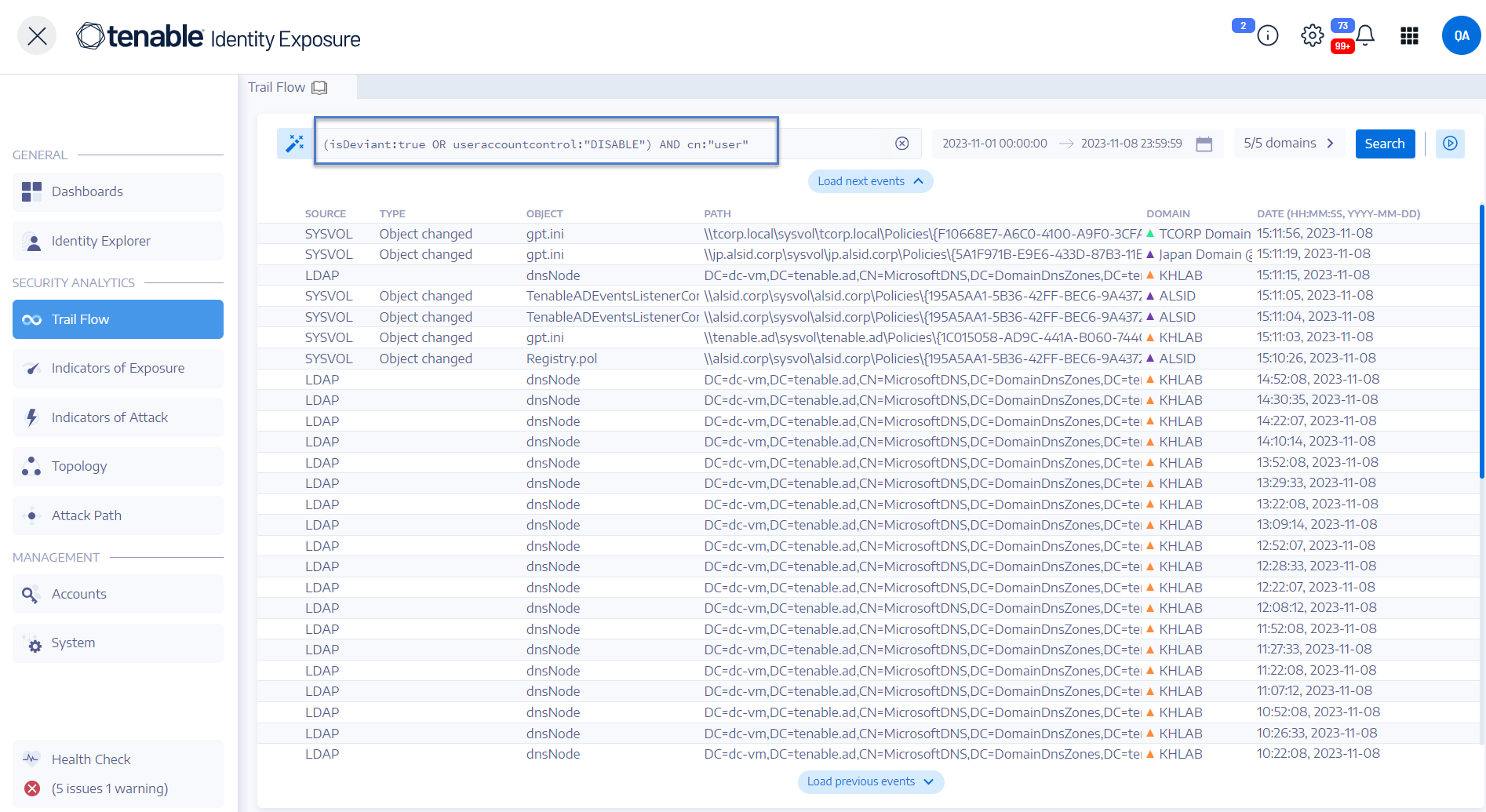
To filter events that match specific character strings or patterns, you can type an expression in the search box to refine results using the Boolean operators *, AND, and OR. You can encapsulate OR statements with parentheses to modify search priority. The search looks for any specific value in an Active Directory attribute.
To search the Trail Flow manually:
-
In Tenable One Identity Exposure, click Trail Flow to open the Trail Flow page.
-
In the Search box, type a query expression.
-
You can filter the search results as follows:
-
Click the Calendar box to select a start date and an end date.
-
Click n/n Domains to select forests and domains.
-
-
Click Search.
Tenable One Identity Exposure updates the list with the results matching your search criteria.
Example:
The following example searches for:
-
Deactivated user accounts that can endanger monitored AD infrastructure.
-
Suspicious activities and anomalous account use.