Manage Assigned Contacts
The Assigned Contacts tab on the Product Details page allows you to view and manage the contacts assigned to the product.
Here, you can manage your assigned contacts in the following ways:
Assign Contact
To assign a contact to the product:
-
In the upper-right corner of the Assigned Contacts tab, click Manage Contacts.
A menu appears.
-
Click
 Assign Contact.
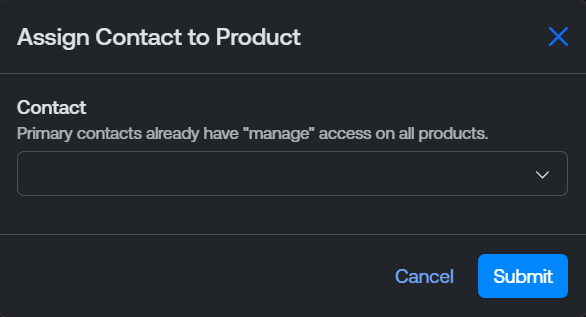
The Assign Contact to Product window appears.
-
From the drop-down, select the contact you want to assign to the product.
Tip: You can add a new contact to the portal via the Contacts page. -
Click Submit.
The Tenable Account Management portal assigns the selected contact to the product, and the contact appears in the Assigned Contacts list.
Set Product Owner
You can set one contact as the product owner for a Tenable product.
To set a product owner:
-
In the upper-right corner of the Assigned Contacts tab, click Manage Contacts.
A menu appears.
-
Click Set Product Owner.
The Set New Product Owner window appears.

-
From the New Product Owner drop-down, select the contact you want to assign the role of product owner.
Tip: You can add a new contact to the portal via the Contacts page. -
If there was an existing contact assigned the product owner role, from the Previous Owner Access drop-down, select the product access you want to grant the previous product owner.
-
Click Submit.
The Tenable Account Management portal assigns the product owner role to the selected contact, and, where applicable, updates the access of the previous product owner.
Edit Access
You can edit the access of any contact currently assigned to the product.
To edit an assigned contact's access:
-
In the Assigned Contacts list, in the row for the contact whose access you want to edit, click the
 button.
A menu appears.
-
Click
 Edit Access.
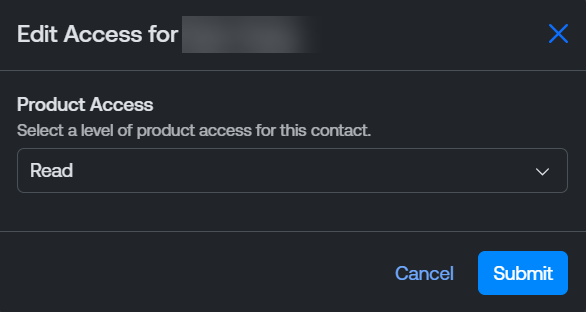
The Edit Access window appears.
-
From the Product Access drop-down, select the type of product access you want to assign to the user.
-
Click Submit.
The Tenable Account Management portal updates the product access for the selected contact.