View Your Scheduled Exports
Required User Role: Basic, Scan Operator, Standard, Scan Manager, or Administrator
On the Exports page, you can view all the scheduled exports on your account.
Note: You can retain up to 1000 export schedules on your Tenable One Vulnerability Management instance.
To view your scheduled exports:
-
In the left navigation, click
 Exports.
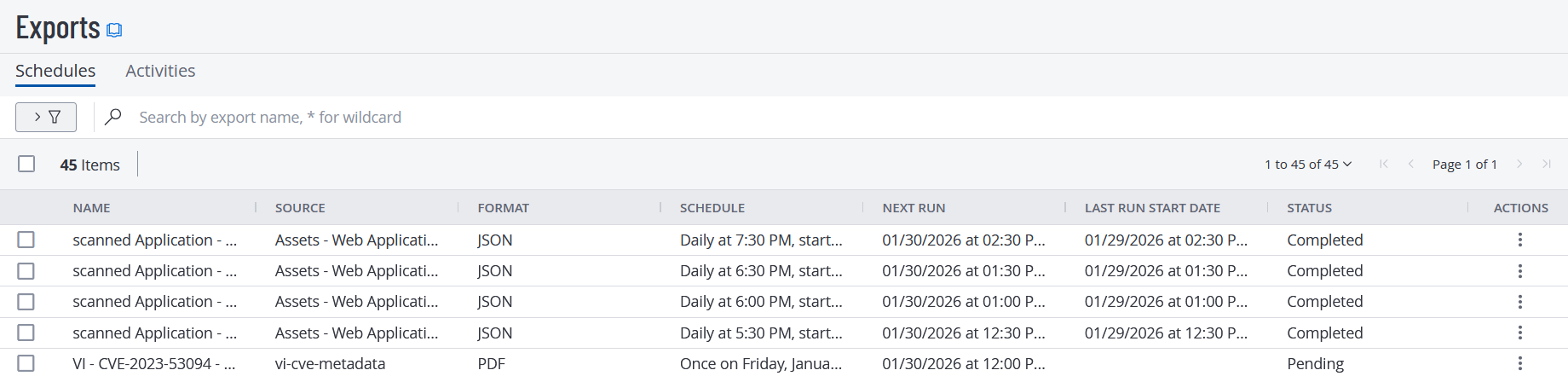
The Exports page appears with the Schedules tab showing, by default.
-
(Optional) Refine the table data.See Filterable Workbench Tables.
Schedules Table
The Schedules table contains the following information about your scheduled exports:
| Column | Description |
|---|---|
| Name | The name of the scheduled export file. |
| Source |
The data source for the scheduled export in Tenable One Vulnerability Management. Possible sources include:
|
| Format |
The format of the export file, either CSV or JSON. |
| Schedule |
The date, time, and frequency on which your export runs. |
|
Next Run |
The date and time when the export is scheduled to run next. |
| Last Run Start Date | The date and time when Tenable One Vulnerability Management last began the export. |
| Status | The status of the most recent scheduled export. |
| Actions |
The actions you can perform with the scheduled export, including the following:
|