AWS Overview
Connect your entire AWS organization or individual accounts in Tenable One AI Exposure to get full visibility and risk assessment for all cloud identities and resources associated with the organization/account, including information about permissions, account usage, and security configurations. Tenable collects inventory and configuration data from AWS API, and activity data from AWS CloudTrail logs.
After connecting, AI Exposure displays a status for each account, indicating, for example, whether Tenable can connect to the account, and helping you troubleshoot potential connection issues.
See Account Architecture for a visual overview of the IAM trust relationship that is established, including required permissions. See AWS FAQ and Troubleshooting for a list of frequently asked questions related to connecting AWS.
Considerations for Connecting an Organization versus Individual Accounts
When deciding whether to connect your entire AWS organization as opposed to individual accounts, it's important to consider how this decision impacts features in AI Exposure. Tenable recommends connecting your entire organization to ensure that the management account is connected to Tenable, and to avoid losing visibility related to the following features/capabilities:
- AWS Identity Center (formerly AWS SSO) - Affects visibility into users, groups, permission sets, and their effective use, as well as least-privilege recommendations.
- Service control policy (SCP) and Resource control policy (RCP) - Limited entitlement visibility.
- Cross account visibility - Tenable wont be able to differentiate between accounts that are part of your organization (but not connected) and those that are not.
- Least privilige - Tenable wont be able to provide the most accurate recommendations.
Account Architecture
Accounts with Monitoring/Remediation Permissions
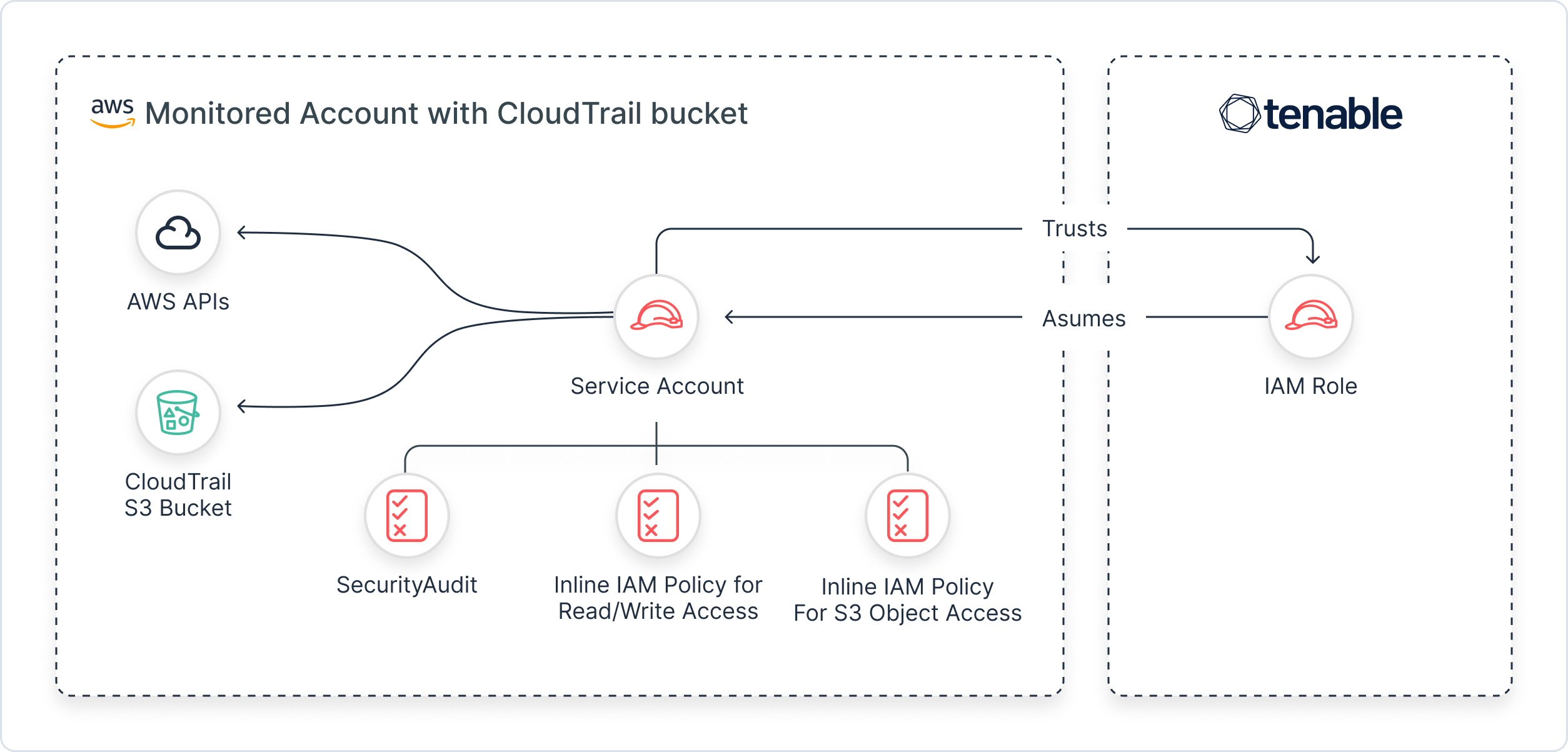
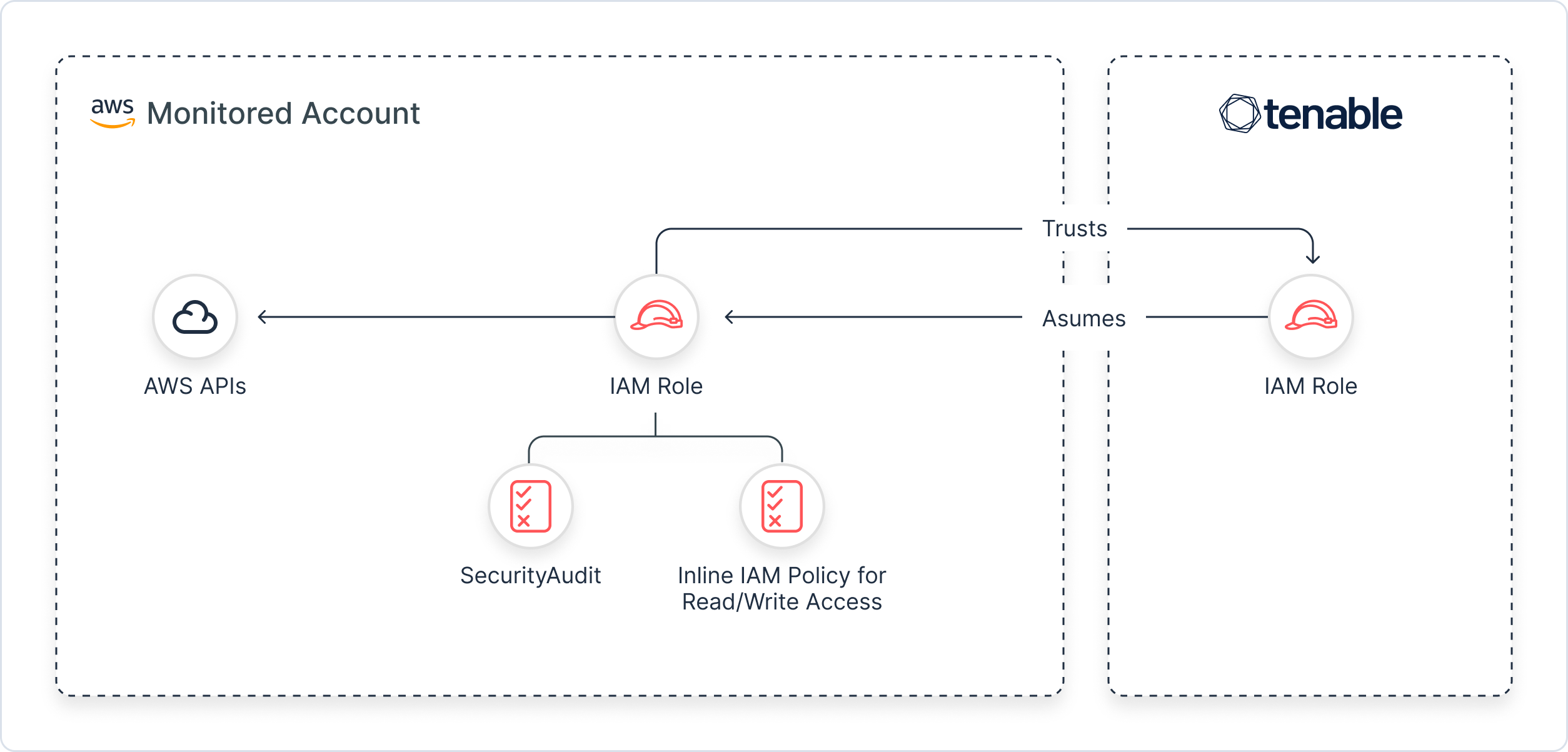
The following diagrams outline the architecture for accounts with Monitoring/Remediation permissions, highlighting the differences between accounts that are connected to a CloudTrail and those that aren't. See AWS CloudTrail for more information.
These diagrams show the trust relationship established between the IAM role associated with the account you connected, and AI Exposure, which uses its own IAM role to interact with and collect data from your environment via granted permissions.
CloudTrail Connected
No CloudTrail Connected
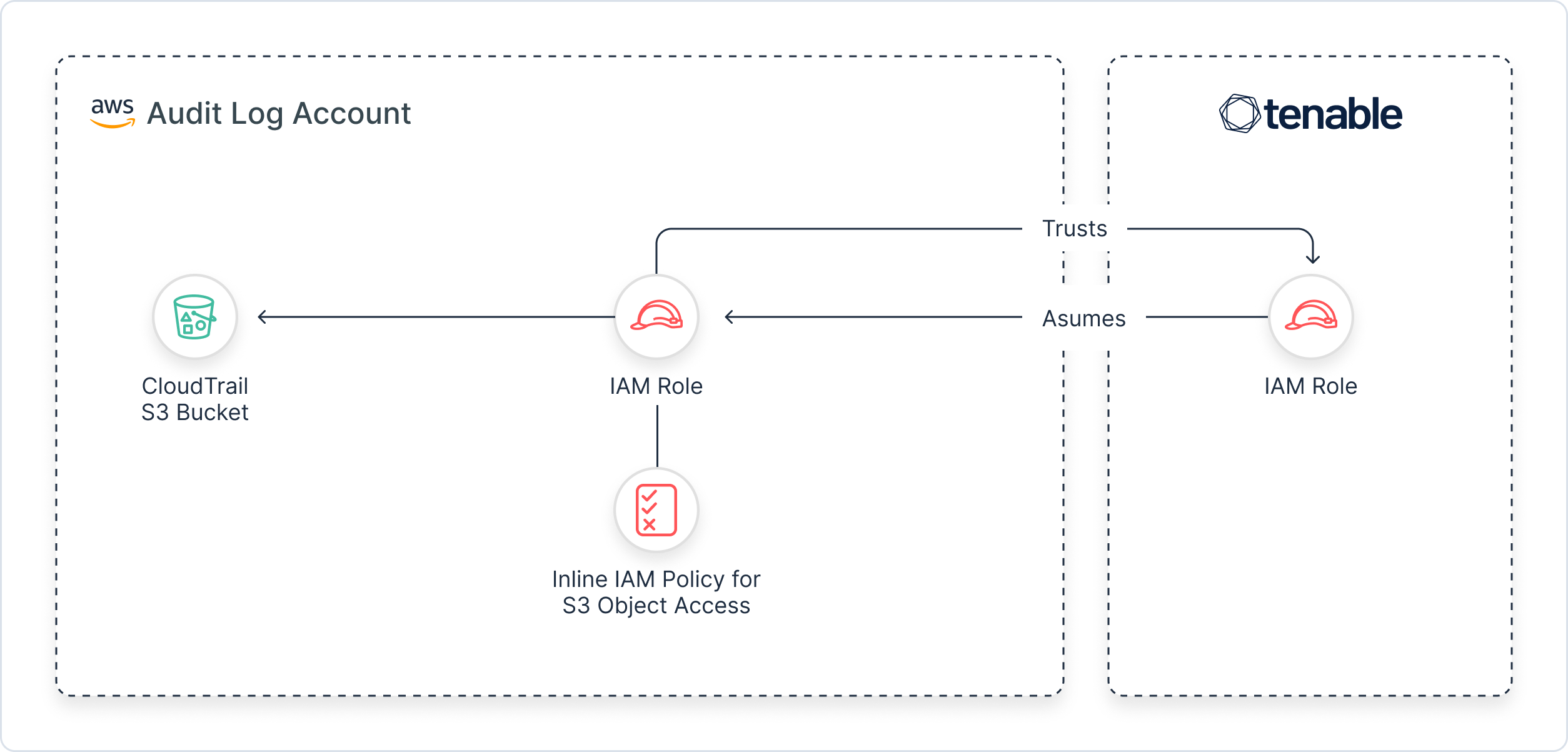
Accounts with CloudTrail Permissions
This diagram shows the trust relationship established between the IAM role associated with the account you connect, and AI Exposure, which uses its own IAM role to interact with and collect data from your connected AWS accounts.