Sumo Logic (via Webhook)
If you use HTTP webhooks to share data triggered by events, you can send Tenable One AI Exposure findings to any destination using webhooks.
What to do next:
-
To start sending data for findings, you need to also configure automation rules or manually trigger an action after you add the integration. Successfully completing all integration steps doesn't trigger the sending of any data on its own.
Send Data to Sumo Logic
To send data to Sumo Logic:
- In the Sumo Logic console, go to Manage Data > Collection.
-
Configure an HTTP Logs and Metrics Source for a Hosted Collector. Refer to the Sumo Logic documentation for more information.
- In the Advanced Options for Logs section, within the Message Processing area, choose One Message Per Request. This ensures that each message coming from AI Exposure is displayed on its own row, instead of breaking down a single message into multiple rows (multiline processing).
-
After you finish entering all information and click Save, copy the URL that is displayed in the dialog box.
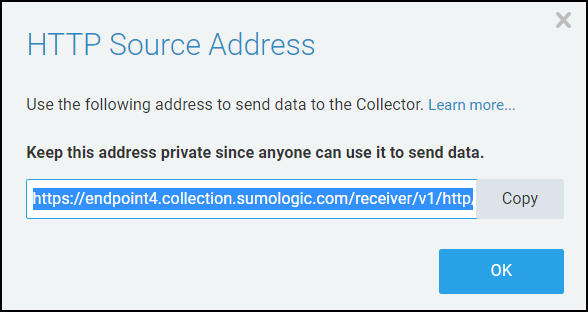
- In the AI Exposure Console, navigate to Settings > Integration > Webhooks and then click Lets Start.
- Enter a Display name for the webhook in Tenable.
- Enter the Webhook URL that you copied from Sumo Logic in an earlier step.
- Check Accept any server SSL certificates if SSL is enabled for the collector.
- Add an HTTP header Name and Value if the webhook expects to receive such a header containing any additional relevant information.
- Click SAVE.
-
To see Tenable data in Sumo Logic, go to the Sumo Logic console and search for the source name and collector name you defined above.
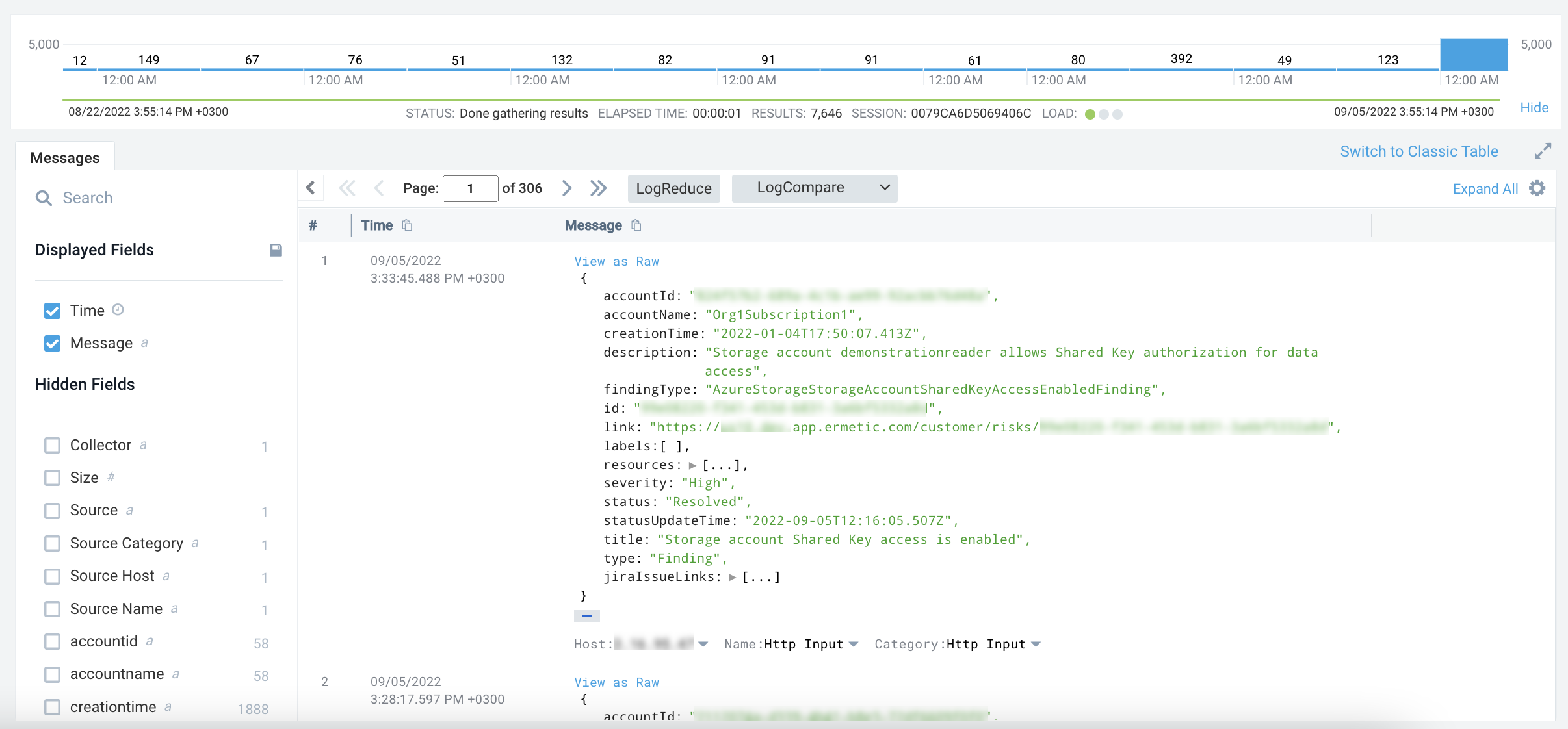
Sample JSON
JSON
{
  "accountId": "************",
  "accountName": "Org2Account2",
  "creationTime": "2022-01-12T01:10:24.868Z",
  "description": "User FindingsFixer has 2 policies attached granting it permissions on 2 services, but none of them were used for 68 weeks",
  "findingType": "AwsExcessivePermissionUserFinding",
  "id": "************************************",
  "link": "https://us.app.ermetic.com/risks/************************************",
  "labels": [
    "Admin",
    "Access Keys",
    "No MFA"
  ],
  "resource": [
    "arn:aws:iam::***********:user/FindingsFixer"
  ],
  "severity": "High",
  "source": "Ermetic",
  "status": "Open",
  "statusUpdateTime": "2022-05-21T22:16:44.785Z",
  "title": "Overprivileged IAM user",
  "type": "Finding"
}