In-Account Scanning for Data Resources
As an alternative to a standard deployment, where data scanning occurs on a machine hosted by Tenable One Cloud Exposure, Tenable also supports in-account data scanning, where scanning is performed in your environment (using a dedicated account) and data never leaves the environment.
To view all supported resource types and see whether they support in-account scanning, see How Tenable Scans Your Data.
Direct In-Account Scanning
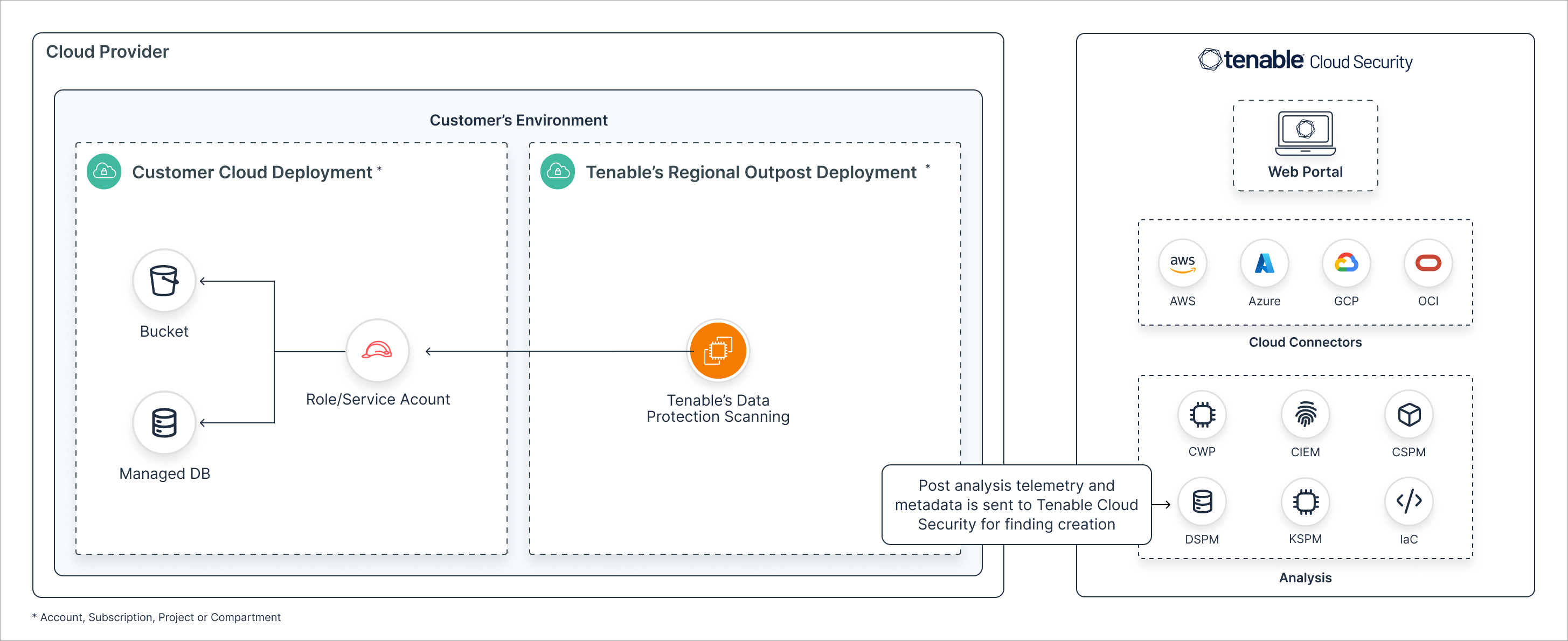
Cloud Exposure leverages APIs to connect to your cloud resources for scanning purposes:
- Leveraging the granted role/service account, Tenable's in-account outpost scans objects (in buckets) and tables (in managed databases) to classify data into sensitive data types.
- While telemetry and metadata (the existence and location of specific data types) is collected in the outpost and transmitted to the global Cloud Exposure platform, your sensitive data is never stored at rest anywhere else.
- The existence of sensitive data in objects and tables affects the severity of Findings associated with the resources where those objects/tables were detected.
The following diagram describes the direct, in-account scanning workflow for all supported cloud providers.
Indirect In-Account Scanning
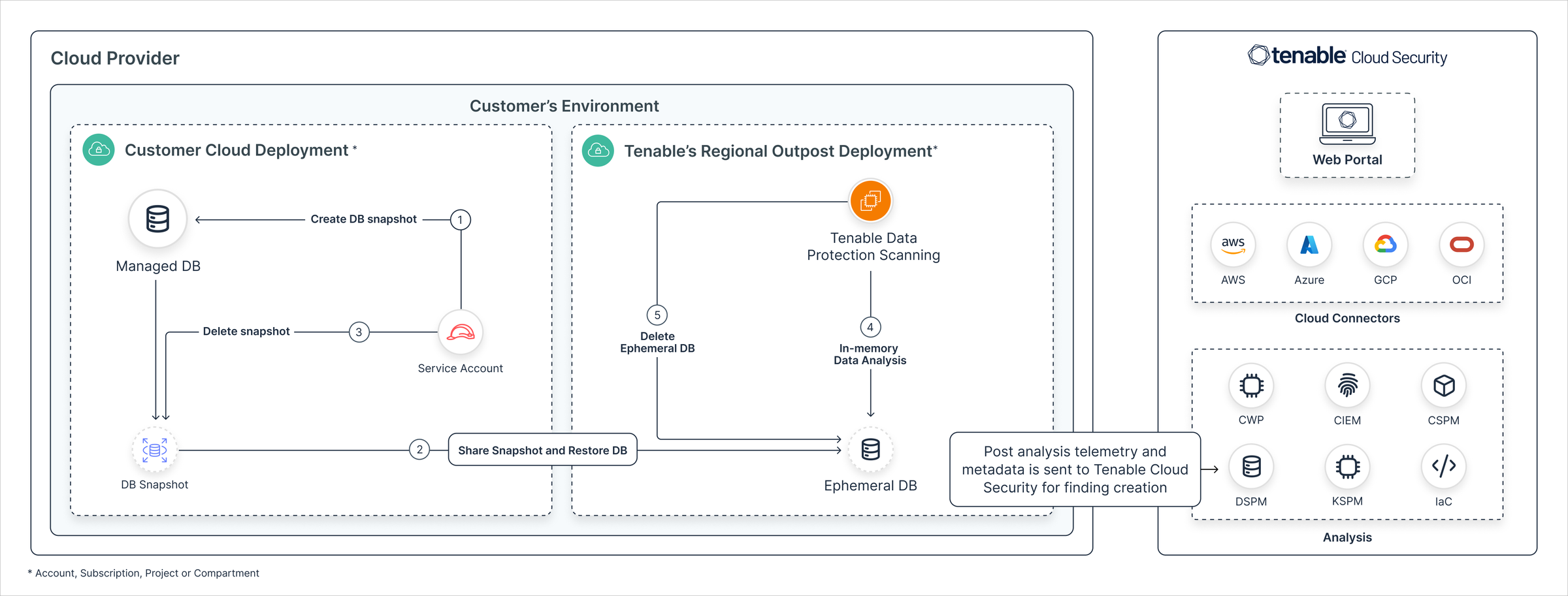
Cloud Exposure leverages snapshots/backups of cloud resources for scanning purposes:
- Leveraging the granted role/service account, a snapshot/backup of your managed databases is shared withTenable's in-account outpost to scan the DB tables and classify data into sensitive data types.
- While telemetry and metadata (the existence and location of specific data types) is collected in the outpost and transmitted to the global Cloud Exposure platform, your sensitive data is never stored at rest anywhere else.
- The existence of sensitive data in tables affects the severity of Findings associated with the resources where those tables were detected.
The following diagram describes the indirect, in-account scanning workflow for all supported cloud providers.