Discover AI Risk
This is a how-to guide about discovering AI risk via the Tenable One Cloud Exposure Console. For a conceptual overview of Tenable's AI-SPM capabilities, see AI-SPM.
Objective
Utilize Cloud Exposure AI-SPM capabilities to gain visibility into your AI/ML environment and manage unique AI-related risks (e.g., data poisoning, overprivileged agents).
Step 1: Discover AI Assets in Your Inventory
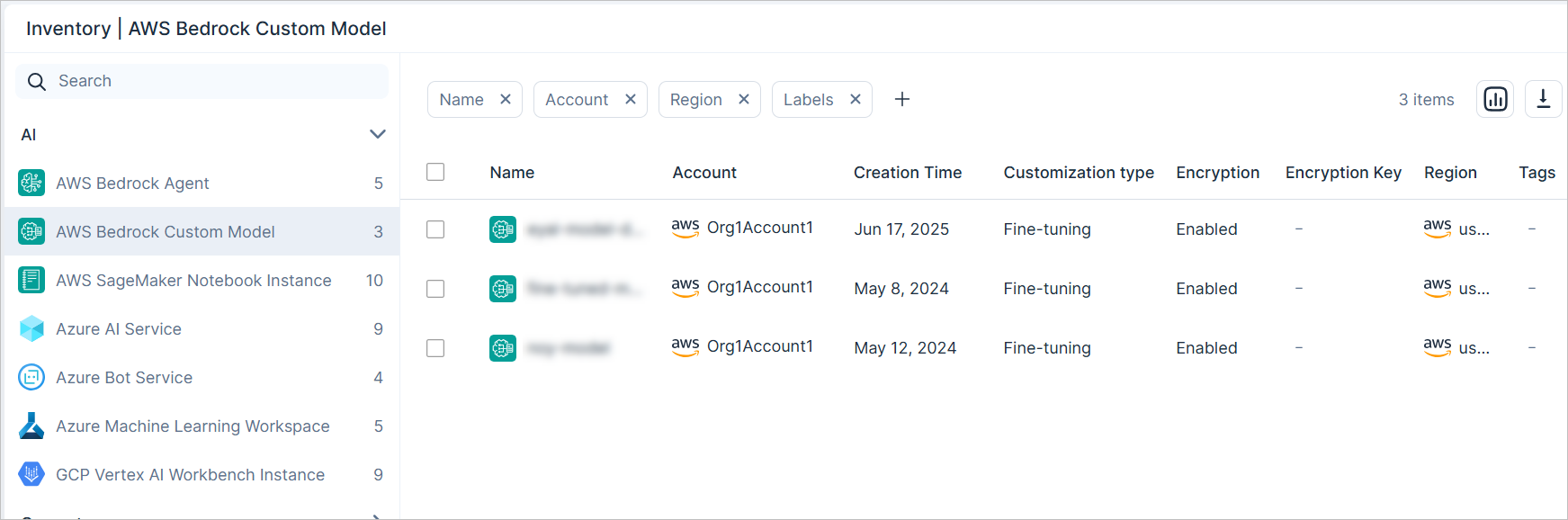
Use the Inventory to discover all AI resources (PaaS services, software, and data repositories) running in your environment.
- Navigate to Explore > Inventory.
- Expand the AI category.
-
Search across cross-cloud AI resource types.
Step 2: Correlate AI Resources to Training Data
One of the most critical steps in AI-SPM is establishing the relationship between an AI Model and the Sensitive Data it was trained on. This correlation is key to protecting against data poisoning and intellectual property theft.
- Discover the AI model: Start in the Inventory by locating your core AI asset. For example, an AWS Bedrock Custom Model.
- View resource details: Click on the specific Bedrock Custom Model name to open its resource profile page.
-
Identify correlated data: On the Overview tab of the resource profile, you will find properties that link the model back to the source data. For example:
- Training Input Data — Displays the specific S3 Bucket or repository used for fine-tuning the model.
- Output Data — Displays the bucket used to store outputs generated by the model.
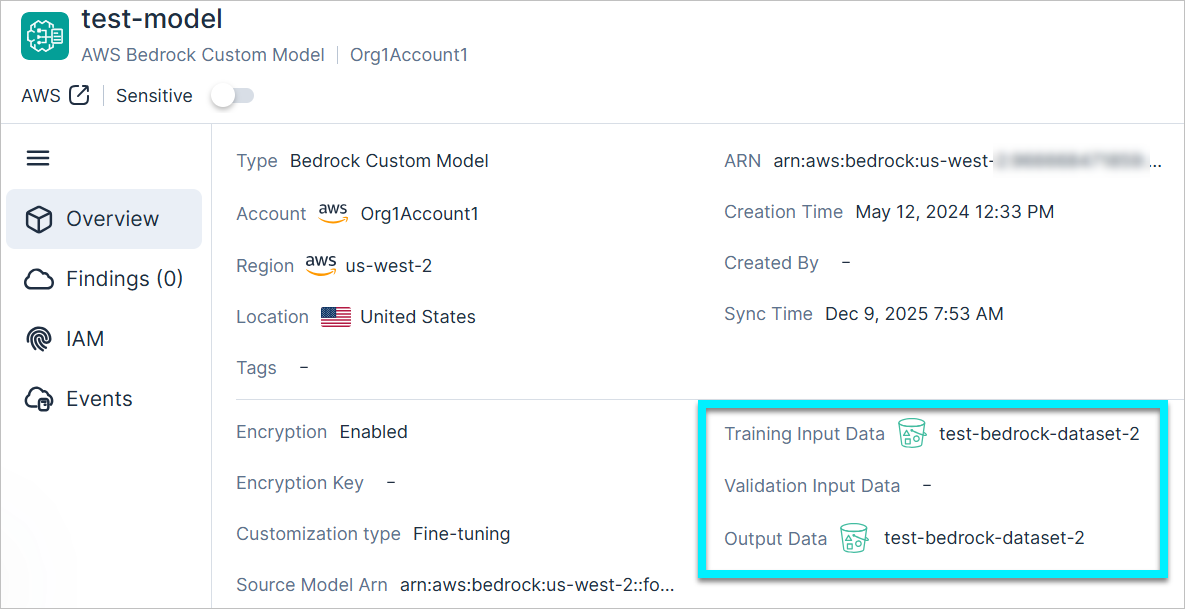
- Assess data sensitivity: Click on the Training Input Data link. This takes you directly to the linked S3 Bucket resource page.
- From the bucket's resource page, navigate to the Data tab to confirm the presence of sensitive or proprietary information (e.g., PII, PCI) within the training dataset.