Approval Requests
Some patching strategies require patch manager approval before beginning a patch cycle. The patching process looks for an approval chain to use when processing approvals and sends a notification based on the communication process configured for each approver. These approval communications include a link that directs the approver to the Admin Portal, prompting them to authenticate. Administrators may see all pending and completed approvals using the Tenable Patch Management dashboard.
Approve or Reject a Patch Request
-
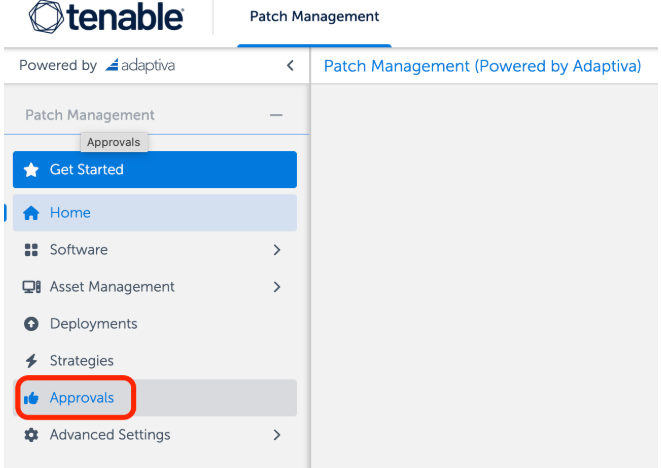
Select Approval Requests from the left navigation menu of the Patch Dashboard.
-
The All view is read-only. You may view the approval details, but you may not make any changes.
-
Pending lists the process awaiting approval. You may view and change processes with a status of pending. The approval request details for processes await approval in this list.
-
The Completed view is read-only. You may view the approval request details, but you may not make any changes.
-
-
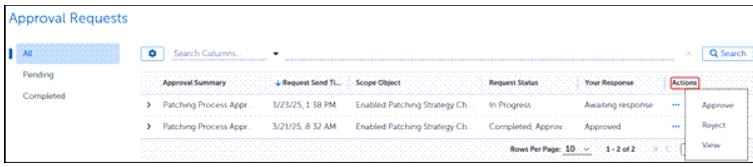
Select the ellipsis (...) in the Action column to view details of a specific request:
-
Select Approve to approve a pending request.
-
Select Reject to reject a pending request.
-
Select View to view additional details about any request. For completed requests, View is your only option.
-