Admission Controller
Required License: Enterprise. For more information, see Licensing.
This article is a conceptual overview of the admission controller feature in Tenable One Cloud Exposure.
- For a how-to guide about exploring events, see Kubernetes Admission Controller Events.
- For a how-to guide about configuring policies, see Admission Controller Policies.
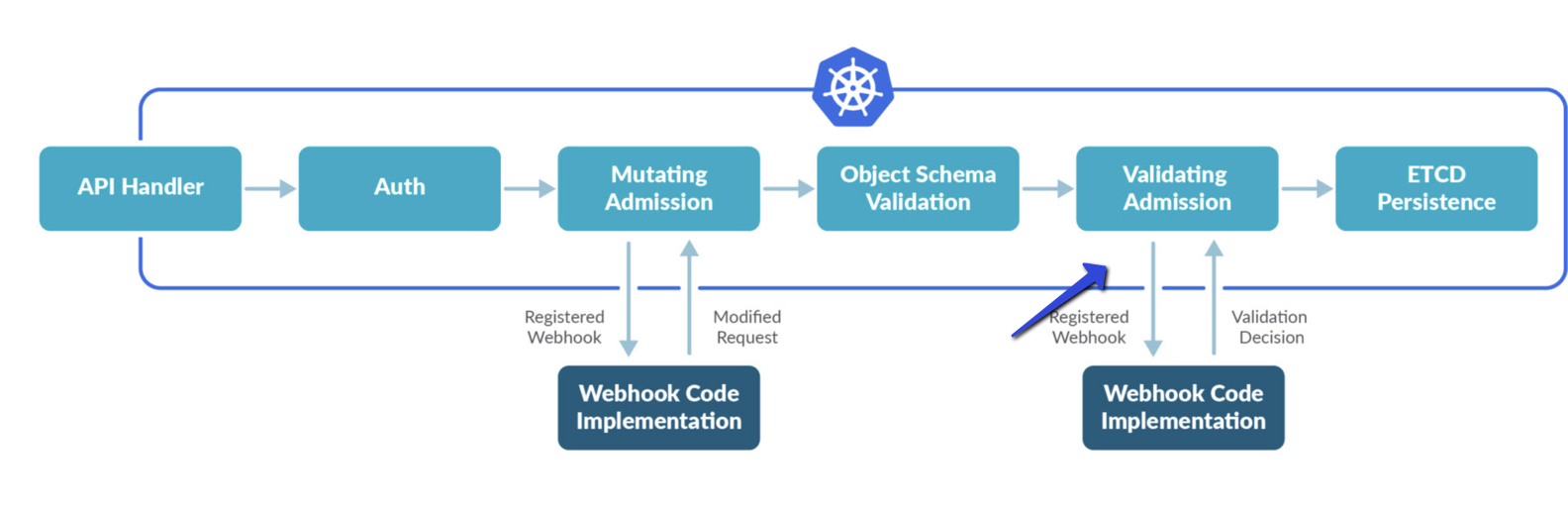
Kubernetes admission controller provides a critical control layer over the resources you create and modify within a cluster. Admission controllers intercept API requests, which allows you to perform the following actions:
- Enforce security policies and validate configurations.
- Ensure the system allows only compliant resources, such as containers, pods, and services, to be created or deleted.
- Apply violation effects, such as Deny (block the action) or Alert (allow the action and log a violation).
On the Admission Controller Policies page, you can configure admission controller policies and define the outcome of a policy violation. The violation effects can be Deny or Alert. Enabled policies apply only to clusters where you have installed the admission controller and that reside within the selected scope.
Tenable records all Kubernetes actions analyzed by the admission controller policies on the Admission Controller Logs page.
Admission Control Use Case: Enforcing Non-Root User Privileges
You can use the admission controller to ensure that all containers you deploy to the Kubernetes cluster run with non-root user privileges. To enforce this, set the Pod Security Standards - Root Containers policy to Deny.
When you attempt to deploy a pod with a container running as root - for example, if the runAsUser field is set to 0 (the root user ID) or omitted - the admission controller intercepts the request and blocks the deployment.
The following pod manifest violates the non-root user policy:
YAML
apiVersion: v1
kind: Pod
metadata:
    name: root-container-pod
spec:
    Containers:
    - name: insecure-container
      image: nginx
      securityContext:
            runAsUser: 0  # This specifies the container runs as root
In this example, the Pod Security Standards - Root Containers policy blocks the pod deployment. Enforcing this policy helps you prevent privilege escalation vulnerabilities and maintain a secure Kubernetes environment by reducing risks associated with root containers.