Use Adversary View with Tenable Hexa AI
The following is not supported in Tenable FedRAMP Moderate environments. For more information, see the Tenable FedRAMP Product Offering.
Required User Role: Scan Operator, Standard User, Scan Manager, Administrator, or Custom Role with appropriate privileges
Adversary View is a Tenable Hexa AI capability where you can look at your assets from the viewpoint of an attacker. Point it at a set of assets you already scan, and ask how an attacker could move through your environment. Tenable Hexa AI builds an on-demand graph of your environment from your existing scan and finding data (no new sensors, agents, or plugins required) and returns ranked attack paths, each hop backed by the scan evidence behind it, with a prioritized list of what to fix. Fixes are ordered by how many paths they close (a "choke point"), not by finding severity alone.
This capability runs on Claude Mythos 5, selected for its strength at tracing how a multi-step compromise could unfold across scattered evidence. An Adversary View analysis can take several minutes and reasons over a meaningful set of your data.
Before You Begin
-
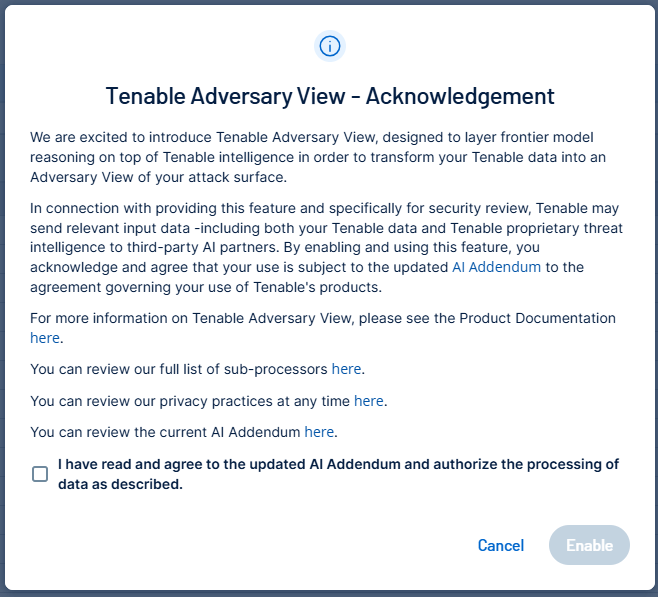
Your account admin must enable the Enable Frontier AI Model Access toggle on the Tenable Hexa AI Settings page. When this toggle is enabled, your admin must also acknowledge the AI Addendum covering Adversary View.
-
By default, Adversary View is enabled for users with the Administrator or Scan Manager role.
-
If you are using a custom role, you must have the Use permission enabled for Adversary View, and the Export permission enabled for Explore. For more information, see Custom Role Privilege Application.
-
The scans that cover the assets you want to include must have Override normal verbosity enabled, with Report as much information as possible selected.
-
At minimum, your target scope must include at least two assets with data from at least one of the following plugins:
-
Netstat Active Connections (Plugin ID 58651)
-
Netstat Connection Information (Plugin ID 64582)
-
Netstat Ingress Connections (Plugin ID 174736)
-
Windows Mapped Network Drives (Plugin ID 92422)
-
Microsoft Windows SMB Service Config Enumeration (Plugin ID 44401)
-
Traceroute Information (Plugin ID 10287)
-
Generate an Adversary View
To start an Adversary View chat:
-
Do one of the following:
-
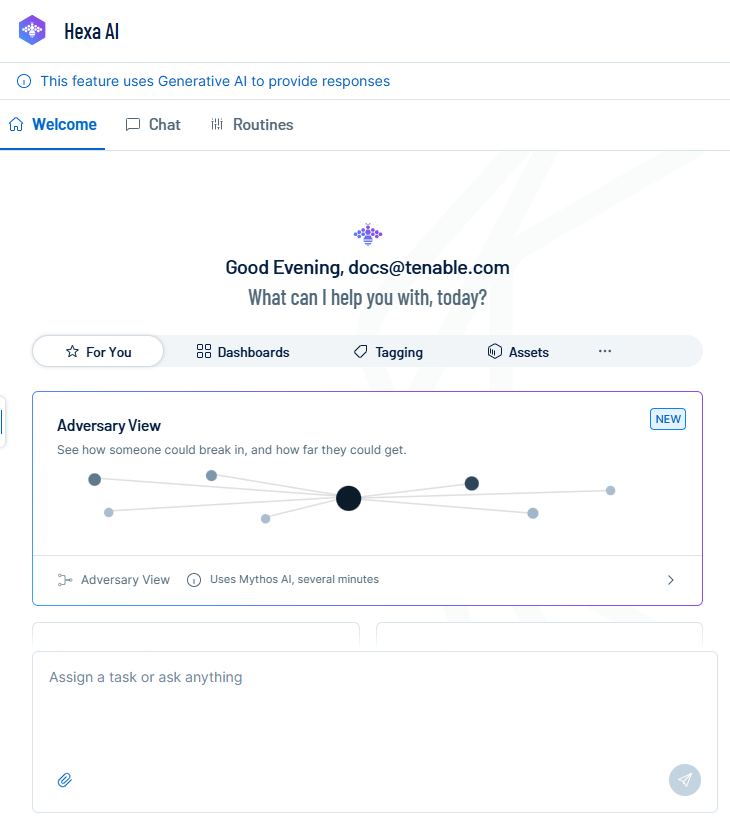
In the Hexa AI panel, click the Adversary View tile.
-
Ask Tenable Hexa AI for an Adversary View of a scope of assets (by tag, network, operating system, IP range, or a mix).
Tenable Hexa AI starts a new conversation and begins resolving your request.
-
-
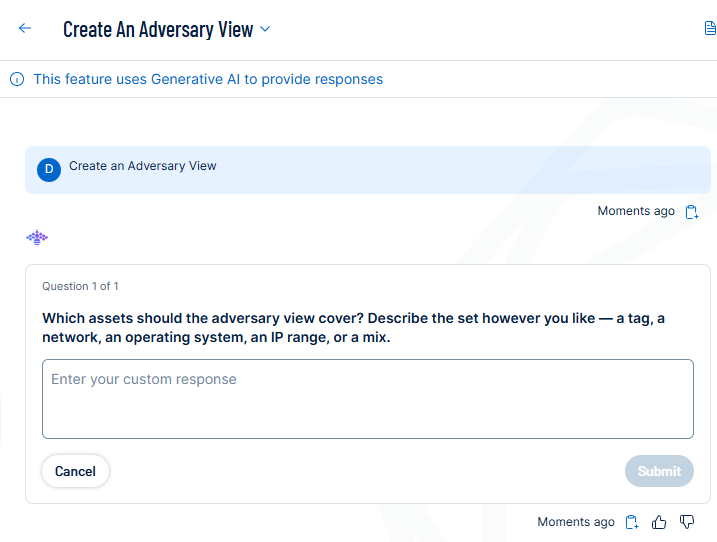
If you have not already specified a scope, Tenable Hexa AI asks a follow-up question to determine which assets to include. Describe the set however you like: for example, a tag, a network, an operating system, an IP range, or a mix.
-
Click Submit.
Tenable Hexa AI records your response and continues resolving your request.
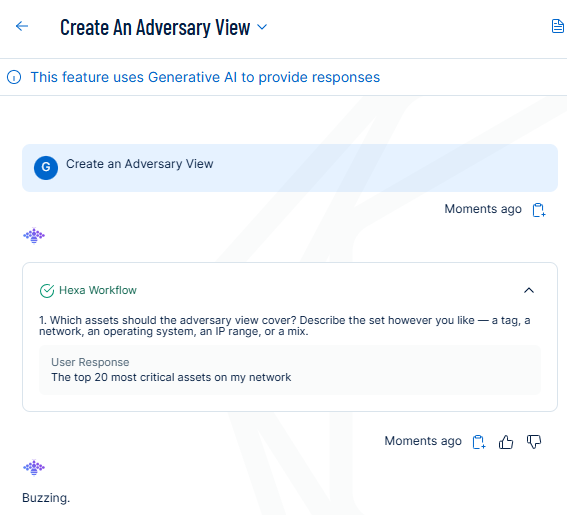
-
Review the scope summary that Tenable Hexa AI presents, including the number of assets in scope and any scan requirements for that scope.
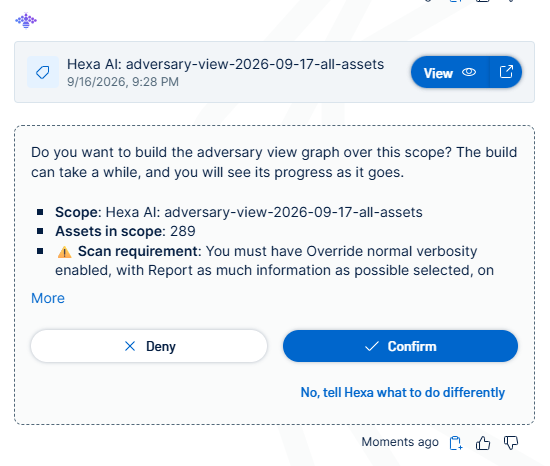
Do one of the following:
-
To build the Adversary View over that scope, click Confirm.
-
To cancel, click Deny.
-
To adjust the scope, click No, tell Hexa what to do differently.
Note: If the scan requirement described in Before You Begin is not met for an asset, the resulting evidence for that asset may be incomplete.If you clicked Confirm, Tenable Hexa AI builds and analyzes the attack graph. This can take several minutes.
Tenable Hexa AI displays the ranked attack paths for your scope, along with the choke points to remediate and the scan evidence behind each path.
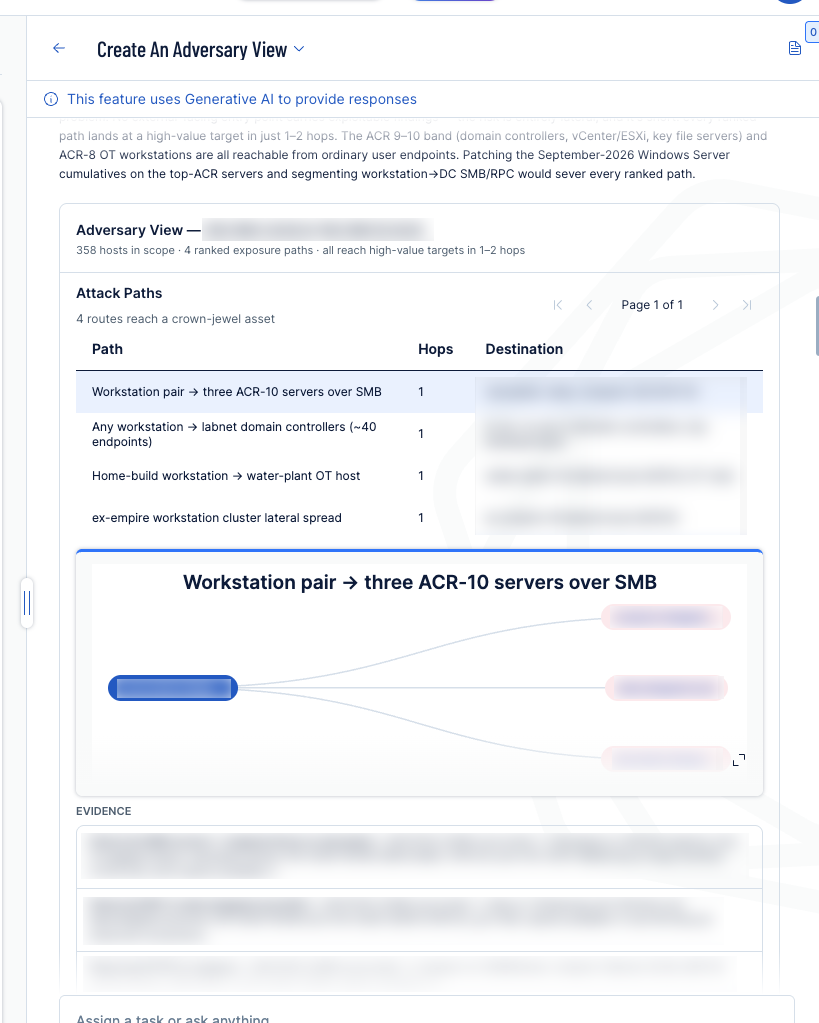
-
-
Ask follow-up questions in the same conversation. Tenable Hexa AI reuses the graph it already built, so these return faster than the initial analysis.
Example Prompts
You can type a request in your own words in the Tenable Hexa AI chat box. For example:
Start an analysis
-
Show me an adversary view for assets with a credentialed scan in the last 30 days
-
Build an Adversary View for assets with ACR severity High or Critical
-
Show me an adversary view for assets tagged "production"
-
Show me how someone could break into my environment (Tenable Hexa AI will ask you to confirm a scope before running)
Explore results in the same conversation
-
Show me the shortest path from any public entry point to a Critical ACR asset
-
Show all lateral movement paths that involve a shared service account
-
Show me the top 3 choke points and explain why each ranks where it does
Ask for remediation guidance
-
Show me all choke points and what CVE or plugin I'd need to remediate on each
-
If I could only patch 5 assets this sprint, which ones should I pick based on exposure?
Trust, Safety, and Governance
Adversary View sends the scan and finding data in your defined scope (including plugin output) to Claude Mythos 5 via Amazon Bedrock for analysis.
Unlike other Tenable Hexa AI capabilities, Adversary View uses a global inference profile: analysis is not confined to your data's regional AWS instance. This does not change data residency for other Tenable Hexa AI features, regardless of whether Adversary View is enabled for your organization. For more information, see How Tenable Uses AI and Machine Learning.