Trail Flow Use Cases
To understand the Trail Flow behavior, two examples illustrate how an operation that you perform in your Active Directory (AD) interface is reflected in the Trail Flow page.
Each example compares data from the administrator side (in the AD interface) with the data from the end user side (in Tenable One Identity Exposure). Whether you use an application, API, or service to carry out an operation on your AD, the result on the Trail Flow is the same.
What happens in the Trail Flow when you create a new AD user account?
-
On the administrator side, you enter various information on the new user account.

-
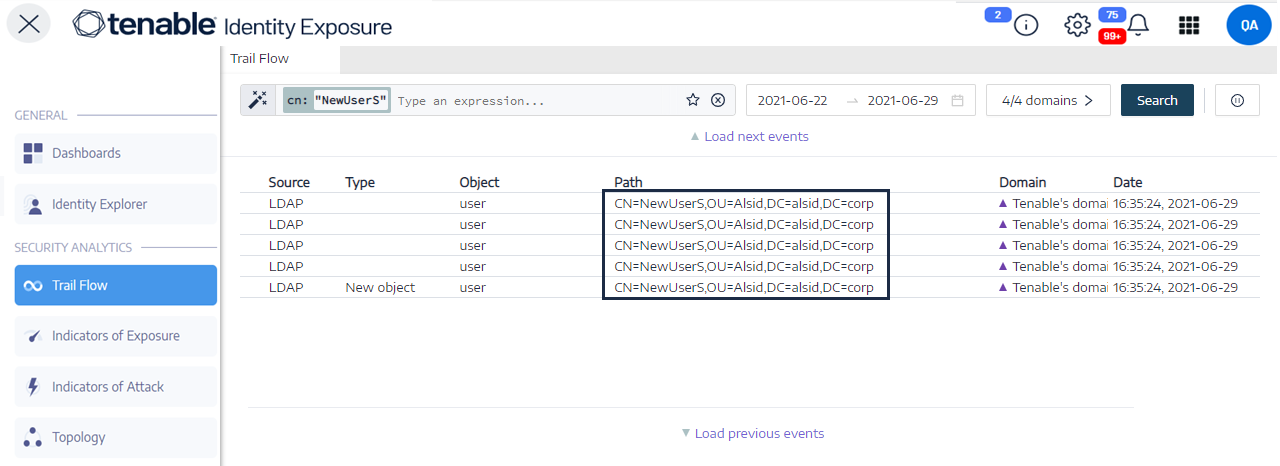
On the end-user side, Tenable One Identity Exposure updates the Trail Flow page.
See the Type column indicating New object.
-
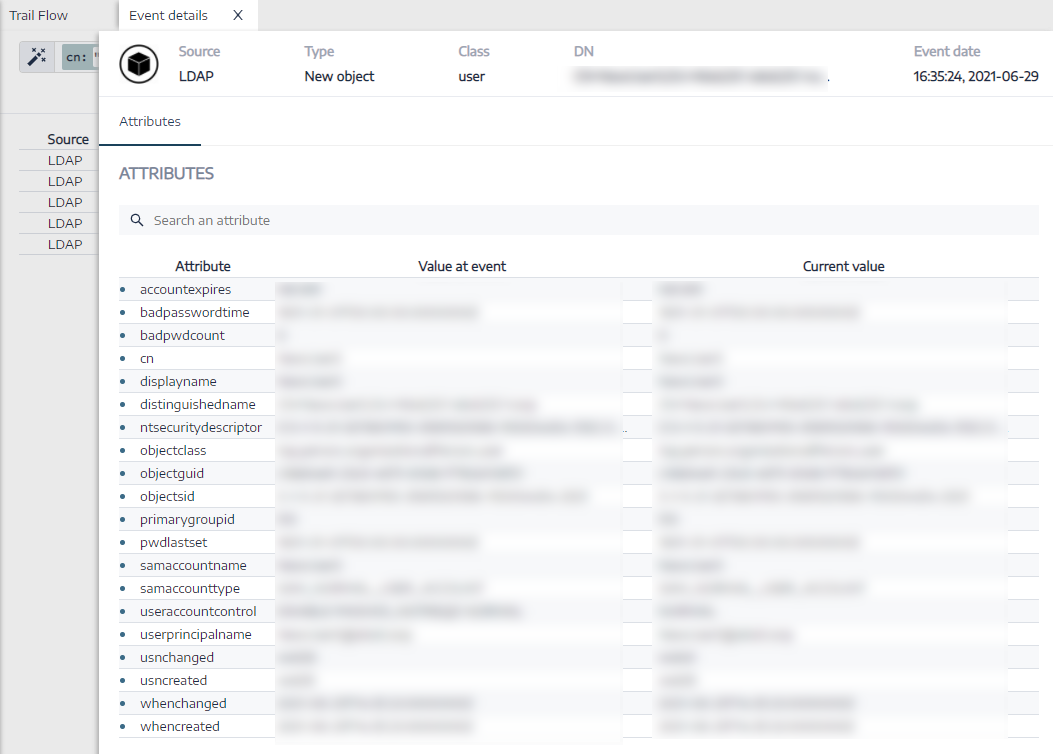
The Event details page also reflects this change.
The blue dots on the left of the attribute names indicate that an update occurred.
For more details on attributes, see Event Details.
What happens in the Trail Flow when you change an AD user's password?
-
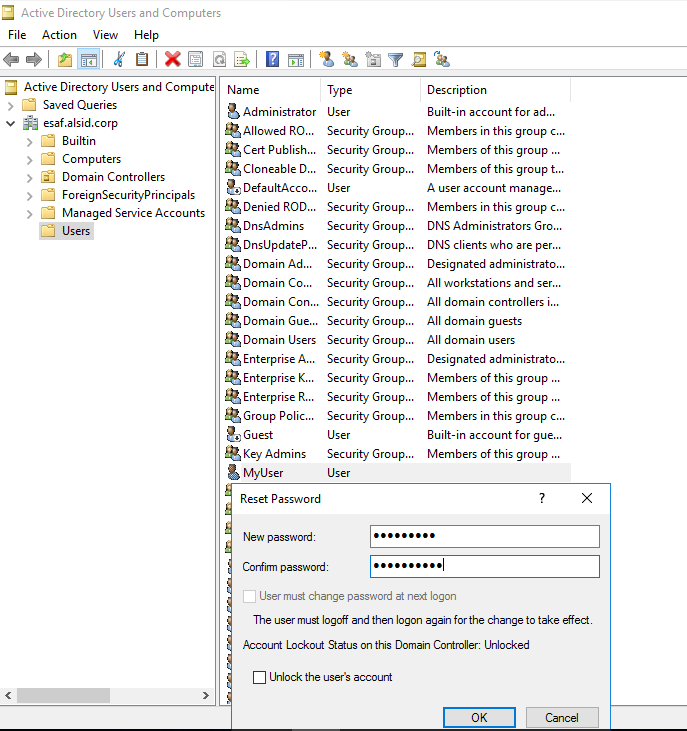
On the administrator side, you enter various information to reset a user's password.
-
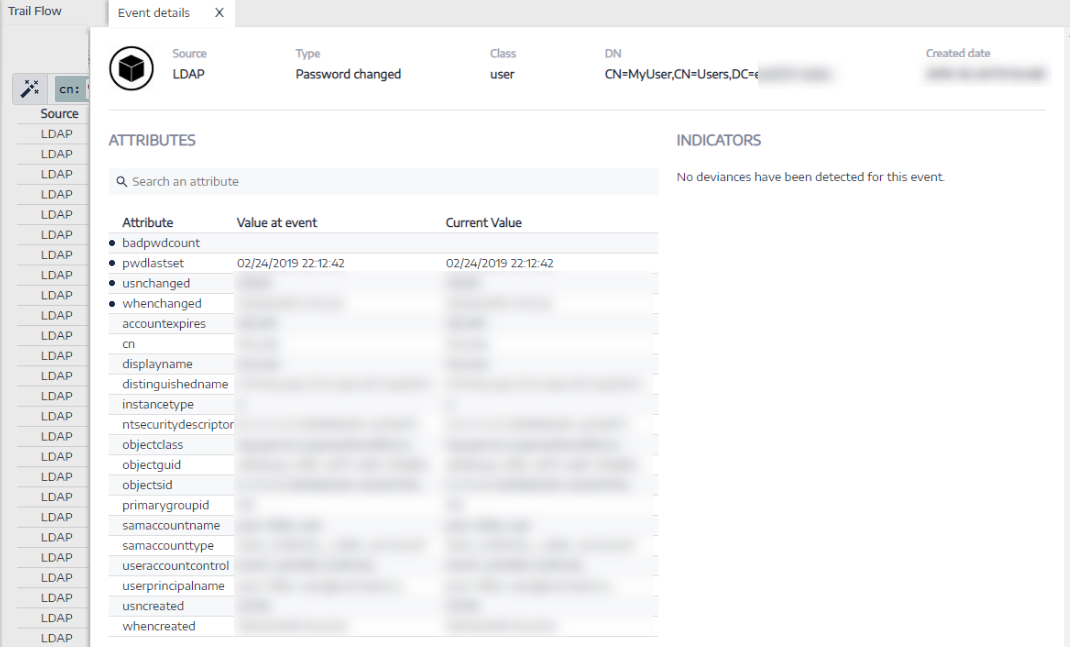
On the end-user side, Tenable One Identity Exposure updates the Trail Flow page. See the Type column indicating Password changed.

-
The Event details page also reflects this change with a blue dot on the left of the whenchanged attribute.
For more details on attributes, see Event Details.
See also