Connect Anthropic Claude
Use this procedure to integrate Anthropic Claude with Tenable One AI Exposure to monitor all conversations with Claude and surface posture findings, activity detections, and related security risks.
Prerequisites
Ensure that you have:
- An active Claude Enterprise plan.
- The Primary Owner role in Claude Enterprise.
Note: You must be a Primary Owner to enable the Compliance API.
Create the Compliance API Key
-
In Claude Enterprise, navigate to Organization settings > API.
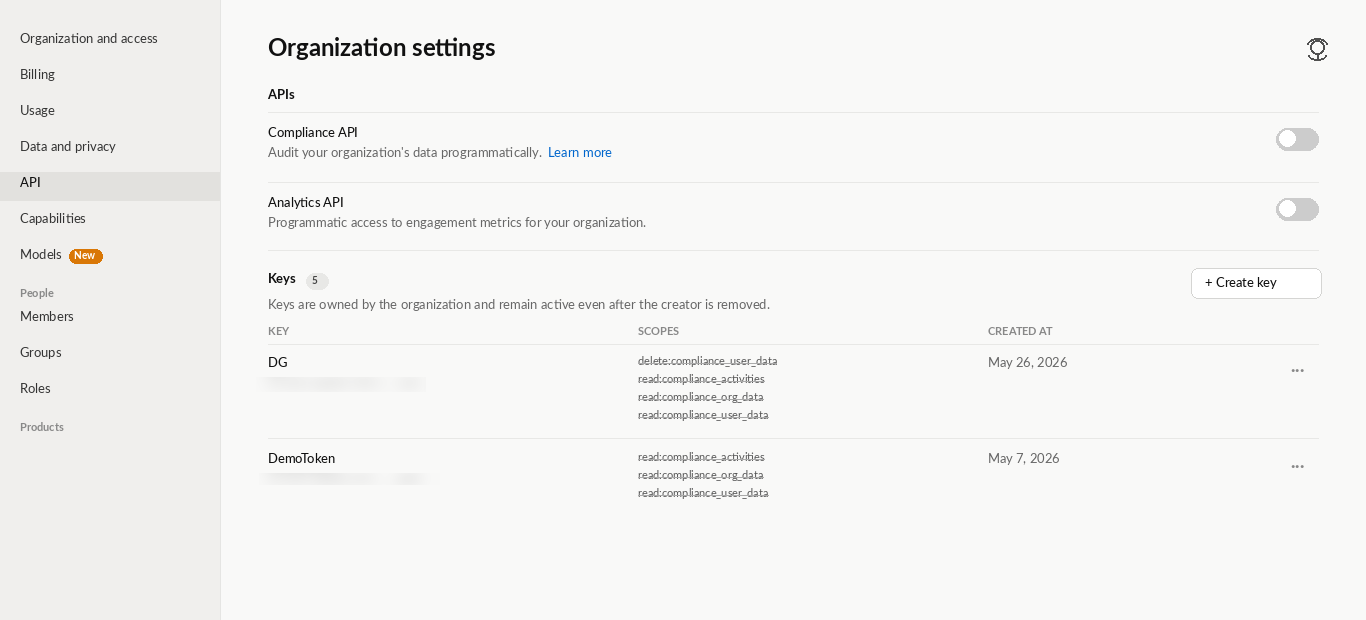
- (Primary Owner) In the APIs section, enable the Compliance API access toggle.
- (Primary Owner or Organization Owner) In the Keys section, click Create Key to create new compliance access keys.
The Create API Key window appears. -
Select the following scopes:
- read:compliance_activities
- read:compliance_org_data
- read:compliance_user_data
- Click Create.
The system generates a unique API key. - Save the generated API key for use with the integration.
For more information, see Access the Compliance API in the Claude Enterprise User documentation.
Connect Anthropic Claude
To integrate Claude:
- In AI Exposure, navigate to Settings > Integrations and click Add Integration.
- In the Integrations Library, select Anthropic Claude.
The Add Integration wizard opens. - Enter a Name for your integration.
The Console displays this name. - Enter your Compliance API Key.
- Click Finish.
Next steps:
After you integrate Claude, it appears in the Settings > Integrations table. From here, you can manage your integration and view the integration status.
Note: By default, when you connect Anthropic Claude, AI Exposure fetches 14 days of historical conversation data. This default varies by AI provider and can also vary depending on the complexity of your configuration. For example, when you connect Google Gemini, AI Exposure fetches 1 day of historical conversation data by default. For information about how long AI Exposure retains chats, detections, and findings after fetching them, see the Data Retention section in the FAQ.