Widget Drill-Down Reference
When you use the Show Query in... option on a dashboard widget, Tenable Exposure Management redirects you to the relevant Inventory page (Assets or Findings) with specific filters already applied.
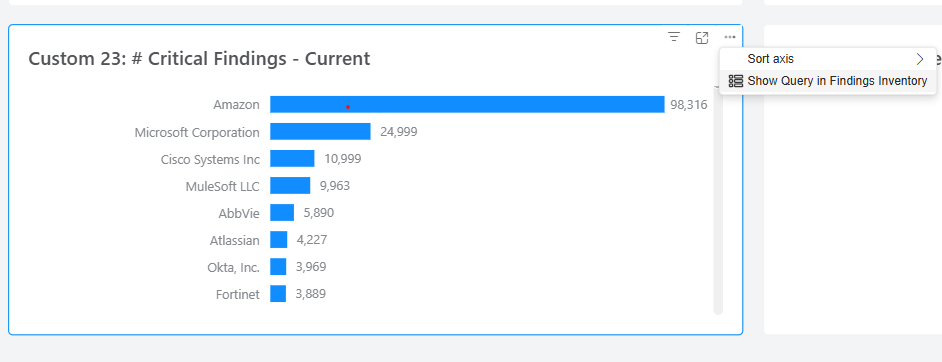
This reference outlines the relationship between the configured widget measure, the destination Inventory page, and the automatic filters applied to the query.
Understanding the Drill-Down Data
The table below organizes drill-down behavior by the following columns:
-
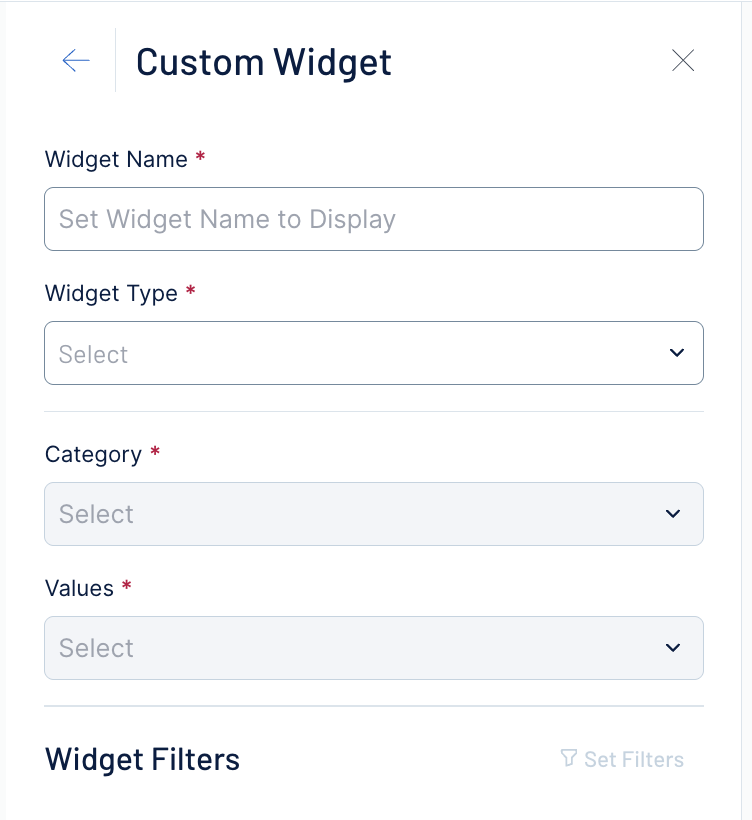
Measure: The specific data metric configured in the widget. A measure is defined by either the Category or the Values selected in the widget settings. This selection determines the scope of the data.
-
Inventory Page: The destination page for the drill-down (either Assets or Findings). Tenable Exposure Management redirects you to this page to show the line-item data that corresponds to the widget's measure.
-
Filters: The set of predefined filters automatically applied to the Inventory page upon redirection.
-
These filters replicate the logic used by the widget to calculate its results.
-
By default, the Filters pane on the Inventory page displays these filters.
-
You can modify these filters, add new ones, or remove them to investigate the data further or create different data views.

-
Supported Measures
The following table lists the measures that support inventory drill-down and the specific filters applied for each.
| Measure | Inventory Page | Filters |
|---|---|---|
| Active Findings (by asset) | Findings |
|
| Active Findings (by detection) | Findings |
|
| AES | Assets |
|
| Assets | Assets |
|
| Assets With Tag - Authenticated Scanned Assets | Assets |
|
| Assets With Tag - Exception-Policy Assets | Assets |
|
| Authenticated Scanned Assets | Assets |
|
| Average Remediation Days | Findings |
|
| Closed Findings | Findings |
|
| Critical Findings - Current | Findings |
|
| Findings - Current | Findings |
|
| Fixed Findings (by asset) | Findings |
|
| Introduced Findings (by asset) | Findings |
|
| Open Findings | Findings |
|
| Open Findings (by asset) | Findings |
|
| Open Findings (by detection) | Findings |
|
| Resurfaced Findings (by asset) | Findings |
|
| Resurfaced Findings (by detection) | Findings |
|
| Total Findings (by asset) | Findings |
|
| Total Findings (by detection) | Findings |
|
Unsupported Measures
The following measures do not currently support the drill-down feature. If you select one of these measures, the Show Query in... option will not appear in the widget menu.
| Unsupported Measure |
|---|
| Active Steps Current |
| Asset Criticality Rating |
| Average Breaching Days |
| Breaching Assets |
| Breaching Findings - Current |
| Breaching Findings (by asset) |
| Breaching Findings Percentage of Change |
| CES (Cyber Exposure Score) |
| Change Assets |
| Change Compliant Assets |
| Close Findings (Exceeding SLA) - Current |
| Closed Findings (SLA Compliant) |
| Compliant Asset |
| Compliant Assets |
| Compliant Findings - Current |
| Compliant Findings (by asset) |
| Detections |
| Findings Approaching SLA |
| Fix Steps Current |
| Fixed Findings (by Current) |
| High Critical Breaching Findings - Current |
| High Critical Findings Approaching SLA - Current |
| Mean Time To Remediate (by asset) |
| New Steps Current |
| Open Findings (Exceeding SLA) |
| Open Findings (SLA compliant) |
| SLA Breaching Findings Current |
| SLA Compliant Findings Current |
| Steps Current |
| Total Steps Current |
| Unique Active Paths Current |
| Unique Fix Paths Current |
| Unique New Paths Current |
| Unique Paths Current |
| Unique Total Paths Current |