Operational Technology Class Mapping for Tenable SGCs (Optional)
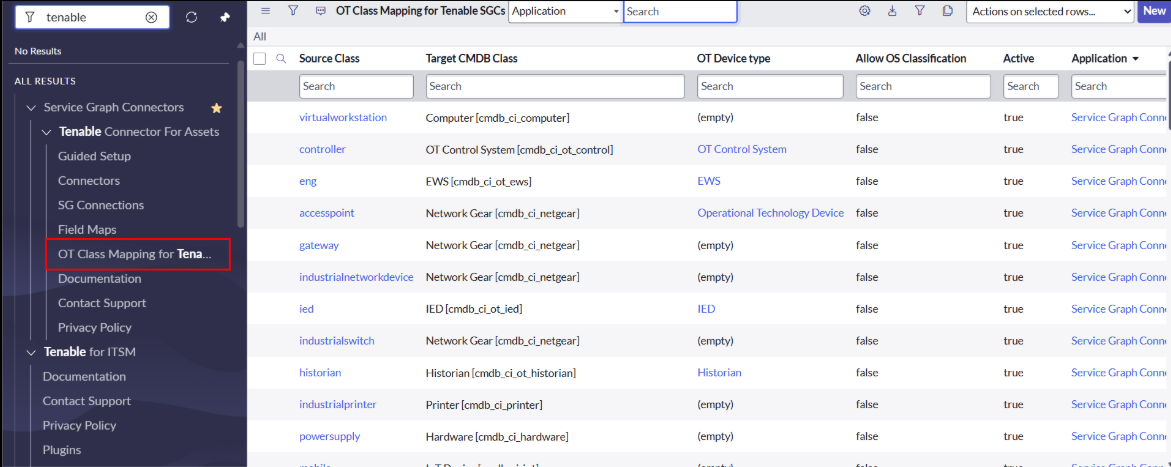
The Operational Technology Class Mapping for the Tenable Service Graph Connector feature allows you to configure Operational Technology (OT) class mappings. During data ingestion, OT asset records are mapped to the appropriate target CMDB class based on the class mapping configured in the mapping table. This feature is specifically designed for Tenable One OT Exposure asset ingestion.
Domain Separation (Optional)
You can use the Domain Separation feature to isolate Tenable data from different organizations and manage access controls.
-
You must activate the Domain Separation plugin (
com.glide.domain.msp_extensions.installer) to use this feature. -
With the Domain Separation feature, you can create child domains and assign users to a specific domain.
-
Users can have multiple child domains assigned to a parent domain, and each child domain can have a separate configuration with different asset records.
-
For information about creating a domain, see How to Create a Domain.
-
For domain-separated instances, the shipped connector records are not visible to all users. Domain-separated users must create the connector as described in the setup steps above.
Note: The x_tsirm_tio_now.import_set_admin role is used to access import set tables across all Tenable apps. Tenable does not recommend giving this role to any user.
Platform Domain Separation Considerations
Platform domain separation mode introduces some risks that are greater on upgraded instances and much lesser on zBooted instances.
-
If any application is already using IRE effectively in a domain-separated environment, there is no advantage in switching to platform domain separation mode, which might create some risk.
-
When the system property
glide.identification_engine.platform_domain_separation_enabledis set to false:-
Only CIs that have the same domain ID as the currently logged-in user's domain are used during matching.
-
Duplicate CIs that exist across domains (including parent and child domains) are not considered duplicate CIs by IRE.
-
-
When the system property
glide.identification_engine.platform_domain_separation_enabledis set to true:-
Duplicate CIs that exist across domains (such as parent and child domains) are considered duplicate CIs by IRE.
-
CIs from the logged-in user's domain and child domains are used during matching.
-
-
The import set tables are not domain separated.
-
Transform histories are not domain separated.
-
Some tables related to the Configuration Management Database (CMDB) are not domain separated (for example,
cmdb_key_valueandcmdb_software_instance).
Guided Setup
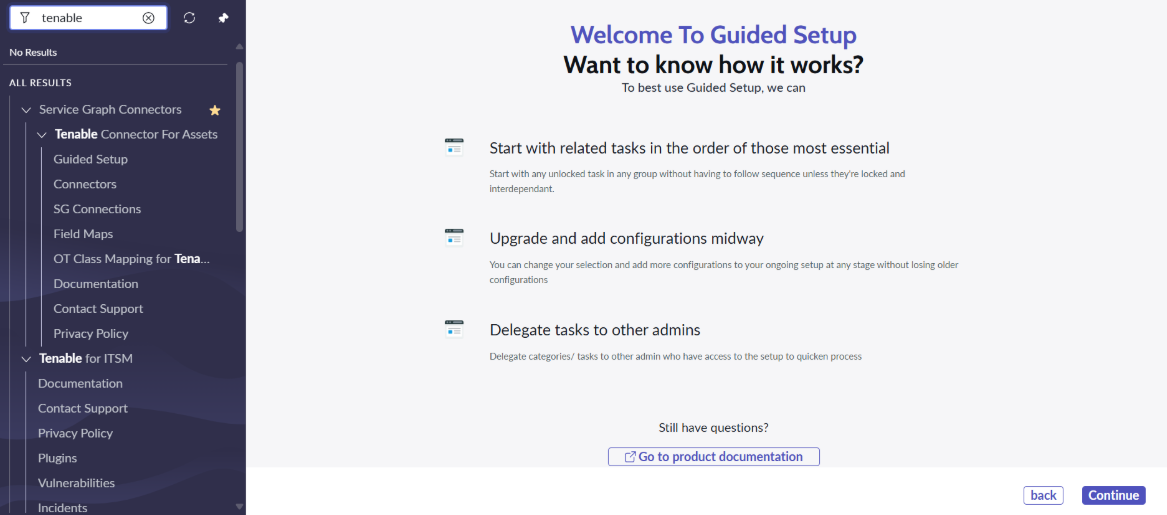
This module redirects to the Guided Setup of the Service Graph Connector for Tenable. From this module, you can configure the Connection Alias, Connector, and Scheduled Imports. For the steps, see the setup instructions earlier in this guide.
Connectors
This module navigates to the Tenable Connector table list view, from which you can create and update connectors.
Documentation
This module redirects to the Tenable documentation page.
Contact Support
This module redirects to the Tenable Support page. Use this module to communicate with Tenable.
Privacy Policy
This module redirects to the Tenable Privacy Policy page. You can review the privacy policy documentation for the Tenable integration.
Job Management
SC Queries
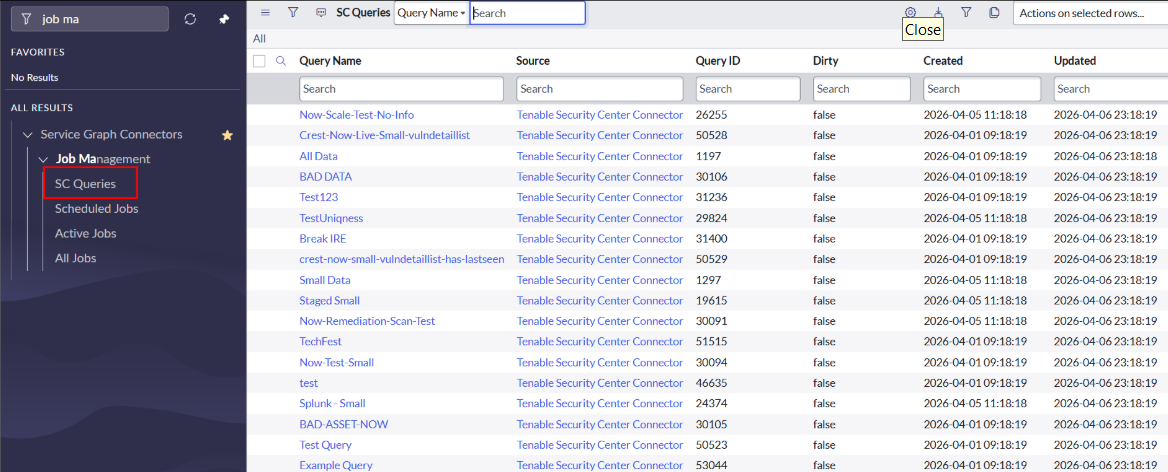
This module navigates to the SC Queries table list view. It lists all queries pulled from Tenable Security Center. You cannot create or update queries.
Scheduled Jobs
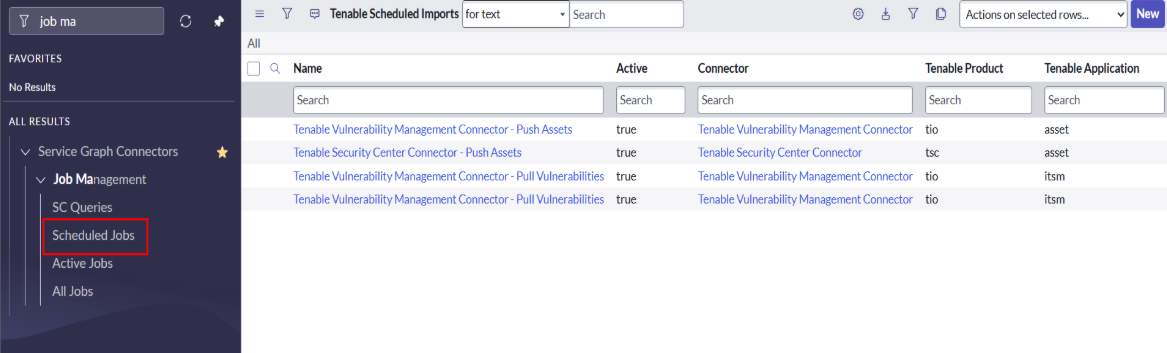
This module navigates to the Tenable Scheduled Import table list view.
-
You can view and edit the scheduled jobs of all connectors that are already created.
-
You cannot create a scheduled job from this module. Creating a scheduled job requires a reference to the connector, which is not available from this list view.
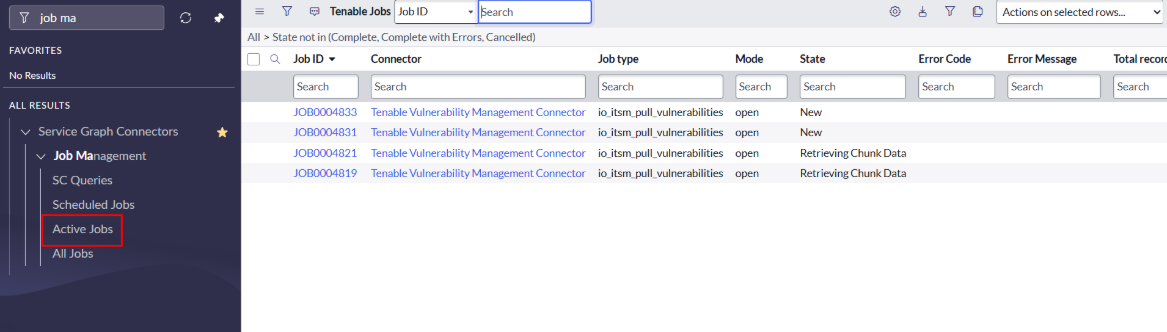
Active Jobs
This module shows the jobs of all connectors whose state is not Complete, Complete with Errors, or Cancelled.
All Jobs
This module displays the jobs of all connectors. You can view all the details of the jobs.
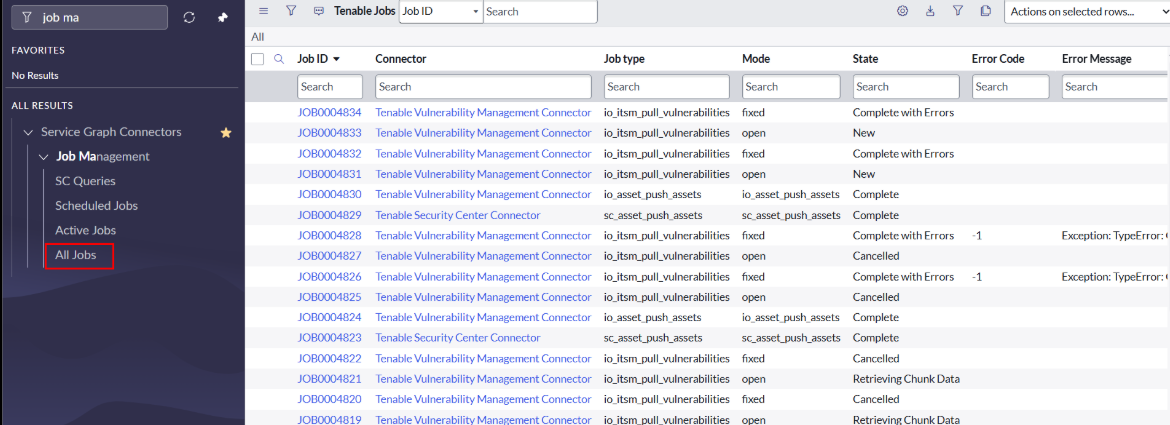
The Tenable Job fields are described below:
-
Job Id: Unique ID of the job.
-
Connector: Name of the connector from which this job is created.
-
Schedule Import: Name of the scheduled import from which this job is created.
-
Job type: Internal name of the job type (for example, pull assets, push assets, or pull vulnerabilities).
-
Mode: Mode of the job. For Tenable One Vulnerability Management, the mode can be Open or Fixed. For Tenable Security Center, the mode can be Cumulative or Patched.
-
Last Action: Shows the last action performed by this job.
-
Error Code: Displays the error code when an error is generated.
-
Error Message: Displays the error message when an error is generated.
-
Percentage Complete: Displays the percentage of the job that is complete.
-
State: Displays the state of the job (for example, New, Retrieving Chunk Data, or Importing).
-
Job Started: Displays the date and time when the job started.
-
Job Stopped: Displays the date and time when the job stopped.
-
Duration(MS): Displays the time, in milliseconds, that the job took to complete.
-
Records Retrieved: Displays the number of records retrieved.
-
Records Imported: Displays the number of records imported.
-
Total records: Displays the total number of records in the response.
-
Request Processing:
-
Export ID: Displayed for Tenable One Vulnerability Management pull assets and pull vulnerabilities jobs.
-
Last REST URL: Displays the REST URL of the last API call.
-
Last REST Method: Displays the REST method of the last API call.
-
Last REST Body: Displays the input body of the last API call.
-
Last Status Code: Displays the status of the last API call.
-
Last Response Body: Displays the response of the last API call.
-
-
Job Parameters:
-
Input Data: Displays the connector ID, connector name, scheduled import ID, scheduled import name, and job type.
-
-
Log Journal: Shows all the logs for the job.
-
Logs: Displays all the logs of the job.
-
Tenable Job Chunks (related list):
-
Shows the chunks created for this job.
-
Diagnostics
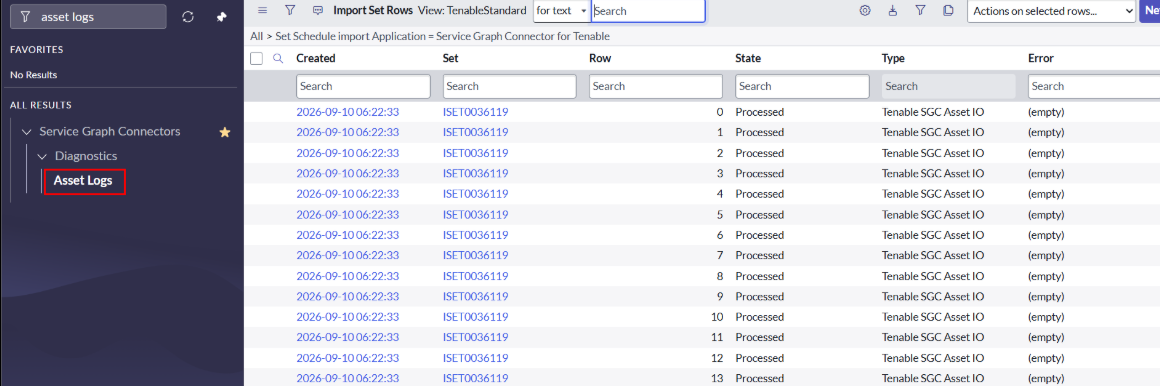
Asset Logs
This module displays all the asset details pulled from Tenable One OT Exposure, Tenable One Vulnerability Management, and Tenable Security Center.
Note: You need the x_tsirm_tio_now.import_set_admin role to see the Asset Logs.
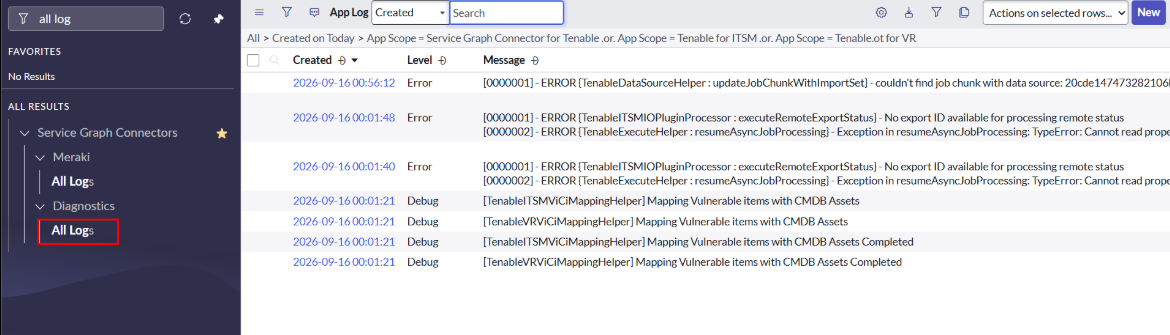
All Logs
This module displays all logs in the application scope of the Service Graph Connector for Tenable and Tenable for ITSM.
Job Chunks
This module displays the job chunks of all connectors. You can view all the details of the job chunks.
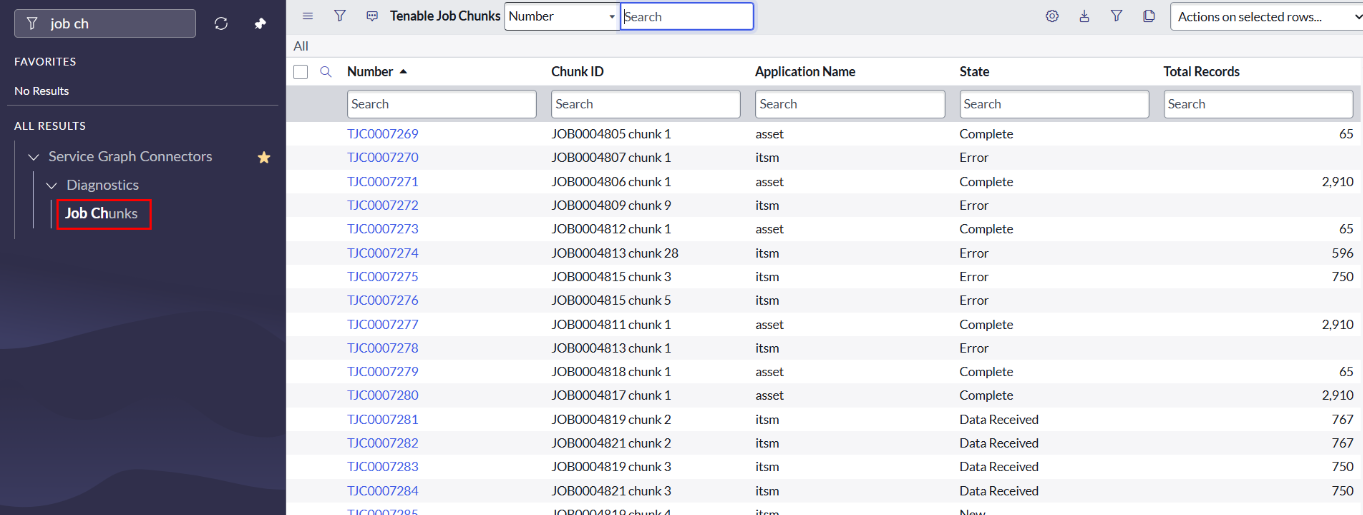
The Tenable Job Chunk fields are described below:
-
Number: Unique job chunk ID.
-
Chunk ID: Automatically created in combination with a Tenable job ID.
-
Domain: Displays the domain of the job chunk.
-
Job Start: Displays the date and time when the job started.
-
Job End: Displays the date and time when the job stopped.
-
Percent Complete: Displays the percentage of the job chunk that is complete.
-
State: Displays the state of the job chunk.
-
Data Received Start: Displays the date and time when data receipt started.
-
Data Received End: Displays the date and time when data receipt ended.
-
Total Records: Displays the total number of records.
-
Log: Displays all the logs generated while running the job chunk.
-
Related Job Chunk (related list):
-
Shows all related job chunks of the same job.
-
-
Tenable Job (related list):
-
Shows the record of the job chunk's Tenable job.
-