Configure the GS Operation
Steps
-
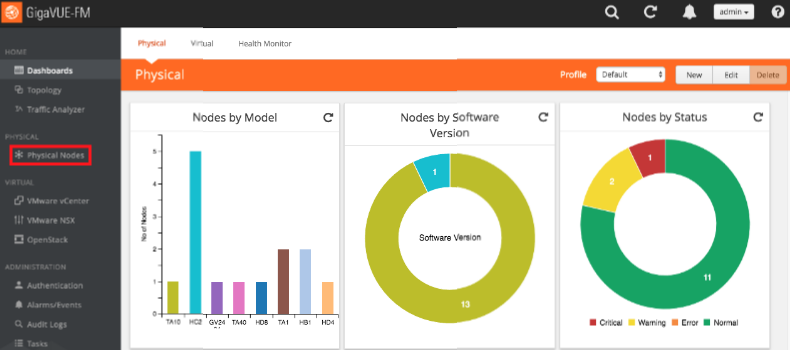
In the GigaVUE-OS interface, on the left side bar, select Physical Nodes. The Physical Nodes screen appears.
-
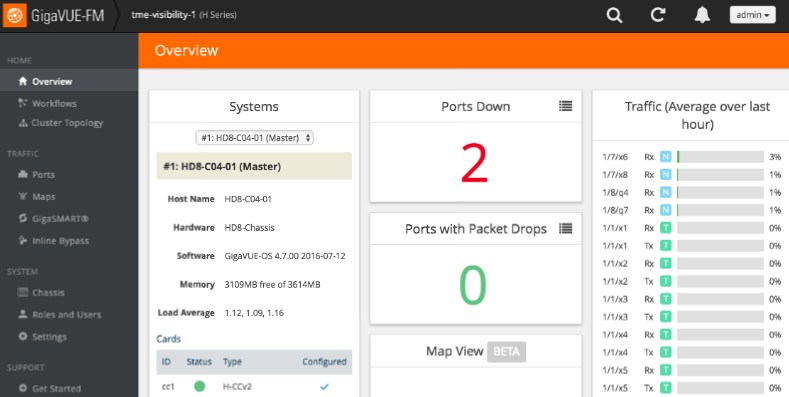
Select the Physical Node you wish to configure. The Overview screen appears.
-
On the left bar, select GigaSMART®. The GS Operations tab appears.
-
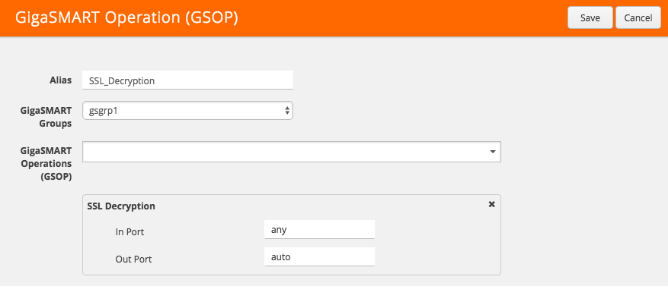
In the upper right corner, click the New button. The GS Operations page appears.
-
In the Alias box, enter a name for the operation (e.g., SSL_Decryption).
-
In the GS Groups drop-down box, select the group you created in Configure the GS Group.
-
In the GS Operations drop-down box, select SSL Decryption. The SSL Decryption section appears.
-
In the In Port box, enter any.
-
In the Out Port box, enter auto.
-
In the upper right corner of the page, click Save.