Create an SSL Service
Steps
-
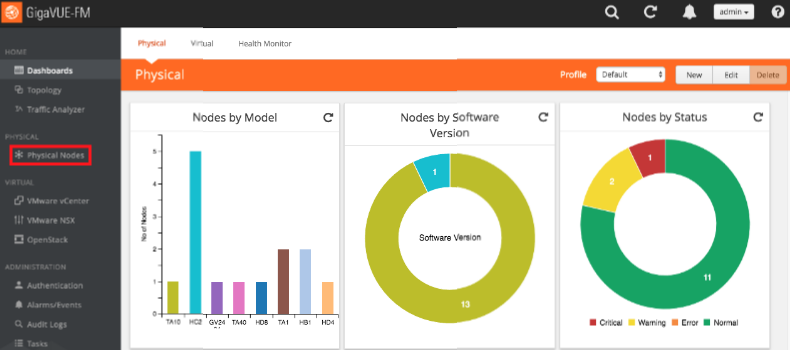
In the GigaVUE-OS interface, on the left side bar, select Physical Nodes. The Physical Nodes screen appears.
-
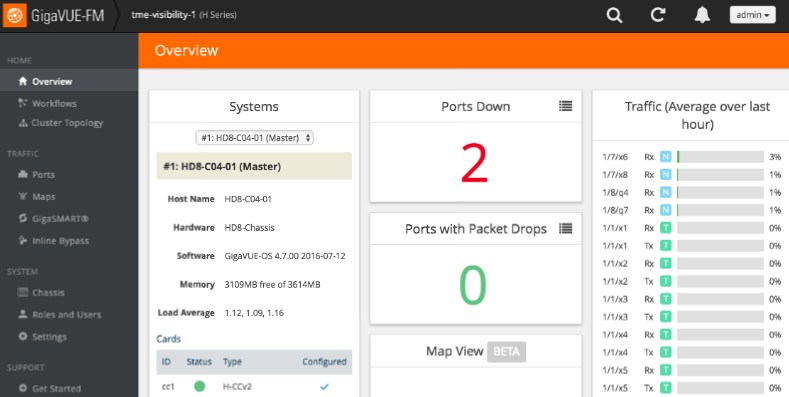
Select the Physical Node you wish to configure. The Overview screen appears.
-
On the left bar, select GigaSMART®. The GS Operations tab appears.
-
On the top navigation bar, select SSL Decryption. The SSL Services tab appears.
-
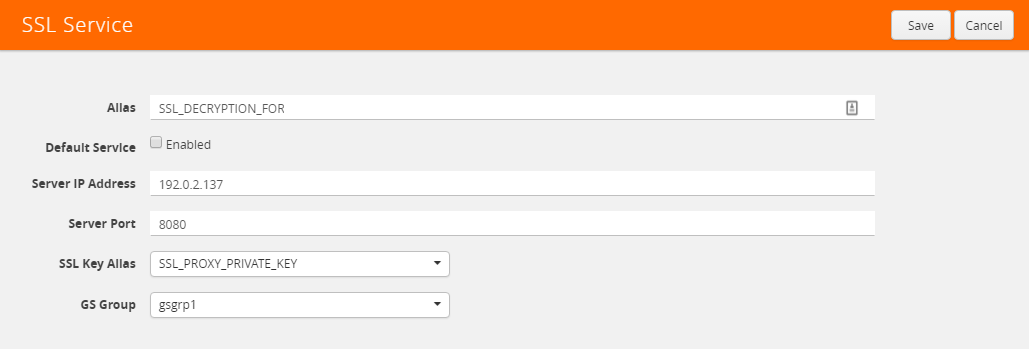
In the upper right corner, click the New button. The SSL Service page appears.
-
In the Alias box, enter a name for the SSL service.
-
In the Server IP Address box, enter the IP address of the server.
-
In the Server Port box, enter the server SSL port.
-
In the SSL Key Alias drop-down box, select the private key you uploaded in Upload the Private Key.
-
In the GS Group drop-down box, select the group you created in Configure the GS Group.
-
In the upper right corner of the page, click Save.