Scheduled Exports
The Scheduled Export page displays details about the exports on your account that include a schedule.
Note: You can retain up to 1000 export schedules on your Tenable One Vulnerability Management instance.
To view your scheduled exports:
-
In the left navigation, click
 Exports.
The Exports page appears with the Schedules tab showing, by default.
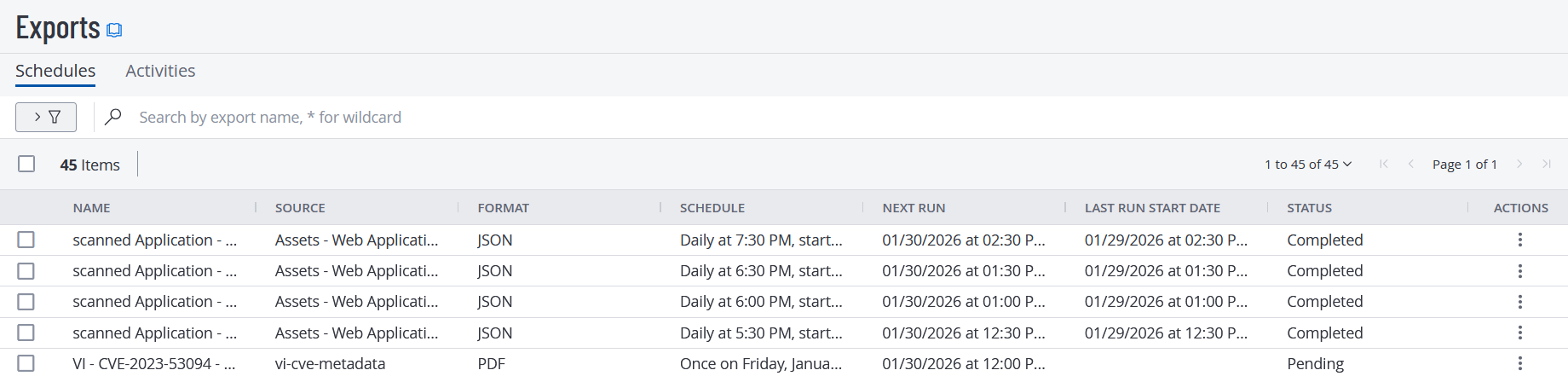
The Schedules tab shows by default.
Note: To create a scheduled export from anywhere within Tenable One Vulnerability Management see Create a Scheduled Export.
For more information about Scheduled Exports, see View Your Scheduled Exports and Manage Scheduled Exports.
Note: Export expiration is set via the Settings section. For more information, see Configure Export Expiration.