Permissions Query
Perform flexible and granular queries across all cloud identities to quickly surface problems of interest related to granted permissions. A broad set of intuitive filters allows you to quickly and easily find what you're looking for. After you perform a particular query, you can see a wide variety of relevant contextual information, including the originator for the identity, any relevant permissions, and resources that the identity can access.
For example, you can search for:
- Identities in a non-production account that have permissions in a production account, with an unrestricted resource scope.
- Storage buckets that a specific identity has permissions to delete objects on.
- Identity users that have Data Read permissions to a specific resource ID.
Perform a Permission Query
To query permissions:
-
In the Tenable One Cloud Exposure console, click on Explore > IAM > Permissions Query.
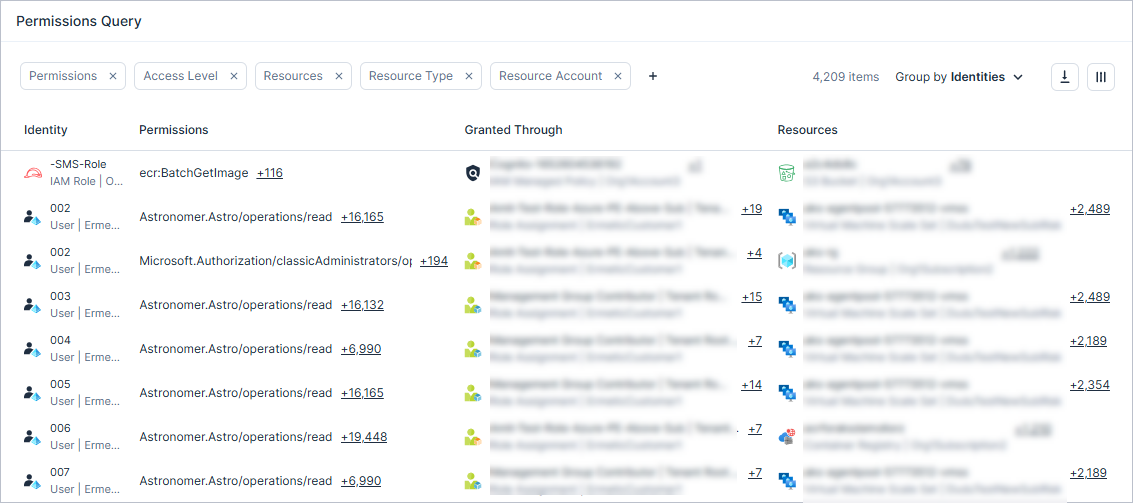
- Choose whether you want to Group by Identities or Resources, allowing you to pivot the focus of your search from identity to resource.
-
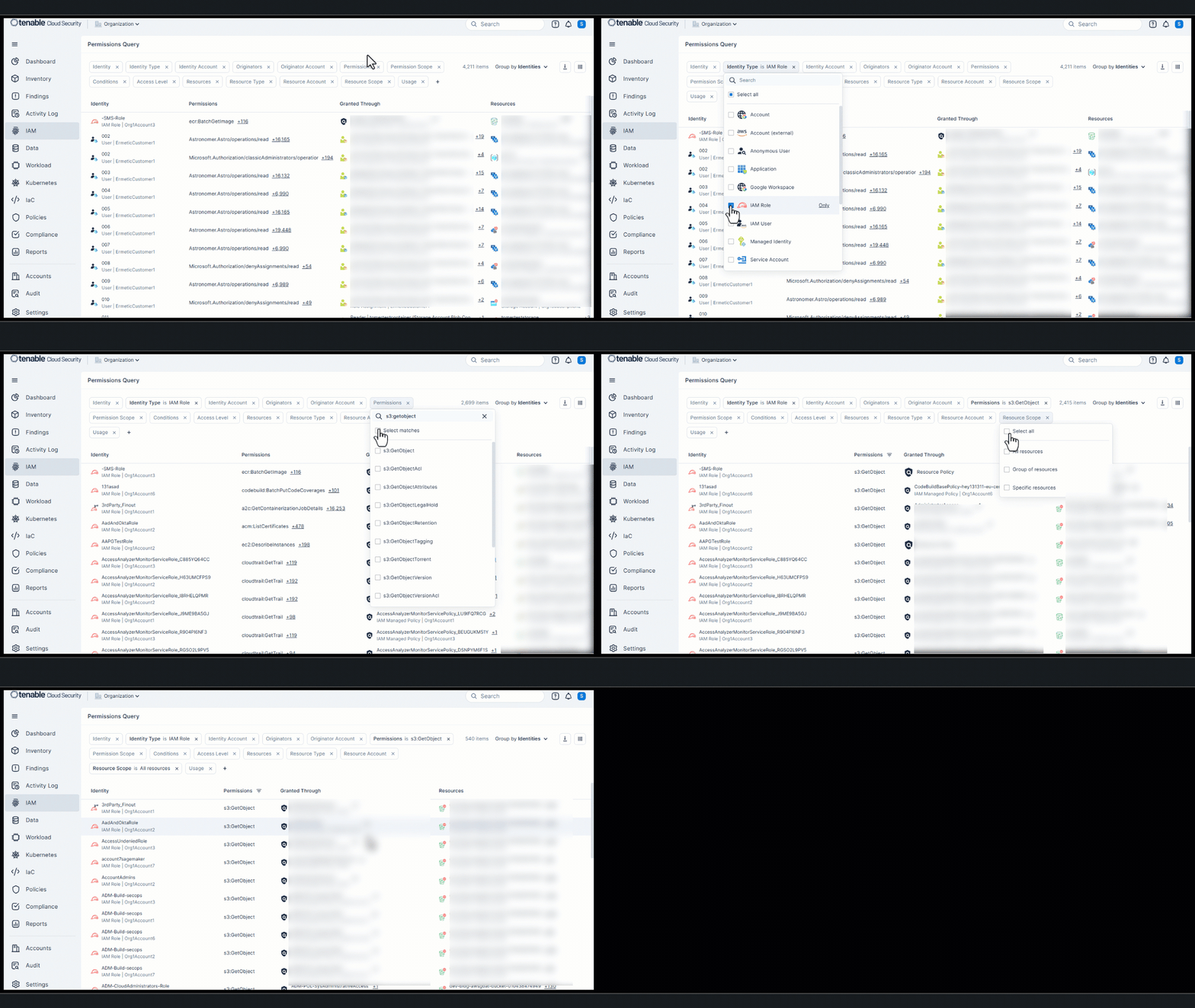
Filter data in the table to modify the scope of the visible data. See Permissions Query Table Fields for information about the data available in the table. For example, here are some sample queries that may address some of your specific use cases, or give you an idea for a query that is more relevant in your environment:
- Identity Type: IAM Role ; Permissions: s3:GetObject ; Resource Scope: All resources
- Identity Type: IAM User ; Identity Labels: No MFA ; Permission Category: Data Read ; Resource Scope: All resources
- Permission Category: Data Read ; Resource Labels: PII/Highly Confidential (custom labels)
- Permissions (by Service) : Amazon API Gateway ; Conditions : Without
- Identity Type: Managed Identity; Access Level: Cross Account
For more information about filtering data in Cloud Exposure, see Filter Data.
-
Some identities may have multiple resources/policies associated with them. Click on the number next to the entry to view a searchable list of all relevant entities.

- Drill down into an identity or resource to view granular information about it.
- To export query data, click the Export button from the top-right corner of the table. Data is exported according to the current filters applied to the table. For items with multiple entries, up to 100 entries will be displayed in the exported file.
Permissions Query Table Fields
The following fields can be used to filter data in the table on the Permissions Query page:
| Column | Description |
|---|---|
| Identity | The name of the identity. Underneath the name is the resource type and the account name. |
| Identity Type | The type of the identity. |
| Identity Account | The account that the identity belongs to. |
| Identity Labels | Labels applied to the identity in Cloud Exposure, whether applied manually, automatically based on tags, or by the system. See Apply Labels to Resources for more information. |
| Originators | The cloud identities (IAM user/role, IdP user, or compute resource) which, as opposed to being granted permissions directly, can assume the identity in question, and act using the assumed identity’s permissions. For example, an Azure Virtual Machine that uses a managed identity to perform activities. Or an Azure AD user that assumes an IAM role in AWS to perform an action. |
| Originator Account | The account that the originator belongs to. |
| Originator Type | The resource category of the originator. |
| Permissions | A list of all permissions granted to the identity, which allows it to access certain resources. If there are multiple permissions in the table, click on the number next to the entry to view a searchable list of all permissions. |
| Permissions (by Service) | Filter permissions in the table by their service. For example, you can search for all API Gateway service permissions granted to identities that don't have conditions. |
| Permission Scope |
The scope of the action/permissions granted to the identity via the policy:
|
| Permission Category | The activity category of the permission/s, reflecting the broad range of behavior patterns common to cloud identities. See Permission Analysis and Risk Levels for more information. |
| Resources | A list of all resources that the identity has access to. If there are multiple resources in the table, click on the number next to the entry to view a searchable list of all resources. |
| IAM Access |
The scope of access granted to the resource. Possible values:
The definition of each value differs between cloud providers. See [Access Level) for more information. |
| Resource Type | The resource category of the resource. |
| Resource Account | The account that the resource belongs to. |
| Resource Tags | Tags assigned to the resource in the cloud service provider platform. Each tag is a label consisting of a user-defined key and value. |
| Resource Labels | Labels applied to the resource in Cloud Exposure, whether applied manually, automatically based on tags, or by the system. See Apply Labels to Resources for more information. |
| Resource Scope |
The scope of the resource that the identity has access to, as defined in the policy:
|
| Usage |
See Excessive Permissions and Inactive Identities for more information. |
| Granted Through | A list of all policies that grant permissions to the identity. If there are multiple policies in the table, click on the number next to the entry to view a searchable list of all policies. |
| Conditions | Whether or not the policy contains any conditions, which specify when the policy takes effect. For example, sometimes a sensitive permission like AssumeRole can be granted without any conditions. |