Container Image CI/CD
Use the Tenable One Cloud Exposure Console to analyze your scan results and identify any potential issues that arise. For each scan (sorted by time, and the repository it was performed on), you can see a breakdown of the number of issues found according to severity.
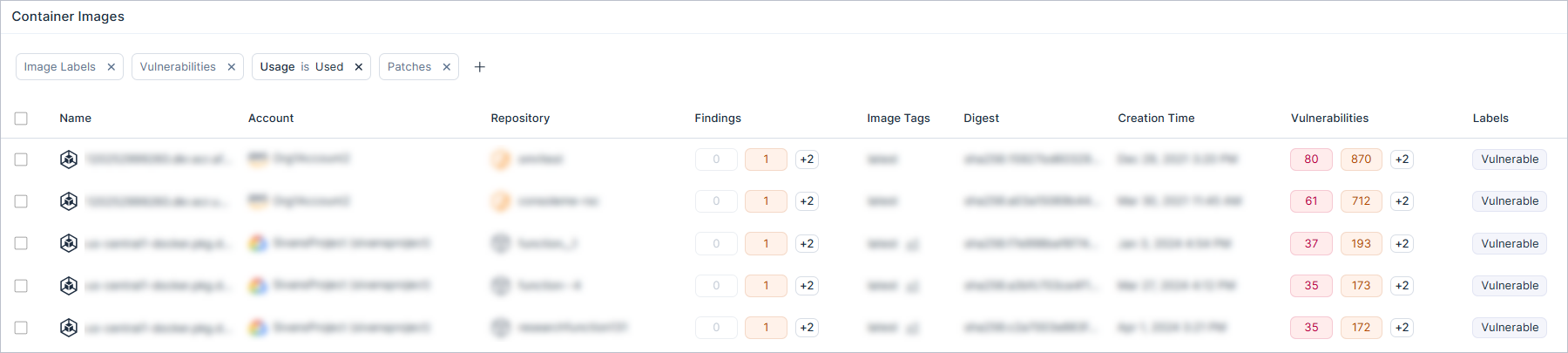
This is a how-to guide for viewing container image CI/CD scan results in Tenable.
- For an integration guide about connecting container image CI/CD pipelines, see Connect Container Image CI/CD Pipelines.
- For an overview of container image scanning capabilities in Tenable, see Container Image Scanning.
Container Image CI/CD Scans Column Data
The following columns appear in the table on the Container Image CI/CD Scans
page, and most of them can also be used to filter data in the table.
| Column | Description |
|---|---|
| Time | The timestamp of the last scan. |
| Repository | The name of the repository containing the image. |
| Branch | The name of the branch within the repository. |
| Plugin Name | The name and version of the plugin. Click the plugin name link to view plugin details. |
| Plugin ID | The unique identifier or build string of the package that contains the fix for the vulnerability. |
| Author | The username of the user who triggered the build or scan. |
| Container Repository | The registry or storage location where the container image is hosted. |
| Image Tag | The specific version or alias assigned to the container image. |
| Digest | The unique, immutable SHA-256 identifier for the specific image version. |
| Image Labels | Key-value pairs of metadata assigned to the image during the build process. |
| Image ID | The unique identifier, typically a SHA-256 hash, assigned to the specific container image. |
| Vulnerabilities | A summary of the security risks detected in the image, categorized by severity. |
| Software | A list of packages, libraries, or dependencies identified within the container image. |
| Operating System | The specific operating system distribution of the image. |
| Result | The result of the last scan. |
| Ignored Vulnerabilities | A summary of the ignored security risks detected in the image, categorized by severity. |
View Scan Results
To view scan results:
- In the Cloud Exposure Console, click Risk > Container Image CI/CD. The Container Image CI/CD Scans page displays all scans performed by Tenable across your pipelines.
- Filter the table to narrow the scope of the visible data. Use the column picker on the top right of the table to choose which columns to display.
- (Optional) Export all visible data (according to any applied filters) to a CSV file.
- Click on an entry to see all issues identified in the specific scan. The results open in a slideout panel.
- Click one of the following tabs to learn more:


Overview Data
The following columns appear in the Overview tab, and can also be used to filter data in the table.
| Column | Description |
|---|---|
| Container Repository | The registry or storage location where the container image is hosted. |
| Tag | The specific version or alias assigned to the container image. |
| Digest | The unique, immutable SHA-256 identifier for the specific image version. |
| Image Labels | Key-value pairs of metadata assigned to the image during the build process. |
| Resolution Patches | The patches associated with the image. |
| Operating System | The specific operating system distribution of the image. |
| Vulnerabilities | A summary of the security risks detected in the image, categorized by severity. |
| Result | The result of the last scan. |
The Scan Parameters section lists parameters that are included in the scan response. For more information, see Configure Scan Settings.
Vulnerabilities Column Data
The following columns appear in the table in the Vulnerabilities tab, and can also be used to filter data in the table.
| Column | Description |
|---|---|
| ID | The ID of the CVE. |
| Severity | The severity of the CVE. |
| CVSS Score | The CVSS score of the CVE. |
| VPR Score | Tenable's Vulnerability Priority Rating, which prioritizes vulnerability remediation efforts on a 0.1–10.0 scale. |
| Software | The software on which the CVE was found. |
| Plugin Name | The name and version of the plugin. |
| Software Fix Version | The version of the software fix. |
To filter for open or ignored, click Open or Ignored next to the Export button.
Software Column Data
The following columns appear in the table in the Software tab, and can also be used to filter data in the table.
| Column | Description |
|---|---|
| Name | The name and version of the software package. |
| Paths | (Libraries only) The file path of the package. This information can be useful when trying to determine where the package came from, and how to remediate any potential issues. For example, you may be able to identify if the package was installed as part of the base image, or if it was added to it. |
| Type | The type of the package. Possible values: Operating System, Library. |
| Vulnerabilities | A list of vulnerabilities that are associated with the package, listed by CVE ID (e.g. CVE-2021-3177). Hover over the ID to see an at-a-glance view with more details about the vulnerability, including, for example, a description and relevant information sources. |
Example JSON Output
The following is an example of the report output file from a scan, in JSON format.
JSON
{
    "ImageId": "a97c45fa7217",
    "ConfigurationJson": "{\"config\":{\"Env\":[\"PATH=/usr/local/sbin:/usr/local/bin:/usr/sbin:/usr/bin:/sbin:/bin\"],\"Entrypoint\":[],\"Cmd\":[\"bash\"]},\"created\":\"2026-08-03T00:00:00Z\",\"history\":[{\"created\":\"2026-08-03T00:00:00Z\",\"created_by\":\"# debian.sh --arch 'amd64' out/ 'bookworm' '@1785715200'\",\"comment\":\"debuerreotype 0.17\"}],\"rootfs\":{\"type\":\"layers\",\"diff_ids\":[\"sha256:63ecca237e30aca8ae79232ae01dddab7d8b42302f654f343f7cc7ddae60d57c\"]},\"os\":\"linux\",\"architecture\":\"amd64\"}\n",
    "Digest": "sha256:813017f3d62be4b5891a7acca6a01bdcd4b8513daa81b1ab99d3a50385b26931",
    "EndTime": "2026-08-06T00:29:48.689087+03:00",
    "IgnoredVulnerabilities": [
        {
            "AttackVector": "Network",
            "CreationTime": "2023-12-12T15:15:00Z",
            "CvssScore": 6.5,
            "CvssVersion": "CVSS3.1",
            "Description": "NCurse v6.4-20230418 was discovered to contain a segmentation fault via the component _nc_wrap_entry().",
            "Exploitable": false,
            "Layers": [
                {
                    "Command": "# debian.sh --arch 'amd64' out/ 'bookworm' '@1785715200'",
                    "Digest": "sha256:3af9207d37990175f61d5ce9faa0c7373ffcd2d6da1b6ba0a9ca9d61f8f47cc9"
                }
            ],
            "Software": [
                {
                    "Path": "",
                    "Name": "libtinfo6",
                    "Type": "Package",
                    "Version": "6.4-4"
                }
            ],
            "Id": "CVE-2023-50495",
            "Links": [
                "https://lists.gnu.org/archive/html/bug-ncurses/2023-04/msg00020.html"
            ],
            "Resolvable": false,
            "Severity": "Medium",
            "PatchId": "227011"
        }
    ],
    "OperatingSystem": "debian 12.15",
    "Repository": "docker.io/library/debian",
    "IgnoredVulnerabilitySeverities": {
        "Low": 0,
        "Medium": 1,
        "High": 0,
        "Critical": 0,
        "Information": 0
    },
    "VulnerabilitySeverities": {
        "Low": 0,
        "Medium": 0,
        "High": 0,
        "Critical": 1,
        "Information": 0
    },
    "ScanTime": "2026-08-06T00:29:44.243689+03:00",
    "Success": true,
    "Tag": "12",
    "Link": "http://localhost/customer/Risks/CodeContainerImageScan#workloadAnalysisCodeScan/b4bba018-280e-4fb6-b7c4-fde1f4b7b8cc",
    "Version": "0.0.0",
    "Vulnerabilities": [
        {
            "AttackVector": "Network",
            "CreationTime": "2026-03-19T15:16:00Z",
            "CvssScore": 9.8,
            "CvssVersion": "CVSS3.1",
            "Description": "The infocmp command-line tool in ncurses before 6.5-20251213 has a stack-based buffer overflow in analyze_string in progs/infocmp.c.",
            "Exploitable": false,
            "Layers": [
                {
                    "Command": "# debian.sh --arch 'amd64' out/ 'bookworm' '@1785715200'",
                    "Digest": "sha256:3af9207d37990175f61d5ce9faa0c7373ffcd2d6da1b6ba0a9ca9d61f8f47cc9"
                }
            ],
            "Software": [
                {
                    "Path": "",
                    "Name": "libtinfo6",
                    "Type": "Package",
                    "Version": "6.4-4"
                }
            ],
            "Id": "CVE-2025-69720",
            "Links": [
                "https://github.com/Cao-Wuhui/CVE-2025-69720"
            ],
            "Resolvable": false,
            "Severity": "Critical",
            "PatchId": "303220"
        }
    ]
}