Scanning Methods
Tenable One Cloud Exposure delivers comprehensive visibility and security across your cloud environments through a variety of scanning and syncing processes. These methods allow Tenable to analyze your environment from different perspectives and at various stages of the lifecycle. This article explains each scan type, the data it collects, how often it runs, and its interdependencies.
At a high level, these processes can be categorized as either continuous or on-demand, and they utilize both agentless and agent-based analysis techniques. Understanding these fundamental approaches will provide a solid foundation for comprehending the specific scan types detailed below.
Terminology
| Term | Description |
|---|---|
| Syncing | Cloud Exposure continuously retrieves up-to-date configuration data about your cloud resources directly from cloud provider APIs. This information forms the basis for identifying misconfigurations and potential security issues by evaluating resources against defined security policies. This process is a core component of the orchestration process. |
| Scanning | Cloud Exposure retrieves low-level or fine-grained details about a cloud resource’s state or configuration, using proprietary inspection methods. This often involves a deeper analysis than an API call. This activity collects information about security posture, including vulnerabilities, misconfigurations, and malware signs. |
| Agentless analysis | Agentless analysis (whether scanning or syncing) involves checking and monitoring resources without installing any software agent on them. Agentless analysis connects externally, using APIs or remote access protocols (such as SSH, WMI, or RDP). It collects information about security posture (vulnerabilities, misconfigurations, malware signs, etc.) from the outside, without accessing the system’s internals. |
| Agent-based analysis | Agent-based analysis involves installing a small piece of software, called an agent, on the resource. The agent monitors, collects, and sometimes enforces security-related data or policies. An agent provides security teams with real-time visibility and control from inside the system. |
| Orchestration process | Orchestration is the ongoing process that inventories resources in your cloud and identity providers. This process analyzes the results to identify misconfigurations and security issues. It consists of multiple processes that run on independent schedules, such as resource discovery and different types of risk evaluation. Together, these processes make up the core operational process of Cloud Exposure, conducted per environment, and include correlation, finding calculation, and prioritization. |
Scanning Methods by Environment
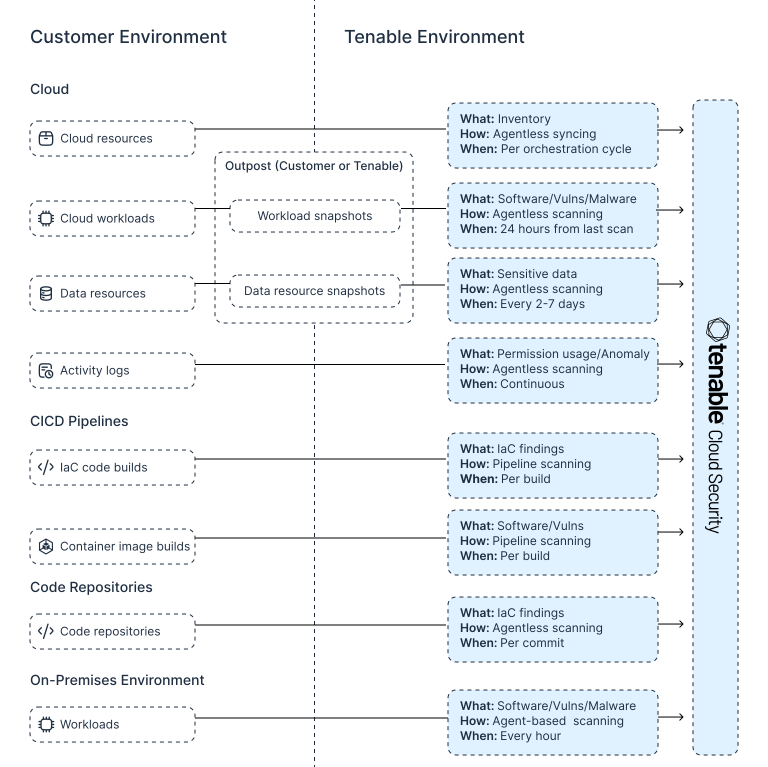
Cloud Exposure employs various methods to monitor and secure your diverse environments. The table below provides a detailed breakdown of these activities, while the accompanying diagram illustrates the architectural flow.
| Environment | Target | Results | Scanning Method | When |
|---|---|---|---|---|
| Cloud | Resources | Inventory | Agentless Sync | Continuous |
| Workloads | Software/Vulnerabilities/Malware | Agentless Scan / In-Account Scan |
24 hours from last scan | |
| Container Image Registries | Software/Vulnerabilities/Malware | Agentless Scan / In-Account Scan |
24 hours from last scan | |
| Data Resources | Sensitive Data | Agentless Scan / In-Account Scan |
Every 2-7 days | |
| Activity Logs | Permission Usage/Anomaly | Agentless Scan | Continuous | |
| CI/CD Pipelines | IaC Code Builds | IaC findings | Pipeline Scan | Per build |
| Container Image Builds | Software/Vulnerabilities | Pipeline Scan | Per build | |
| Code Repositories | Code Repositories | IaC findings | Agentless Scan | Per commit |
| On-Premises | Workloads | Software/Vulnerabilities/Malware | Agent-based Scan | Every hour |
Cloud Scanning Methods
Cloud Exposure uses the following methods to scan cloud resources:
- Agentless Resource Syncing
- Agentless Workload Scanning
- Agentless Data Scanning
- In-Account Scanning (Workload and Data)
Agentless Resource Syncing
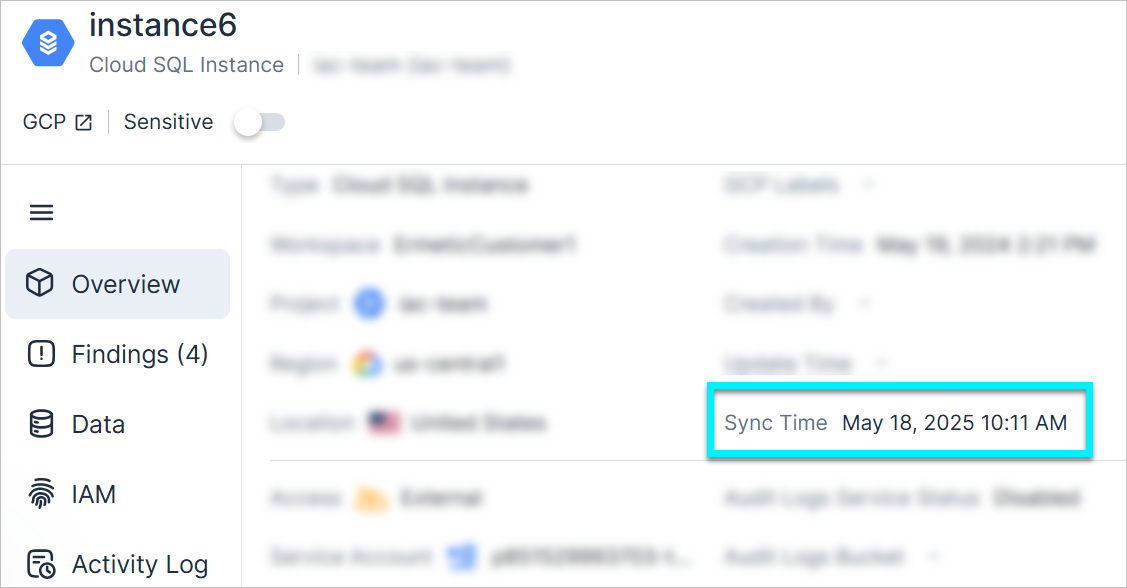
Cloud Exposure continuously retrieves up-to-date configuration data about your cloud resources directly from cloud provider APIs using agentless analysis. This process, driven by the orchestration process, builds the foundational resource inventory within Cloud Exposure. For each discovered resource (e.g., "Cloud resources"), all pertinent configuration details are extracted and presented in the resource's profile. This rich dataset powers the security policies that detect misconfigurations and other security issues. Resource discovery runs on an ongoing basis, ensuring your inventory and security posture reflects an up-to-date state of your environment. You can check on a resource's profile page to see when it was last synced.
Agentless Workload Scanning
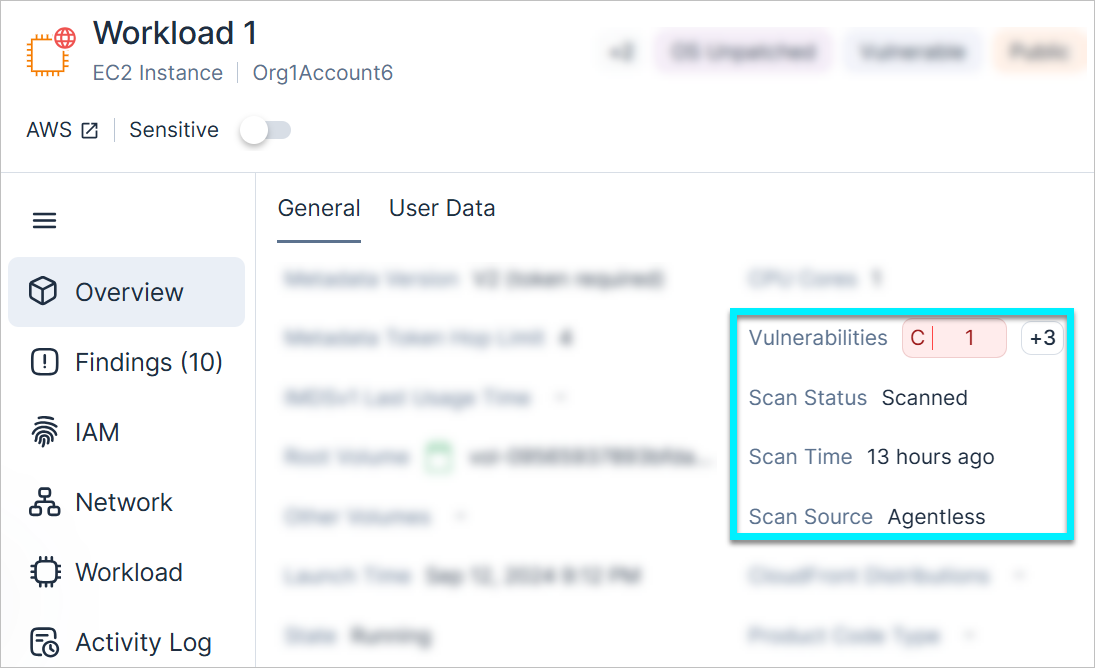
When vulnerability scanning is enabled, Cloud Exposure performs agentless analysis to scan each workload for vulnerabilities, software, and malicious files as soon as 24 hours have elapsed from the previous scan. This process also detects container images deployed to those workloads, which are treated as independent workloads with their own scan results. You can see when a workload was last scanned on the workload's profile page. For more detailed information, see Agentless Workload Scanning.
Agentless Data Scanning
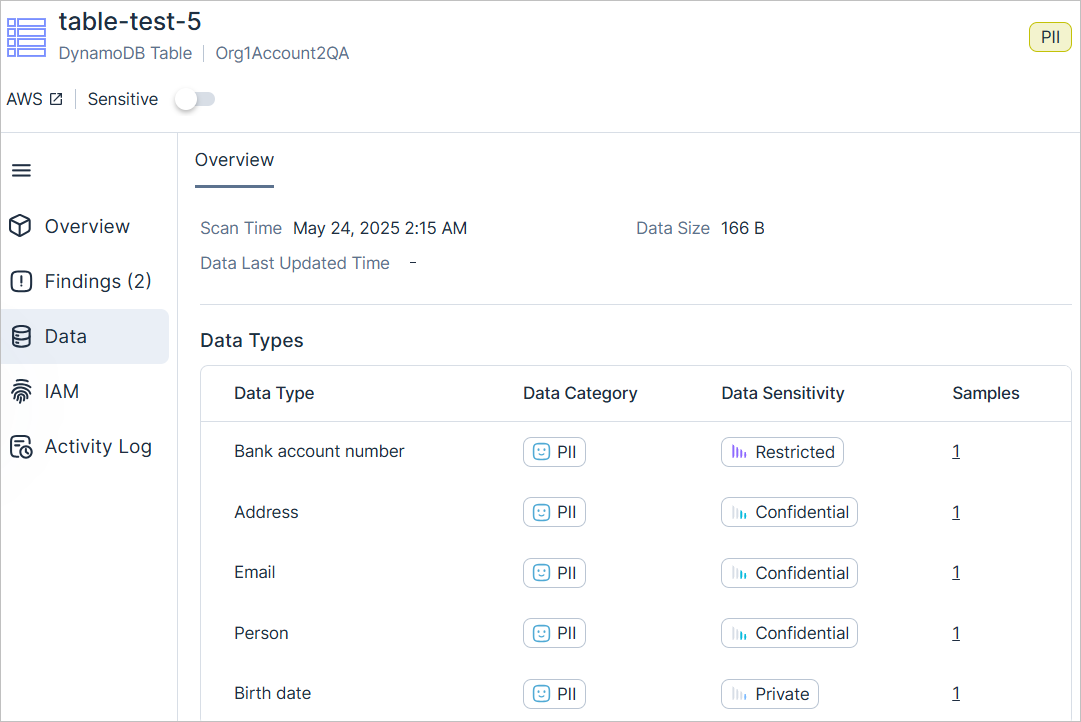
When data security scanning is enabled, Cloud Exposure uses agentless analysis to scan data resources for sensitive data periodically. The scan frequency depends on multiple factors, such as the resource type, size, and data updates. Generally speaking, scanning occurs once every 2-7 days. This process updates information about sensitive data, which is visible on the Data tab of the resource's profile and affects associated labels. For more detailed information, see How Tenable Scans Your Data.
In-Account Scanning (Workload and Data)
By default, vulnerability and data security scanning takes place in a Tenable-owned scanning cloud environment, known as an outpost. Customers who want to own the scanning environment can use in-account scanning. In-account scanning allows you to leverage agentless scanning without snapshots leaving your environment. In-account scanning does not impact orchestration. API calls from Cloud Exposure to your cloud provider still occur from Tenable infrastructure, not the scanning outpost. For more detailed information, see Configure In-Account Scanning.
Code Scanning Methods
Cloud Exposure uses the following methods to scan your code:
Agentless Code Scanning
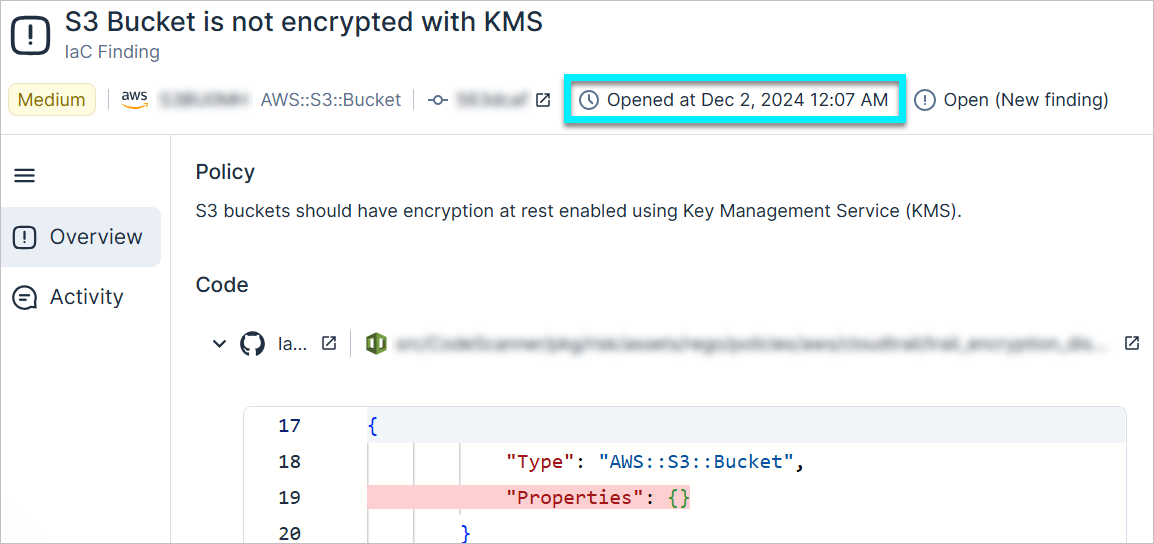
When a code repository is connected and code scanning is enabled, Cloud Exposure continually monitors the code repository for code commits to the primary branch (e.g., main branch). Once a commit is made, Cloud Exposure scans the IaC for misconfiguration and other issues. If the code contains an issue, Cloud Exposure opens a corresponding finding. It is not currently possible to view when a code scan occurred, because code scans are triggered by code commits and typically reflect the most recent version of the code. However, you can determine when an IaC finding was first identified from the finding's opened time. For more information, see Connect Code Repositories.
CI/CD Scanning (IaC and Vulnerabilities)
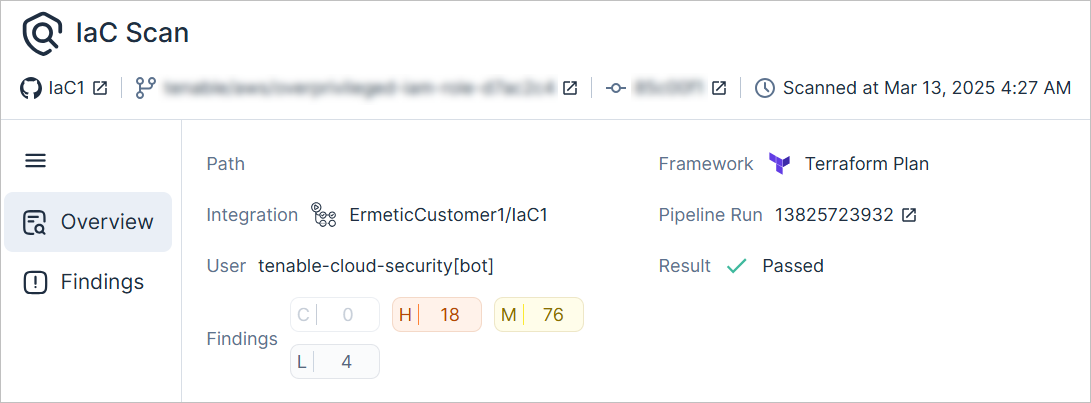
CI/CD pipeline scanning is an on-demand process run within development pipelines, typically during the build process. Cloud Exposure provides a scanner for detecting IaC misconfigurations and container image vulnerabilities. Developers embed these scanners within their build pipelines (e.g., GitHub Actions). The scan results are returned as part of the build flow, allowing for automated responses (e.g., failing a build on critical findings). These results are also available in the Cloud Exposure Console within minutes. For more information, see Connect CI/CD.
Cloud, Unmanaged, and On-Premises Kubernetes Scanning Methods
Cloud Exposure uses the following methods to scan cloud, unmanaged, and on-premises Kubernetes workloads:
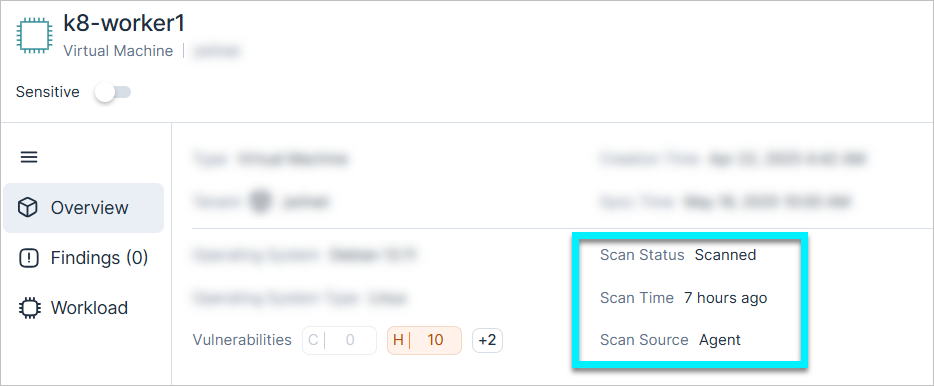
Agent-Based Kubernetes Workload Scanning
For container-based workloads, Cloud Exposure offers an agent installed via Helm Chart. This sensor runs as a DaemonSet on all cluster nodes, performing agent-based analysis to scan for vulnerabilities, software, and malware. It scans nodes for new or updated container images within approximately 30 minutes. The node's profile page indicates the last scan time and that the source was an agent. For more detailed information, see Agent-Based Kubernetes Workload Scanning.