Restore Archived Assets
Required User Role: Active User, Cloud Connector Manager, or Business Administrator.
You can restore archived assets to the specific inventory from which they were last archived.
To restore archived assets:
-
In the left navigation bar, click the
 button.
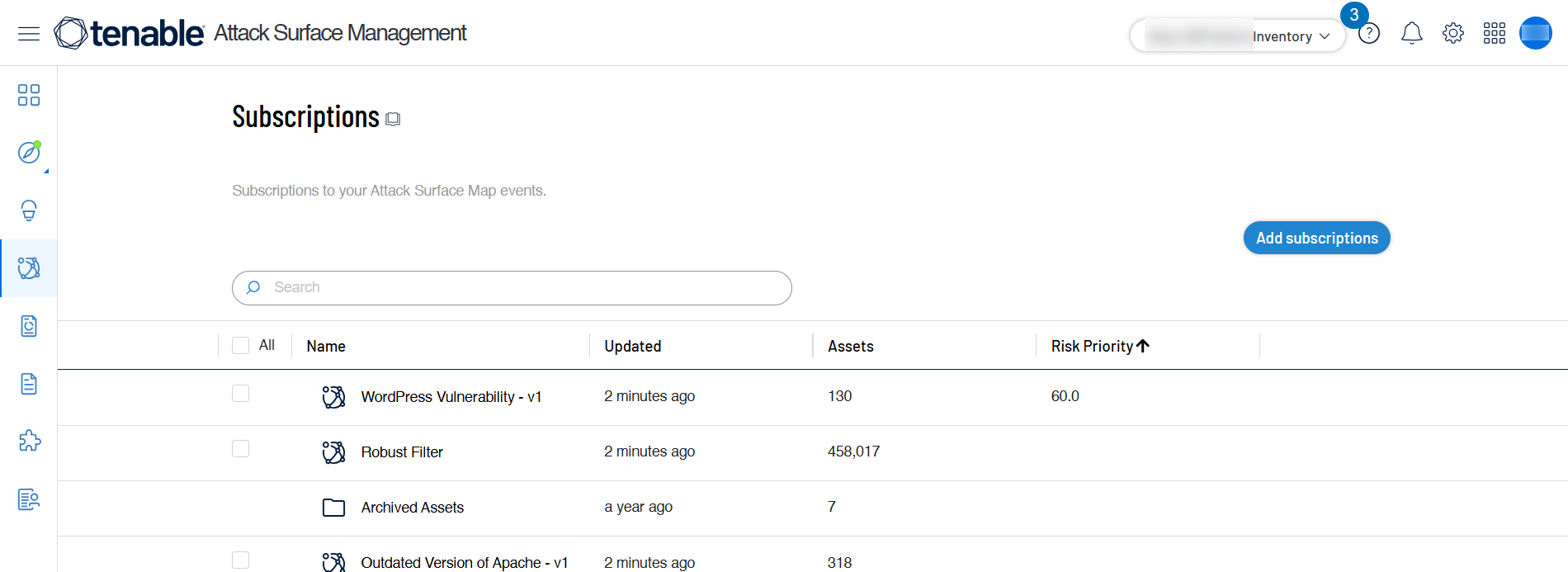
The Subscriptions page appears.
-
Click the Subscriptions folder.
A list of archived assets appear.
-
Search for the assets you want to restore using the Robust filtering.
-
Select the check boxes for the relevant assets.
-
Click Actions.
A drop-menu menu appears.
-
Click Restore.
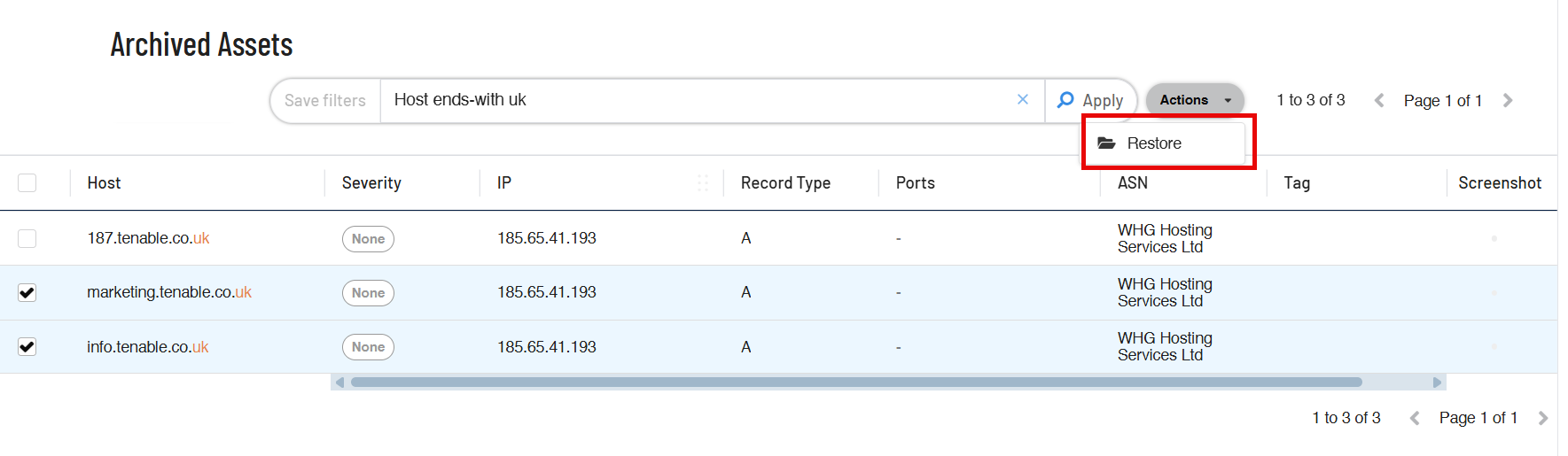
The restored asset disappears from the Archived Assets list and becomes available in the respective inventory.