Use the Software Page
Required User Role: Read-Only, Basic User, Scan Operator, Standard User, Scan Manager, or Administrator
Before you begin: Confirm that your Tenable One Vulnerability Management instance has completed a vulnerability scan that includes software detection. Software data is populated from credentialed scans and agent scans.
In Tenable One Vulnerability Management, go to Explore > Software to view installed software discovered across your assets.
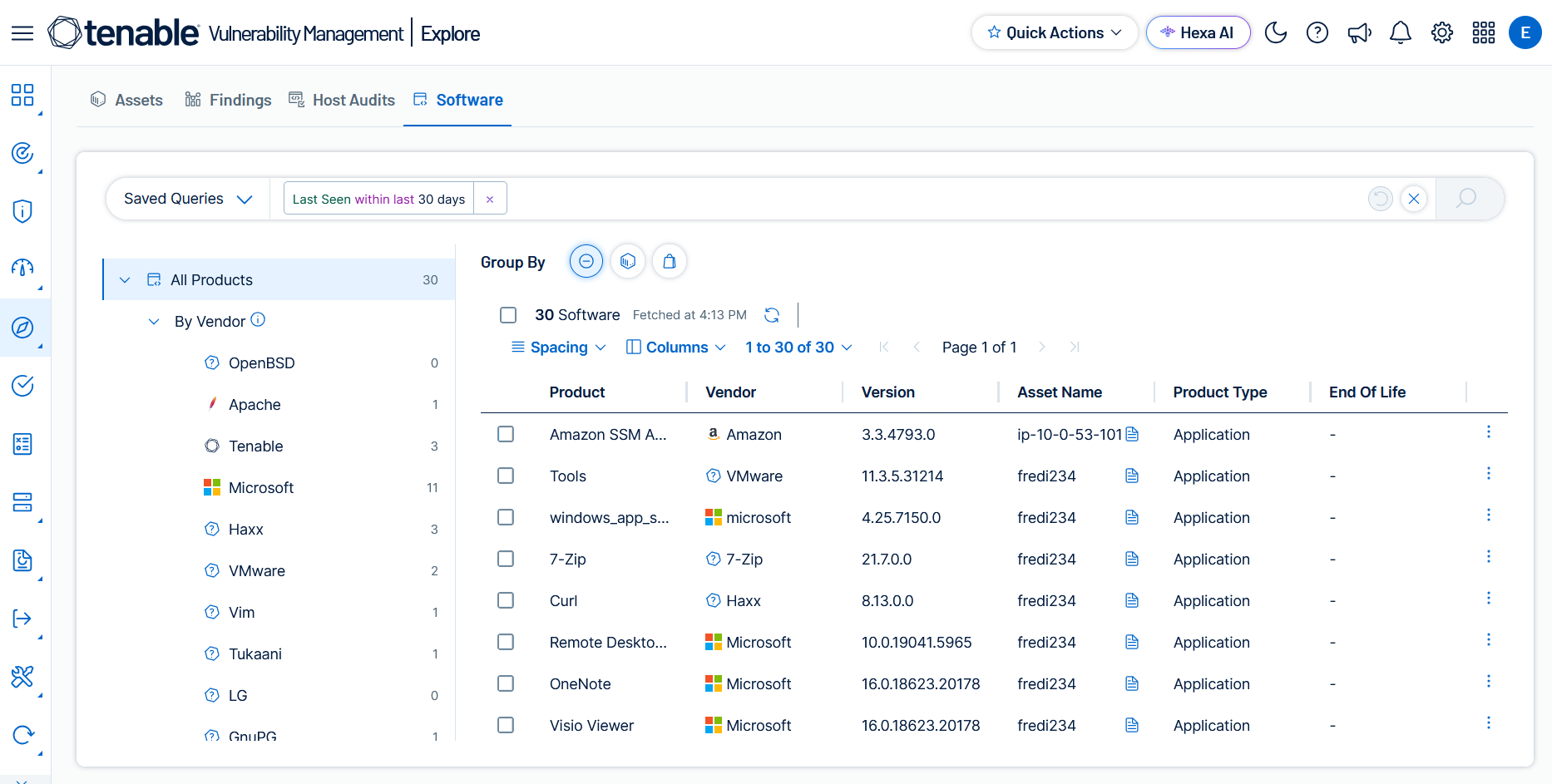
On the Software page, you can:
- Browse software using the side tree, which organizes results by vendor or product type.
- Switch between Group By views (None, Asset, Vendor) to pivot your analysis.
- Apply filters using the query builder to narrow results by product name, vendor, version, product type, and more.
- Click a row to open the details panel for an installed software item.
- Export results to CSV or JSON for offline analysis.
- Save and reuse queries with Saved Queries.
Side Tree
The side tree on the left side of the page provides quick navigation filters for your software inventory:
- All Products — Shows all installed software in your environment. The count reflects the total number of software instances matching your current query.
- By Vendor — Lists the top 10 vendors by software count, plus an Other category for remaining vendors. Click a vendor to filter the main table to that vendor's software.
- By Product Type — Filters software by category: Application, Hardware, Operating System, or Package. Click a type to filter the main table.
For details on filtering, see Software Filters. For details on available columns, see Software Columns.