Exports
The Exports feature in Tenable One Vulnerability Management allows you to extract raw security and asset data for use in external tools, offline analysis, or third-party integrations. You can export a wide range of granular data from across Tenable One Vulnerability Management, including active findings, detailed asset metadata, recast/accept rules, remediation goals, and sensor data.
For flexibility, Tenable One Vulnerability Management allows you to export your data immediately for time-sensitive analysis or schedule recurring exports to automate the delivery of structured data files (CSV or JSON) to your team at regular intervals. This ensures that your external ecosystems—such as a SIEM (Splunk, QRadar), an ITSM/Ticketing system (ServiceNow, Jira), or Business Intelligence tools (PowerBI, Tableau)—stay synchronized with your latest exposure data.
Note: Exports and Reports serve distinct purposes. Use Exports when you need raw data to manipulate, filter, or import into another system. Use Reports when you need a formatted, human-readable summary (such as a PDF) to share with stakeholders or provide as evidence for a compliance audit. See Reports.
View the Exports Page
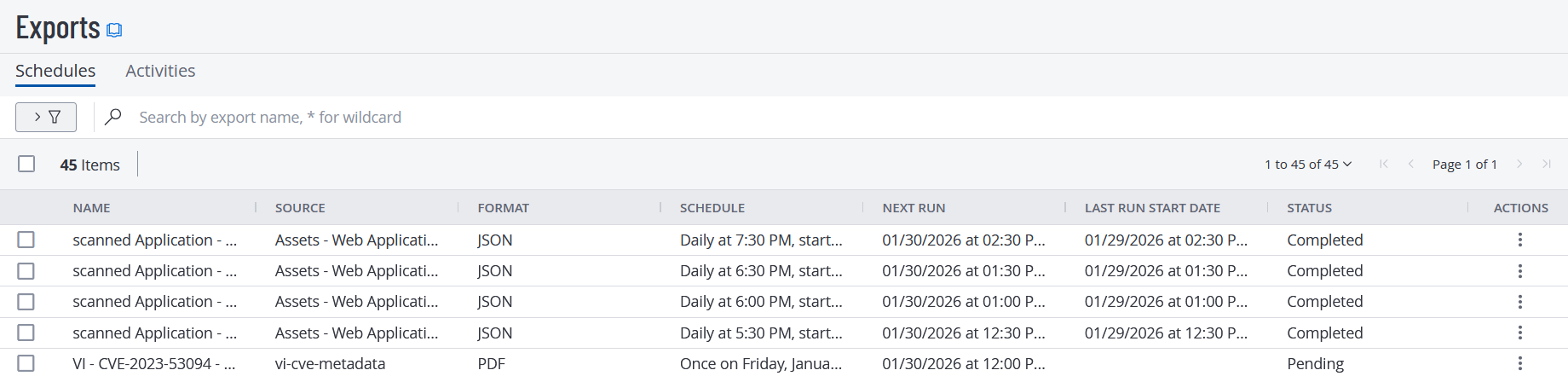
From the Exports page, you can view and configure your Scheduled Exports and Export Activities.
To view the Exports page, do one of the following:
-
In the left navigation, click
 Exports.
The Exports page appears with the Schedules tab showing, by default.
-or-
-
In the left navigation, click
 Settings.
The Settings page appears.
-
Click the Exports tile.
The Exports page appears.
Where Does Export Data Originate?
Tenable One Vulnerability Management allows you to export data from various features for internal analysis or integration with third-party systems. The following table provides direct links to documentation for exporting data from each specific area. To schedule recurring data exports, see Manage Scheduled Exports.
| Vulnerability Management Feature | Documentation Link (How to Export/Schedule) |
|---|---|
| Explore > Assets | Export Assets |
| Explore > Findings | Export Findings |
| Dashboards (Full) | Export a Full Dashboard Landing Page |
| Dashboard (Individual Widget) | Export an Individual Dashboard Widget |
| Recast and Accept Rules | Export Recast and Change Result Rules |
| Exclusions | Export Exclusions |
| Solutions | Export Solutions |
| Remediation Goals | Export Remediation Goals |
| Remediation Projects | Export Remediation Projects |
|
Scans (Classic and WAS) |
Export Scan Results |
| Vulnerability Intelligence (CVEs) | Export CVE Details |
| Vulnerability Intelligence (My Findings and My Affected Assets) | Export Findings or Assets |
| Activity Logs | Export Activity Logs |
| Sensors > Linked Agents | Export Linked Agents |
| Sensors > Linked Agent Details | Export Linked Agent Details |
| Sensors > Scanner Groups | Export Scanner Groups |
| Sensors > Linked Scanners | Export Linked Scanners |
| Sensors > Linked Scanner Details | Export Linked Scanner Details |
| Sensors > Freeze Windows | Export Freeze Windows |
| Managed Credentials | Export Credentials |
| Network Configuration | Export Networks |
| Users | Export User Data |
| User Groups | Export User Groups |
For more information, see the following topics: