License & Account Information
On the License & Account Information page, you can view information about your Tenable One Vulnerability Management or Tenable One subscription, including your asset count and expiration date.
This page is broken down into two tabs:
-
My License — License usage for all Tenable products in the current container.
-
My Account Details — Organization-level details such as your account information.
Tip: For more information about licensing, see the following additional resources:
Licensing Tenable Products Quick Reference Guide
Account Management Portal Guide, where you can learn how to manage your product licenses
View License & Account Information
To view the License & Account Information page:
-
In the left navigation, click
 Settings.
The Settings page appears.
-
Click the License tile.
The License & Account Information page appears. By default, the My License tab is active.
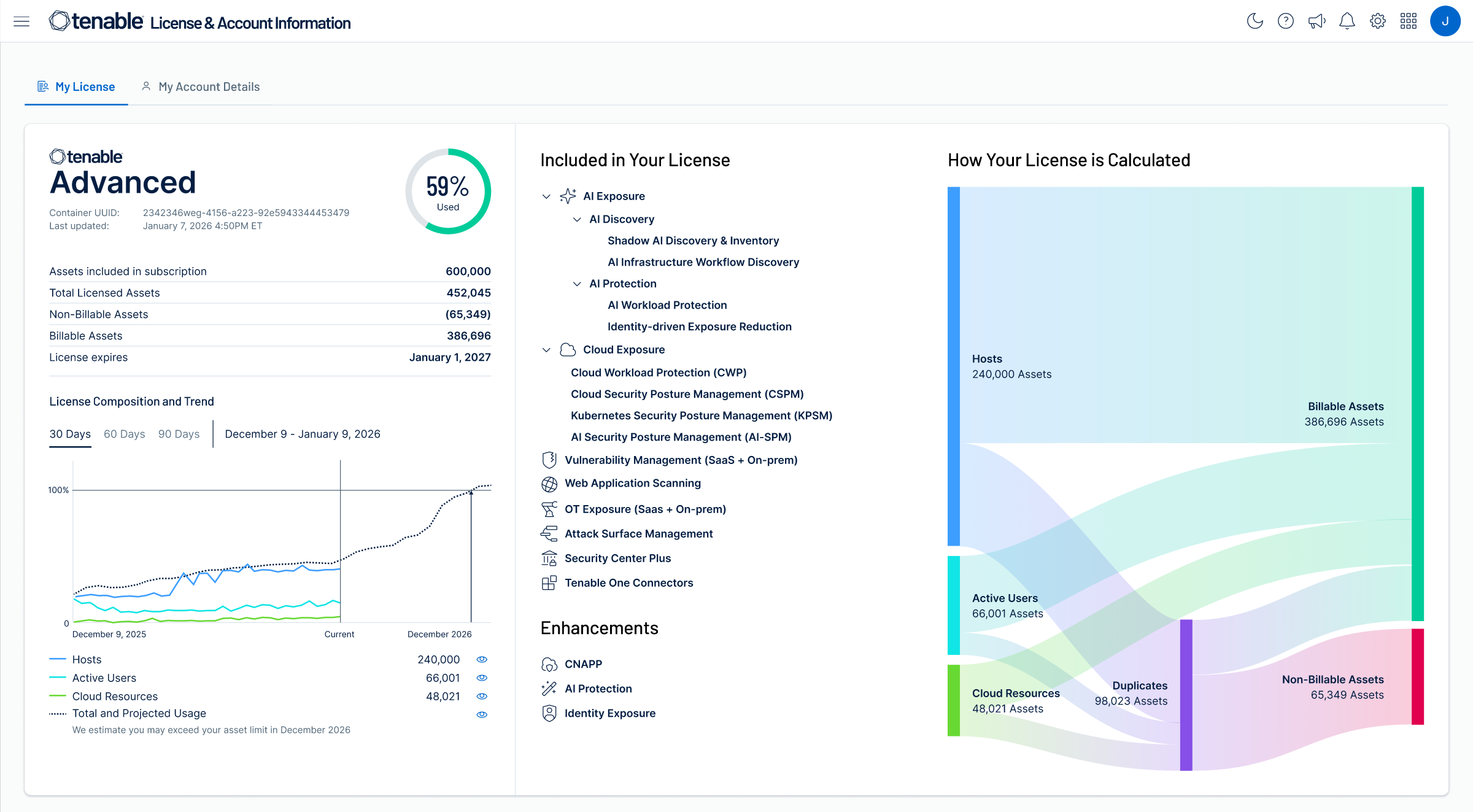
My License
View information about your Tenable licenses in the My License tab, which appears by default when you open the License & Account Information page. The My License tab shows license usage for products in the current Tenable container. Details appear in panels, separated by product.
The following information appears on the My License tab:
|
Section |
Description |
|---|---|
|
Subscription Overview |
On the left side, you can view the following:
|
|
Included in Your License |
A list of the connectors and enhancements included in your license. |
|
How Your License is Calculated |
A Sankey diagram that provides a visual breakdown of your organization's asset inventory and license consumption. It illustrates the flow from total discovered assets to Billable Assets, which represent the total number of licenses used. The diagram specifically highlights Deduplicated Assets, which are assets associated with multiple connectors across your environment. Because Tenable counts these assets only once toward your license regardless of how many sources identify them, they are subtracted from your total count. The resulting flow demonstrates the calculation where Total Assets minus Deduplicated Assets equals your final Billable Assets count. |
My Account Details
View your account details in the Account Details tab, which contains information about your organization and your Tenable products. It is always the same, regardless of which Tenable container you are using.
Required User Role: Administrator
The Account Details tab contains the following information:
|
Section |
Description |
|---|---|
|
Account Information |
View your account information:
|
|
Tenable One Licenses |
Under Active Product Subscriptions, view information about your Tenable One licenses, including version, your container's unique ID, your allocated assets, and your Tenable asset license's start and end dates. Also view a table with the following columns:
Tip: Next to a product, click the drop-down > to view information about your Tenable One components by Product Type, Percent Allocated, Assets Used, and Assets Allocated. |
|
Standalone Product Licenses |
Under Active Product Subscriptions view information about your standalone licenses. Note: On-premise products such as Tenable Agent or Tenable One Cloud Exposure do not appear here. In a table, view the following:
|