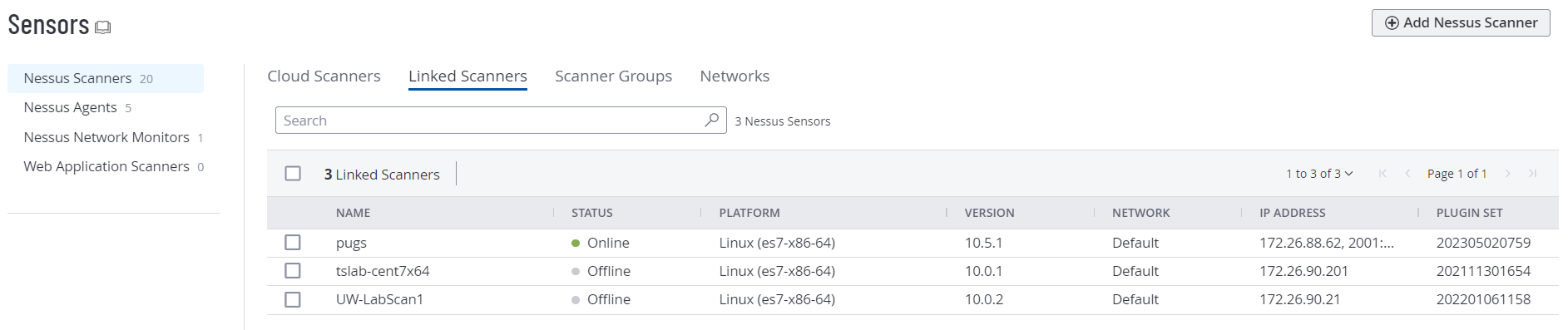
View Linked Scanners
Required User Role: Scan Manager or Administrator
To view your linked scanners:
-
In the left navigation, click
 Sensors.
The Sensors page appears. By default, the Nessus Scanners tab is active and Linked Scanners is selected in the drop-down box.
-
To view a different type of linked scanners, in the top navigation bar, click the type of linked scanners you want to view.
Tenable One Vulnerability Management displays the selected type of linked scanners.