Add an Elastic Asset Pattern
Required User Role: Active User, Cloud Connector Manager, or Business Administrator.
In Tenable One Attack Surface Management, you can add an elastic asset pattern to turn matching assets into elastic assets, or to exempt matching assets from a broader elastic pattern.
To add an elastic asset pattern:
-
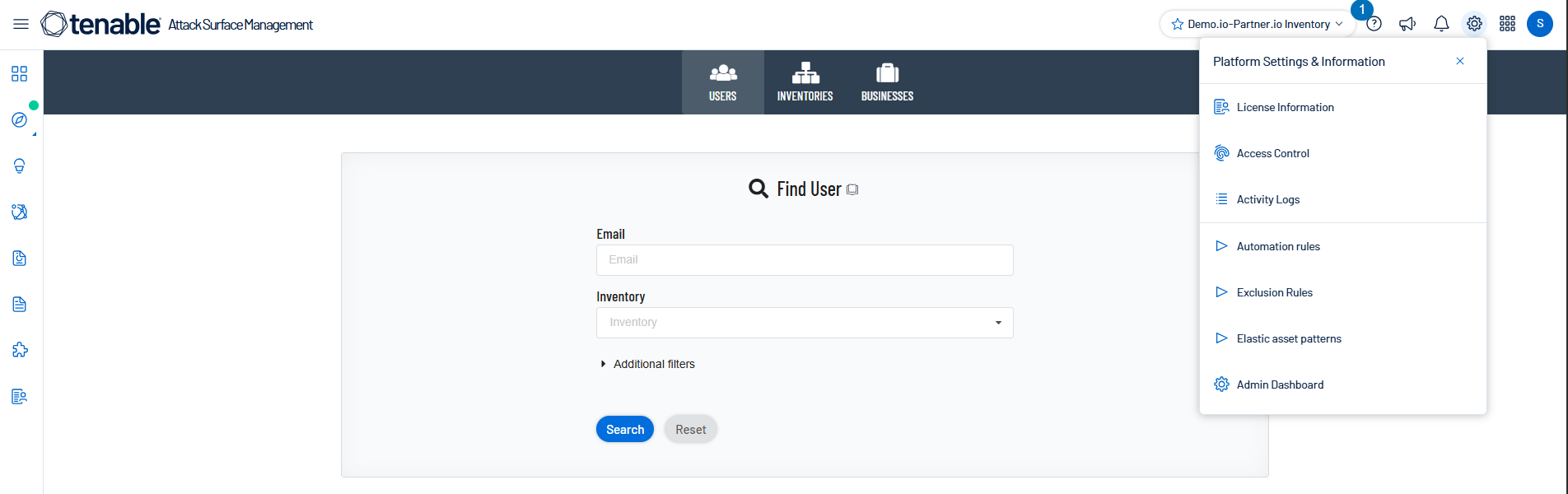
In Tenable One Attack Surface Management, click the
 icon in the upper-right corner.
The Settings and Information drop-down list appears.
-
In the drop-down list, click Elastic asset patterns.
The Elastic asset patterns panel appears.
-
Click Add an elastic asset pattern.
The Add elastic asset pattern window appears.
-
In the first drop-down box, select Match hostnames, Match IP addresses, or Match record value (CNAME/MX target).
-
In the second drop-down box, select an action:
-
Make matches elastic — Tenable One Attack Surface Management tracks matching assets as a single elastic asset.
-
Keep matches non-elastic — Tenable One Attack Surface Management excludes matching assets from a broader elastic pattern that would otherwise apply to them.
-
-
In the pattern value box, type the value that you want to match (for example, autodiscover.* or 172.*.1.0).
-
(Optional) In the notes box, type a description of the pattern.
-
Click Save.
Tenable One Attack Surface Management adds the pattern to the bottom of the list.
Note: Tenable One Attack Surface Management applies the first pattern that matches an asset and does not evaluate any patterns below it. To exempt a host from a broader pattern, add a more specific pattern, then see Reorder Elastic Asset Patterns to move it above the broader pattern.