Global Baseline Patterns
Required User Role: Active User, Cloud Connector Manager, or Business Administrator.
Tenable maintains a recommended set of elastic asset patterns shared by all inventories, listed in the following table. Tenable One Attack Surface Management lists the current number of global baseline patterns next to Global baseline in the Elastic asset patterns panel; Tenable may add patterns to this list over time.
| Match Field | Pattern Value |
|---|---|
| Hostname | autodiscover.* |
| Record value | *.google.com |
| Record value | *.googlemail.com |
| Record value | *.mail.protection.outlook.com |
| Record value | *.olc.protection.outlook.com |
Your own patterns for an inventory always take precedence over the global baseline. Tenable One Attack Surface Management applies the global baseline afterward as a fallback, unless you opt out.
To enable or disable the global baseline:
-
In Tenable One Attack Surface Management, click the
 icon in the upper-right corner.
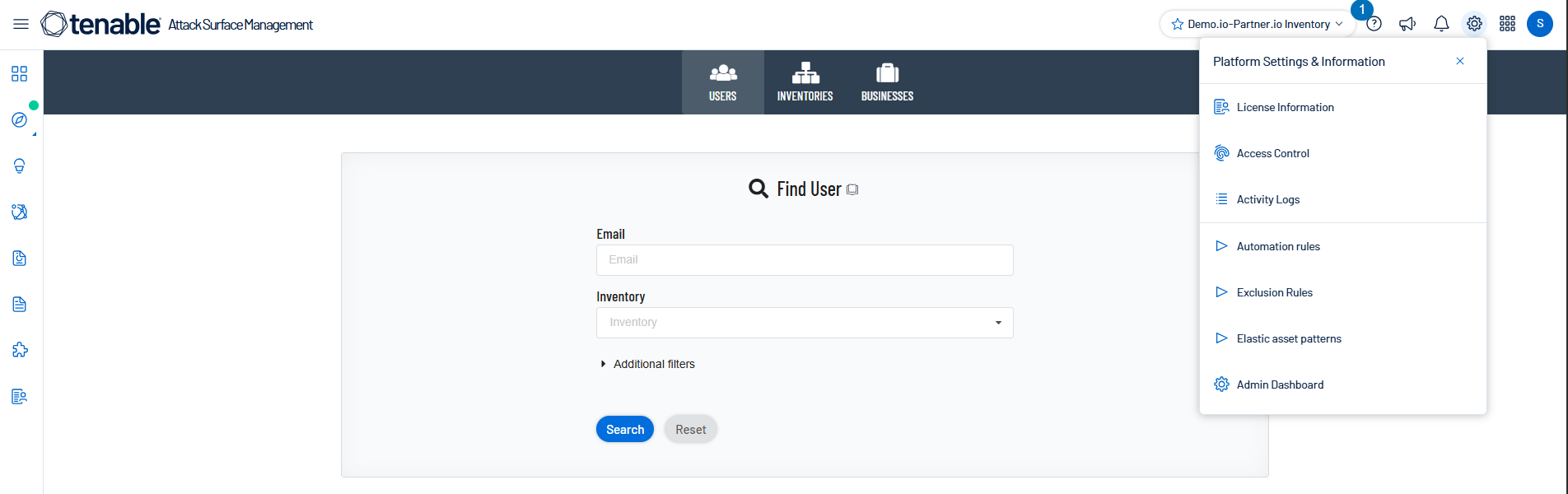
The Settings and Information drop-down list appears.
-
In the drop-down list, click Elastic asset patterns.
The Elastic asset patterns panel appears.
-
Next to Global baseline, locate the toggle.
-
Click the toggle to enable or disable inheritance of the global baseline.
When enabled, the toggle reads Inheriting Tenable's recommended global patterns.
To copy global patterns to your inventory:
-
In Tenable One Attack Surface Management, click the
icon in the upper-right corner.The Settings and Information drop-down list appears.
-
In the drop-down list, click Elastic asset patterns.
The Elastic asset patterns panel appears.
-
Click Copy global to my inventory.
Note: Copied patterns are independent of the global baseline and do not receive future Tenable updates. To stay current with Tenable's recommendations, use the toggle instead of copying patterns.