Delete an Elastic Asset Pattern
Required User Role: Active User, Cloud Connector Manager, or Business Administrator.
To delete an elastic asset pattern:
-
In Tenable One Attack Surface Management, click the
 icon in the upper-right corner.
The Settings and Information drop-down list appears.
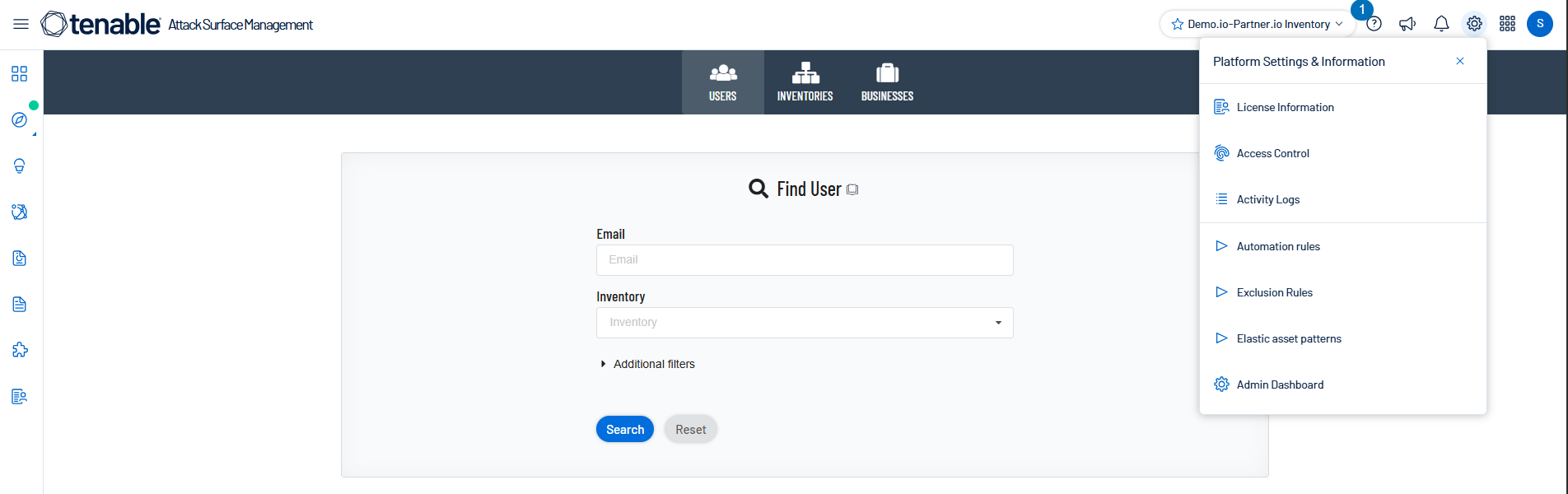
-
In the drop-down list, click Elastic asset patterns.
The Elastic asset patterns panel appears.
-
Click Delete next to the pattern that you want to delete.
A confirmation prompt appears.
-
Confirm the deletion.
Tenable One Attack Surface Management deletes the pattern.
Note: Deleting a pattern does not remove the elastic status from assets that the pattern already matched. See Run Elastic Asset Patterns to reprocess the inventory after deletion.