Test Elastic Asset Patterns
Required User Role: Active User, Cloud Connector Manager, or Business Administrator.
You can test how your current patterns evaluate a hypothetical asset before you apply the patterns to your inventory. Testing patterns does not change any data.
To test elastic asset patterns:
-
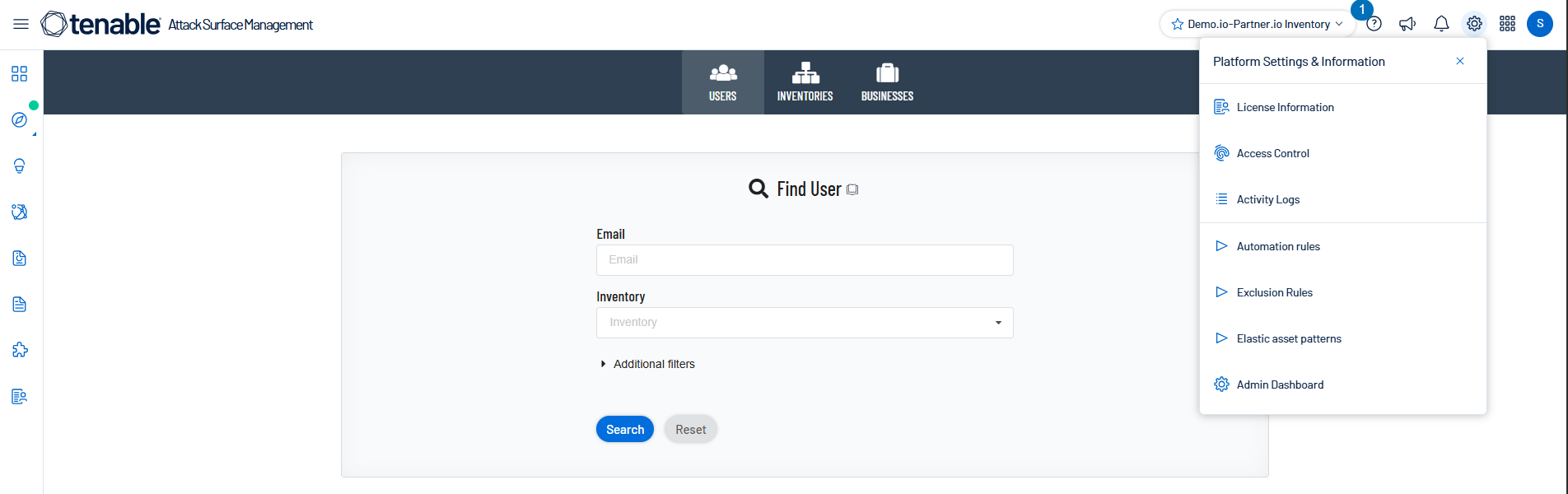
In Tenable One Attack Surface Management, click the
 icon in the upper-right corner.
The Settings and Information drop-down list appears.
-
In the drop-down list, click Elastic asset patterns.
The Elastic asset patterns panel appears.
-
Click Test the patterns.
The Test the Patterns window appears.
-
Type a value in one or more of the following boxes:
Box Description Hostname The asset hostname (for example, autodiscover.example.com). Record value The CNAME or MX target (for example, example-com.mail.protection.outlook.com). IP address The asset IP address (for example, 96.42.17.153). -
Click Run patterns.
Tenable One Attack Surface Management displays the result as either Asset will be made elastic or Asset will be left unchanged.